
GaryHoooo - Minecraft Skins & Skin History
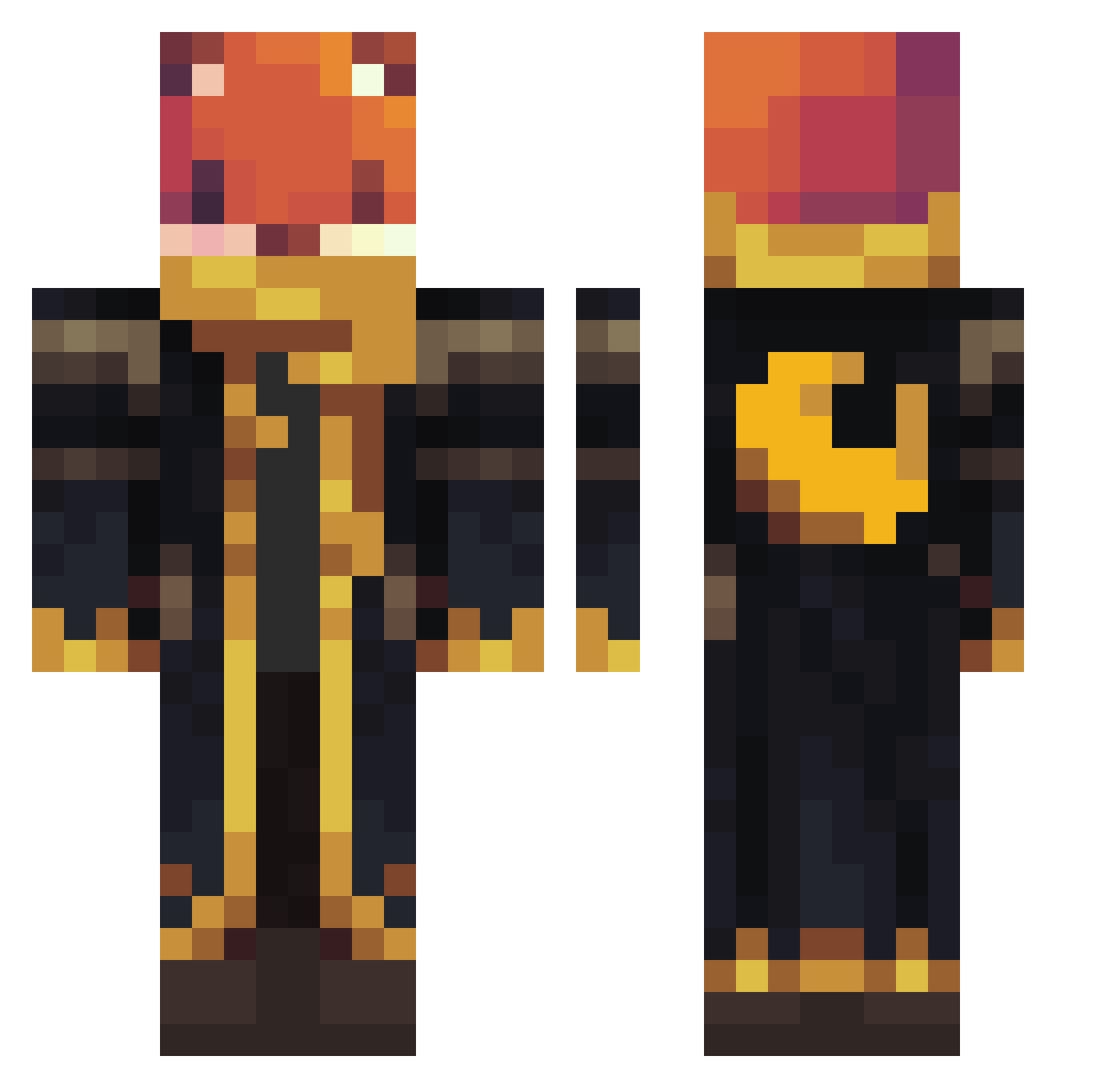
Current Minecraft skin of the player GaryHoooo, loaded from the official Mojang API. Rotate the 3D model with your mouse or finger, then download the skin as a PNG file and use it in Minecraft: Bedrock Edition or Java Edition for free. When GaryHoooo changes their skin, this page updates automatically and the old skin stays in the history below.
Other players with this skin (1126)
GaryHoooo was the 818th player we have seen with this skin, first spotted on 14.10.2026. The same skin was seen on these players. Open a nickname to see their current skin and skin history.
 TessyLynn Guggumere Tekno2121 zeonnomercy Danielfr1275 ouihj CyborgKhal Xmengaia Utahraptor1997 brandoman2023 squishyX547 ombran Roosiemeisje khaledal3nziq8 8Kieran Challan1245 Speedygeorge175 Tjinx1999 Bxileyp littleyoshi1125 Ataullah19 MrToast726 ZleepyBOY Zerknuddelte cuit666 Shiriux28 Lennon96 SOSUKE1906 sobakaenko Minroth9 LittleBean15 colin56157 jone_p13 Julek252 SatanicWarlord MJ_Rocks Catman_31 MasterJonas2016 assassintokyo445 Mrcooked2 nido_t8q Yuki_potato FreeOne__ SPASSDIE itamar10234 Virgil59 JTR9345 2Eleven Dombord alexander2093 Ozelot155 Xenos1337 SpinosaurusJacob Unlike2000 mMoralesss Diesel4x4 Kraken_Tk GothXDay xLegion1 SamLeo2025
More Crescent Moon Minecraft skins
See all 287 Crescent Moon skins
How to install the GaryHoooo skin
- Press the Download button above to save the skin as a PNG file.
- Minecraft: Bedrock Edition (PE): open the Dressing Room from the main menu (or tap your character → Edit Character), go to Classic Skins → Owned, press the + (new skin) button, choose the downloaded PNG and pick the Classic (Steve) model. Works on PC and mobile; consoles cannot import custom skins.
- Minecraft: Java Edition: open the Minecraft Launcher, go to the Skins tab, click New Skin, load the PNG, pick the Classic (Steve) model and press Save & Use. You can also upload it at minecraft.net → Profile → Change Skin.
The skin does not show up after import - what should I do?
Restart Minecraft and open the Dressing Room again - imported skins sometimes appear only after a restart. Also make sure you selected the imported skin and picked the Classic (Steve) model.
Which model should I choose, Classic or Slim?
This skin is designed for the Classic (Steve) model. If you pick the wrong model, the arms of the skin will look stretched or squeezed.
Is the skin of GaryHoooo free to download?
Yes. Press Download, save the PNG file and use it in Minecraft: Bedrock Edition or Java Edition - no payment or registration needed. The skin also works on multiplayer servers and Realms.
More skins
Looking for more? Go back to all Minecraft skins and check the top skins of the week, month and all time, or find any player's skin by nickname.