
B4RTWI_ - Minecraft Skins & Skin History
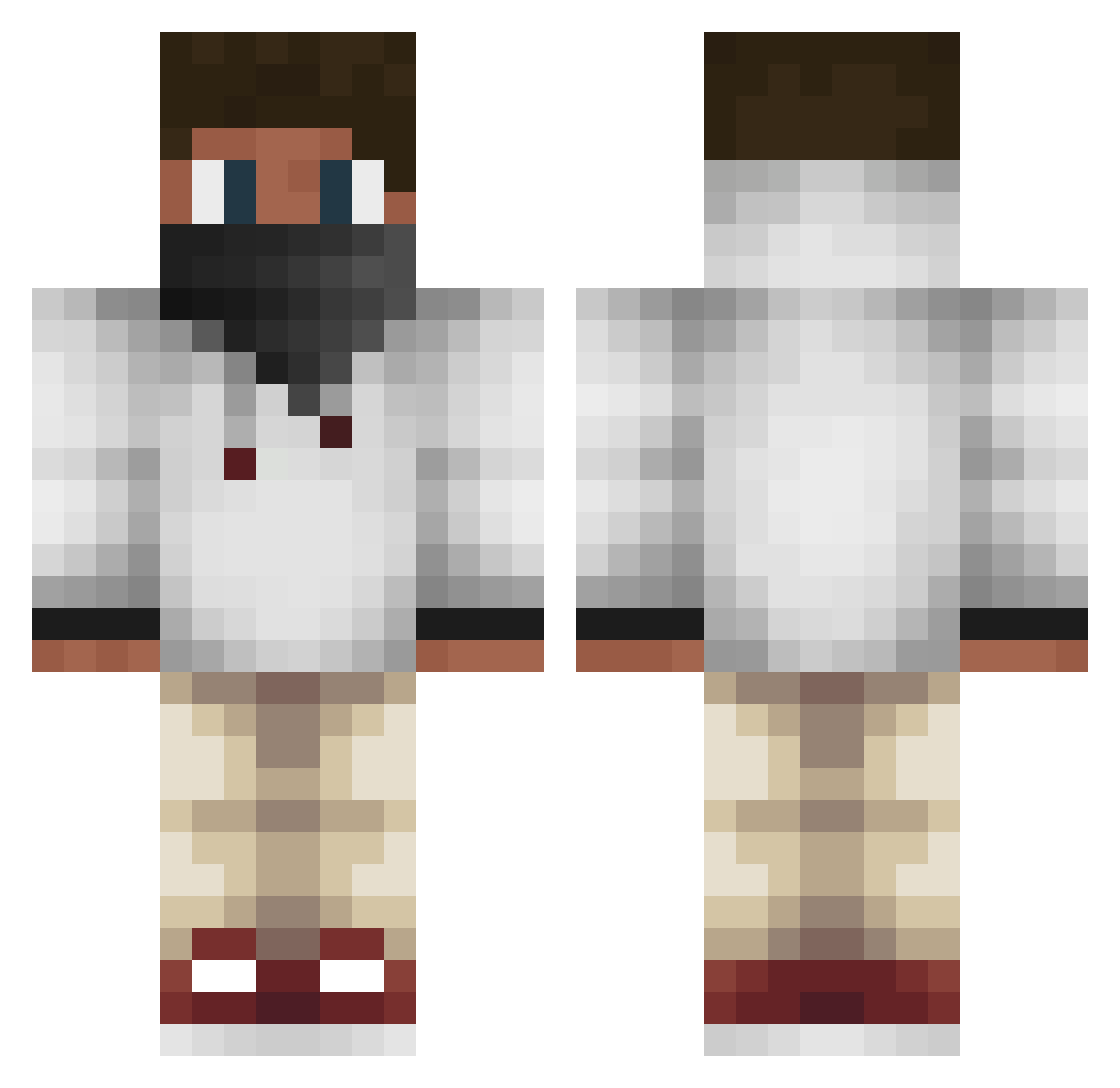
Current Minecraft skin of the player B4RTWI_, loaded from the official Mojang API. Rotate the 3D model with your mouse or finger, then download the skin as a PNG file and use it in Minecraft: Bedrock Edition or Java Edition for free. When B4RTWI_ changes their skin, this page updates automatically and the old skin stays in the history below.
Other players with this skin (163)
B4RTWI_ was the 121st player we have seen with this skin, first spotted on 15.10.2026. The same skin was seen on these players. Open a nickname to see their current skin and skin history.
 Skylian Ailithic rexboy1422 king_jonaa _PigFarmer_ WolfGirlAdemir Andrewultra Gimetic GabrielMc_08 DerRusse15 r_ny Gexes FunTimeWithMagma TTVDache15 Usxr52 Bilski2115 MineeCrafter77 Sariel88 iDiffraction Ghost10M Runnry nicostomz LuoBamboo McSchlabbermaul RK_Phaxy TDX1 Lotsy2306 DerZerficker2002 DOS_Chonce Lamarizard HenryK10 RamAndreW13 tommie13 RNmenLordBaku ALUCARDtheGREAT1 Mang0Mann CraftyCris07 RYD4N17 GinIDX CrackedCjay89 Dragon_Savage Gender_26 CrsPEE17 R4Kky Alanc23 cloud_stryder PillagerBoss Vandergrift CxllerFace ChickenNoodle13 QazArPila JamperGz AustinTheGreat97 CezCR qingfengai DancingTyphoon klemensho ELstarboy chubby_tboy DareDevil37
More Streetwear Minecraft skins
How to install the B4RTWI_ skin
- Press the Download button above to save the skin as a PNG file.
- Minecraft: Bedrock Edition (PE): open the Dressing Room from the main menu (or tap your character → Edit Character), go to Classic Skins → Owned, press the + (new skin) button, choose the downloaded PNG and pick the Classic (Steve) model. Works on PC and mobile; consoles cannot import custom skins.
- Minecraft: Java Edition: open the Minecraft Launcher, go to the Skins tab, click New Skin, load the PNG, pick the Classic (Steve) model and press Save & Use. You can also upload it at minecraft.net → Profile → Change Skin.
The skin does not show up after import - what should I do?
Restart Minecraft and open the Dressing Room again - imported skins sometimes appear only after a restart. Also make sure you selected the imported skin and picked the Classic (Steve) model.
Which model should I choose, Classic or Slim?
This skin is designed for the Classic (Steve) model. If you pick the wrong model, the arms of the skin will look stretched or squeezed.
Is the skin of B4RTWI_ free to download?
Yes. Press Download, save the PNG file and use it in Minecraft: Bedrock Edition or Java Edition - no payment or registration needed. The skin also works on multiplayer servers and Realms.
More skins
Looking for more? Go back to all Minecraft skins and check the top skins of the week, month and all time, or find any player's skin by nickname.