
AveryTheGreat - Minecraft Skins & Skin History
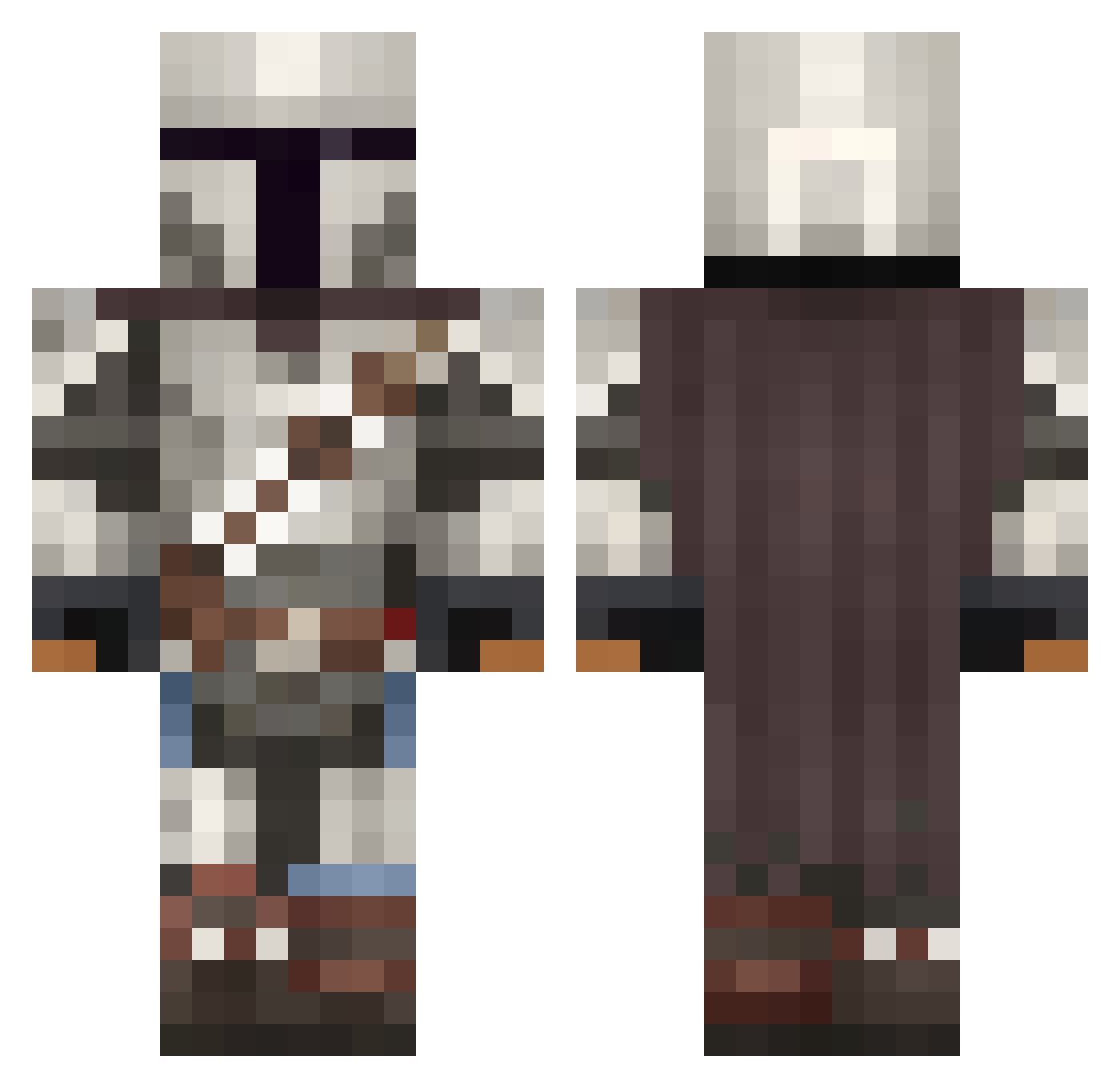
Current Minecraft skin of the player AveryTheGreat, loaded from the official Mojang API. Rotate the 3D model with your mouse or finger, then download the skin as a PNG file and use it in Minecraft: Bedrock Edition or Java Edition for free. When AveryTheGreat changes their skin, this page updates automatically and the old skin stays in the history below.
Other players with this skin (1025)
AveryTheGreat was the 672nd player we have seen with this skin, first spotted on 03.10.2026. The same skin was seen on these players. Open a nickname to see their current skin and skin history.
 hoowie123 exedoronexe asvpxsebb BMB077 Tyrant08 WETIlIlIllll Cpt_Chronos Marinedown59 Mando_16 Dylz527 BunuNot BlackPitt Jioqls BlaiddtheWolf Mati_games33 Hyperevvin pnaza EseintsQ Hawken96 KieranPepper overwatchpro97 Solvan Spvto Markygamez1 Awesome_Bat KillerWhale97 baz2312 Lalawezuk StyleM EZ4Y NatoC628 Cinder419 TinerciYoda QuakieChan Wallbasher344 perceivn MIKNEIM xBayLynx1 One_mage Abe_Linkon___ GOST3415 IJonTonI yeepang ADRIANK24 CookyKitty Jaukkonen17 jellos1 Schmattixx Toonatic3 MigglesMcwiggles M4asterLag Redkrill elGaabz_1 baller20102251 yolzaa WongLeeAccused Sambus_0 elioeix pachhh its_amandalorian
More The Mandalorian Minecraft skins
See all 592 The Mandalorian skins
How to install the AveryTheGreat skin
- Press the Download button above to save the skin as a PNG file.
- Minecraft: Bedrock Edition (PE): open the Dressing Room from the main menu (or tap your character → Edit Character), go to Classic Skins → Owned, press the + (new skin) button, choose the downloaded PNG and pick the Classic (Steve) model. Works on PC and mobile; consoles cannot import custom skins.
- Minecraft: Java Edition: open the Minecraft Launcher, go to the Skins tab, click New Skin, load the PNG, pick the Classic (Steve) model and press Save & Use. You can also upload it at minecraft.net → Profile → Change Skin.
The skin does not show up after import - what should I do?
Restart Minecraft and open the Dressing Room again - imported skins sometimes appear only after a restart. Also make sure you selected the imported skin and picked the Classic (Steve) model.
Which model should I choose, Classic or Slim?
This skin is designed for the Classic (Steve) model. If you pick the wrong model, the arms of the skin will look stretched or squeezed.
Is the skin of AveryTheGreat free to download?
Yes. Press Download, save the PNG file and use it in Minecraft: Bedrock Edition or Java Edition - no payment or registration needed. The skin also works on multiplayer servers and Realms.
More skins
Looking for more? Go back to all Minecraft skins and check the top skins of the week, month and all time, or find any player's skin by nickname.