
Astrox__69 - Minecraft Skins & Skin History
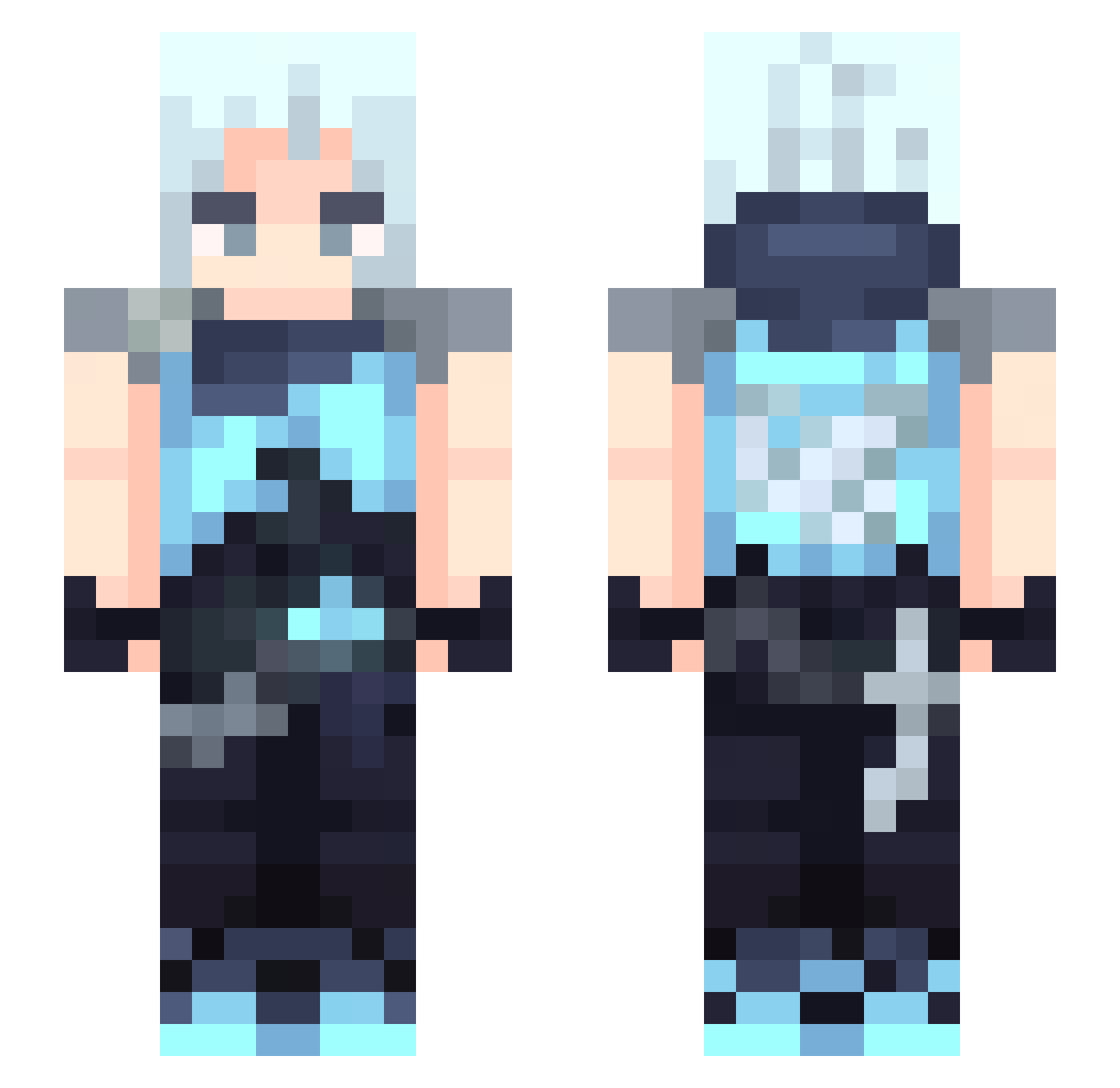
Current Minecraft skin of the player Astrox__69, loaded from the official Mojang API. Rotate the 3D model with your mouse or finger, then download the skin as a PNG file and use it in Minecraft: Bedrock Edition or Java Edition for free. When Astrox__69 changes their skin, this page updates automatically and the old skin stays in the history below.
Other players with this skin (391)
Astrox__69 was the 272nd player we have seen with this skin, first spotted on 09.10.2026. The same skin was seen on these players. Open a nickname to see their current skin and skin history.
 palm50 azu0000 blitzeinschlag TonKla29 MFP_fishtick BASEDDDGODDDD ozarxoo raitohh HYUL1012 bucacdicondi runaran Sylxs caavi Terakoshka OOOOOOOO7 rukitq ShadowB_ 2HARDCORE4YOU destino417 Toortls oj0s soanfb InFinity_zzz RipperGB JN_Ndhr MovementEnjoyer crazyhate claudi10 lnn_AWP Whitewood210 YeeeL00 shaorang00 Evrrrr alanGLOUGLOUTE LawRK Xiampy signedEthereal 5HJ1 martaaaz LazyBloon Jokarada Alf74ita Andyke bluesky010 a7ps nonghom real699 lagaxiia nexbour R1alyz HANDSOMEBOY9997 shea9991 Nether1123 yamada414 FrozenFoxxy Mi1k_yu Izan_ yelulu Umhaeun Heraldsito
More Jett Minecraft skins
How to install the Astrox__69 skin
- Press the Download button above to save the skin as a PNG file.
- Minecraft: Bedrock Edition (PE): open the Dressing Room from the main menu (or tap your character → Edit Character), go to Classic Skins → Owned, press the + (new skin) button, choose the downloaded PNG and pick the Slim (Alex) model. Works on PC and mobile; consoles cannot import custom skins.
- Minecraft: Java Edition: open the Minecraft Launcher, go to the Skins tab, click New Skin, load the PNG, pick the Slim (Alex) model and press Save & Use. You can also upload it at minecraft.net → Profile → Change Skin.
The skin does not show up after import - what should I do?
Restart Minecraft and open the Dressing Room again - imported skins sometimes appear only after a restart. Also make sure you selected the imported skin and picked the Slim (Alex) model.
Which model should I choose, Classic or Slim?
This skin is designed for the Slim (Alex) model. If you pick the wrong model, the arms of the skin will look stretched or squeezed.
Is the skin of Astrox__69 free to download?
Yes. Press Download, save the PNG file and use it in Minecraft: Bedrock Edition or Java Edition - no payment or registration needed. The skin also works on multiplayer servers and Realms.
More skins
Looking for more? Go back to all Minecraft skins and check the top skins of the week, month and all time, or find any player's skin by nickname.