
Astro2hot - Minecraft Skins & Skin History
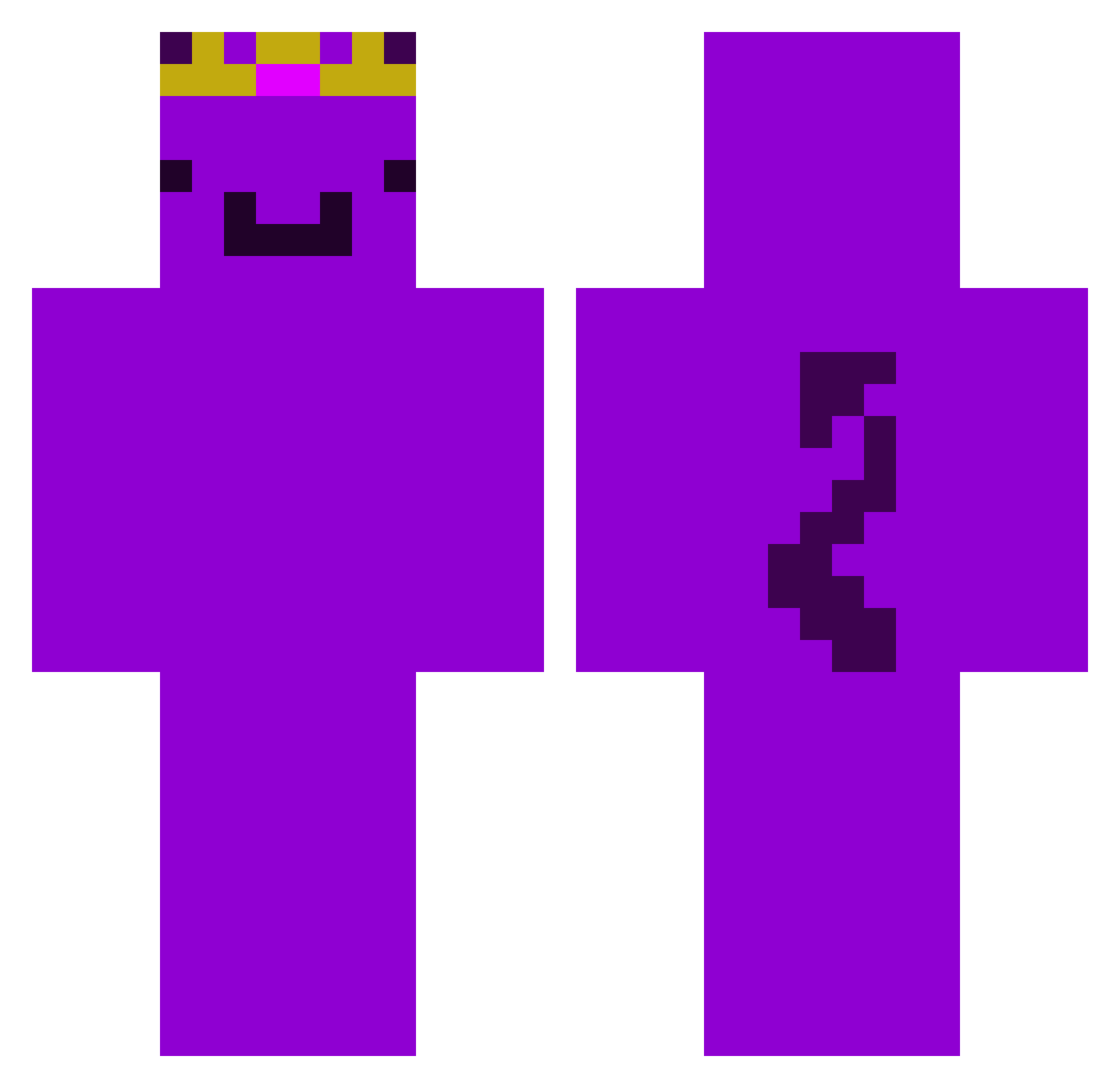
Current Minecraft skin of the player Astro2hot, loaded from the official Mojang API. Rotate the 3D model with your mouse or finger, then download the skin as a PNG file and use it in Minecraft: Bedrock Edition or Java Edition for free. When Astro2hot changes their skin, this page updates automatically and the old skin stays in the history below.
Other players with this skin (124)
Astro2hot was the 15th player we have seen with this skin, first spotted on 05.08.2026. The same skin was seen on these players. Open a nickname to see their current skin and skin history.
 ZumiaBH Lazy30 BADERVAL 2psa ozlbell xevqa g_aimer4 miku182 hayden3550 ITZ_TROPIC fo4cy websaved siloss_ wemmbu_luvr Certifiedidi0t2 CameronCreeper0
 Thebaldestbirdd eggwemmbu EinfachFelix19 Egl53110
 LIGHT3333 cookiemangod _______baba_____ Wemboo12 Jmario0511 Tax_Lad LucysHott Yorickav FireBlade242466 Lenny__0815 lekonzyy Odinn949 puutpuut Jofentroller jigengettingjigy Clapz233 zexyfnn Banton98 SOLESQUASH01066 1__aether__1 leexz4 BusySteveIg Andy_MC1 Edgal1ns xMerox77x Larpgr4ve schlaufisch sShiroJ SPARK_SPARK JoTheGoat211 panza4826 MasterDylan119 P4mp Duck3022 qwertyiscol302 Breadpotato Star2dk overdoze_ KRTS616 robkalox
More Demon Tail Minecraft skins
How to install the Astro2hot skin
- Press the Download button above to save the skin as a PNG file.
- Minecraft: Bedrock Edition (PE): open the Dressing Room from the main menu (or tap your character → Edit Character), go to Classic Skins → Owned, press the + (new skin) button, choose the downloaded PNG and pick the Classic (Steve) model. Works on PC and mobile; consoles cannot import custom skins.
- Minecraft: Java Edition: open the Minecraft Launcher, go to the Skins tab, click New Skin, load the PNG, pick the Classic (Steve) model and press Save & Use. You can also upload it at minecraft.net → Profile → Change Skin.
The skin does not show up after import - what should I do?
Restart Minecraft and open the Dressing Room again - imported skins sometimes appear only after a restart. Also make sure you selected the imported skin and picked the Classic (Steve) model.
Which model should I choose, Classic or Slim?
This skin is designed for the Classic (Steve) model. If you pick the wrong model, the arms of the skin will look stretched or squeezed.
Is the skin of Astro2hot free to download?
Yes. Press Download, save the PNG file and use it in Minecraft: Bedrock Edition or Java Edition - no payment or registration needed. The skin also works on multiplayer servers and Realms.
More skins
Looking for more? Go back to all Minecraft skins and check the top skins of the week, month and all time, or find any player's skin by nickname.