
Ashynite - Minecraft Skins & Skin History
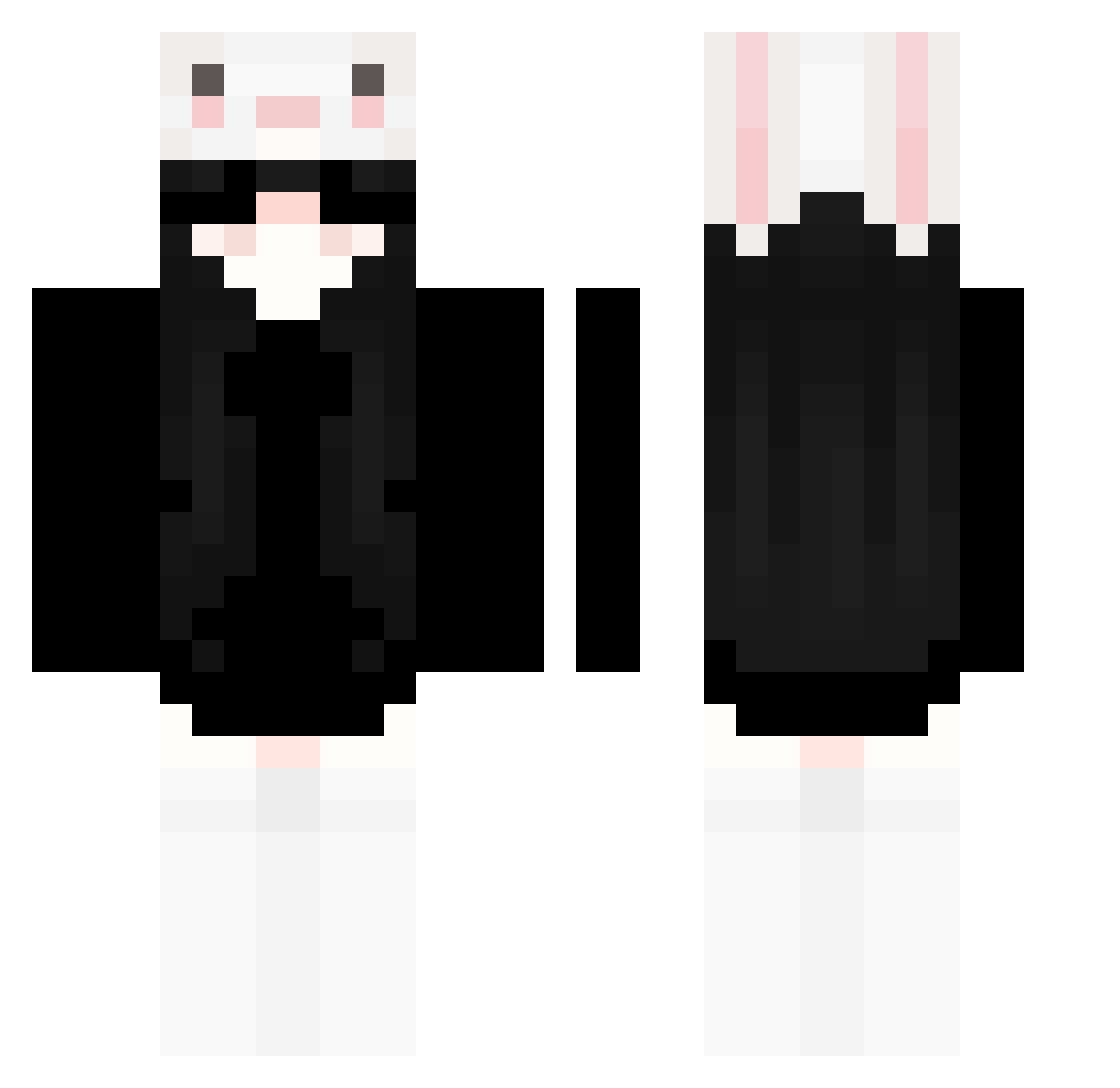
Current Minecraft skin of the player Ashynite, loaded from the official Mojang API. Rotate the 3D model with your mouse or finger, then download the skin as a PNG file and use it in Minecraft: Bedrock Edition or Java Edition for free. When Ashynite changes their skin, this page updates automatically and the old skin stays in the history below.
Other players with this skin (238)
Ashynite was the 50th player we have seen with this skin, first spotted on 13.08.2026. The same skin was seen on these players. Open a nickname to see their current skin and skin history.
 WanLuoY tuotuotuoooo meko1042 M_in2 hanaa0 imluvsick Charmandeeer judeypie rainay0 Tyeee_ Katyge fwiceman TheCroaker RandellLuo Andrad7w annewho
 hawtdawwgs thisrye KamiyaRuru Mrssbacon xiaomao44 sunlisten Problel puyyn Aa17QI Ricardoooooo0 cutesillyegirl36 LightStar8194 qiyz2002 kileatQVQ Natalia1226 nadjxr itzIsami JellaChan tzy_ theodorachi yunnini liaaw WING88 KondonToKasti Forgotten_love clouuddy poptart38 WishNOOB Rebiii24 jyliss Misaki_Ouo Dixnx001 Promxos UhSho Vrysede badpandas SKZ_LAXUS songla87 Queexn Adalisam33 q1_1q notmoshifr kitnight Szymon29
More Face Mask Minecraft skins
How to install the Ashynite skin
- Press the Download button above to save the skin as a PNG file.
- Minecraft: Bedrock Edition (PE): open the Dressing Room from the main menu (or tap your character → Edit Character), go to Classic Skins → Owned, press the + (new skin) button, choose the downloaded PNG and pick the Classic (Steve) model. Works on PC and mobile; consoles cannot import custom skins.
- Minecraft: Java Edition: open the Minecraft Launcher, go to the Skins tab, click New Skin, load the PNG, pick the Classic (Steve) model and press Save & Use. You can also upload it at minecraft.net → Profile → Change Skin.
The skin does not show up after import - what should I do?
Restart Minecraft and open the Dressing Room again - imported skins sometimes appear only after a restart. Also make sure you selected the imported skin and picked the Classic (Steve) model.
Which model should I choose, Classic or Slim?
This skin is designed for the Classic (Steve) model. If you pick the wrong model, the arms of the skin will look stretched or squeezed.
Is the skin of Ashynite free to download?
Yes. Press Download, save the PNG file and use it in Minecraft: Bedrock Edition or Java Edition - no payment or registration needed. The skin also works on multiplayer servers and Realms.
More skins
Looking for more? Go back to all Minecraft skins and check the top skins of the week, month and all time, or find any player's skin by nickname.