
AreYouSeriusNeow - Minecraft Skins & Skin History
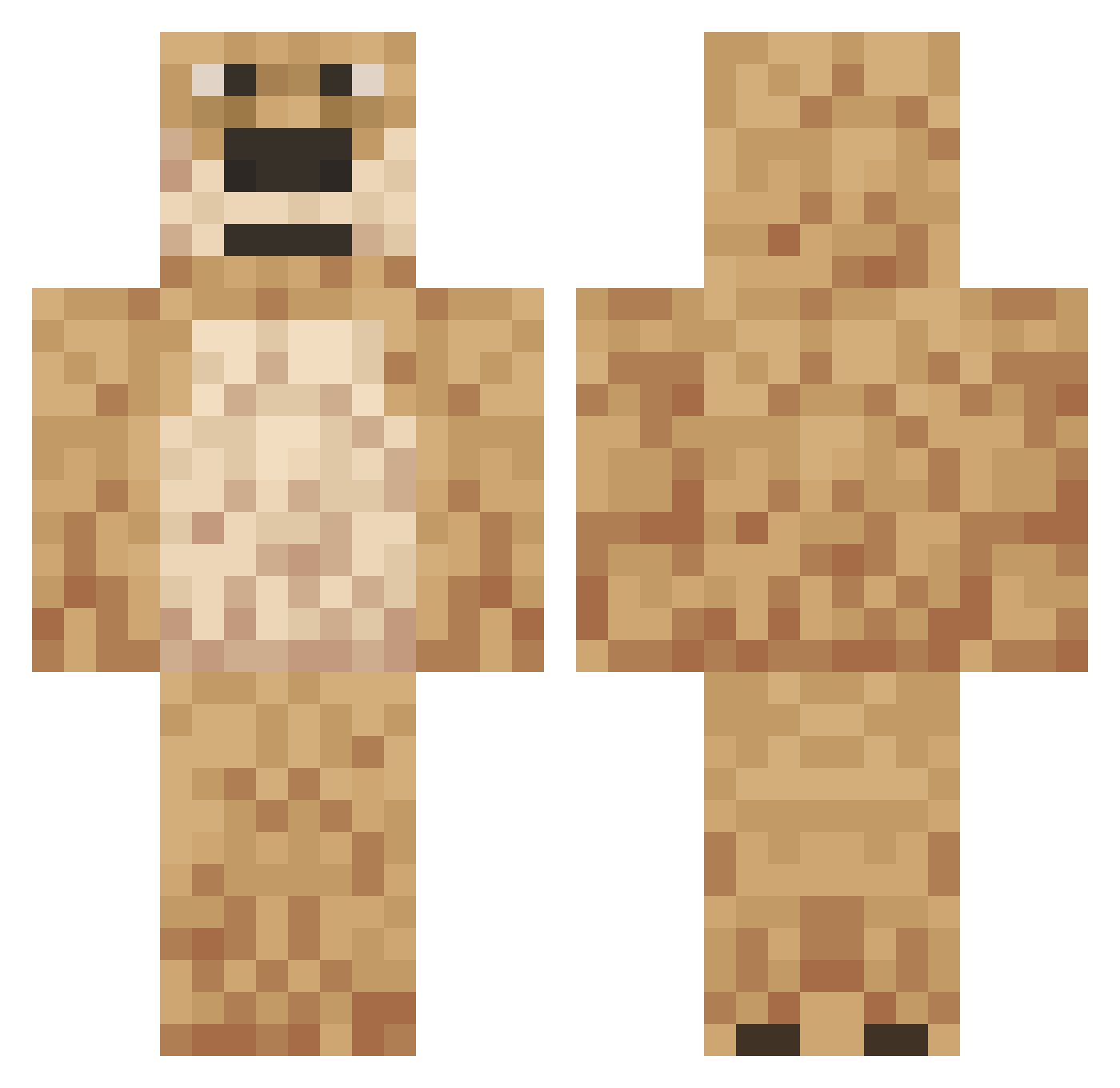
Current Minecraft skin of the player AreYouSeriusNeow, loaded from the official Mojang API. Rotate the 3D model with your mouse or finger, then download the skin as a PNG file and use it in Minecraft: Bedrock Edition or Java Edition for free. When AreYouSeriusNeow changes their skin, this page updates automatically and the old skin stays in the history below.
Other players with this skin (558)
AreYouSeriusNeow was the 213th player we have seen with this skin, first spotted on 06.09.2026. The same skin was seen on these players. Open a nickname to see their current skin and skin history.
 leraptou ompye BenNeverDiesV43 lolbadlolfdjv114 Ben_2b2t collin1v rakusus _NotDeadF_ SandyBootyCheaks lolbadlolV58 Bama201422 DrewWRLD NAUGHTYREMZ HudsonG7226 Ryska_ lolbadlolV48 The_fives P4ND4__ S1n_ex Toad543 wookovich TheGamingFungus_ ArchieJimenez7 Wobinwoodss lolbadlolV50 OdaliaBlight IronCrayonMan Bangnono dogedogbar BakaCoom nayRx BenTheCripWalker CHAINNNNNNNNNNN4 BabellNator Lawreniko Arrudaa Wattasan Godzlonze Your_Local_Poop ChaIawan HDWC Neutering Flor3nz1 j3r7 Maniac_Necro L4ttenrost lolbadlolV57 Jml0 ZachAndCheese08 Angerness esweeks torrac0 sircwisp ChiliPepper_345 Digbick12345 joseph201038 Tometo_ avatarcam RER4IK032 juuzinho
More Talking Ben Minecraft skins
How to install the AreYouSeriusNeow skin
- Press the Download button above to save the skin as a PNG file.
- Minecraft: Bedrock Edition (PE): open the Dressing Room from the main menu (or tap your character → Edit Character), go to Classic Skins → Owned, press the + (new skin) button, choose the downloaded PNG and pick the Classic (Steve) model. Works on PC and mobile; consoles cannot import custom skins.
- Minecraft: Java Edition: open the Minecraft Launcher, go to the Skins tab, click New Skin, load the PNG, pick the Classic (Steve) model and press Save & Use. You can also upload it at minecraft.net → Profile → Change Skin.
The skin does not show up after import - what should I do?
Restart Minecraft and open the Dressing Room again - imported skins sometimes appear only after a restart. Also make sure you selected the imported skin and picked the Classic (Steve) model.
Which model should I choose, Classic or Slim?
This skin is designed for the Classic (Steve) model. If you pick the wrong model, the arms of the skin will look stretched or squeezed.
Is the skin of AreYouSeriusNeow free to download?
Yes. Press Download, save the PNG file and use it in Minecraft: Bedrock Edition or Java Edition - no payment or registration needed. The skin also works on multiplayer servers and Realms.
More skins
Looking for more? Go back to all Minecraft skins and check the top skins of the week, month and all time, or find any player's skin by nickname.