
Aragon__ - Minecraft Skins & Skin History
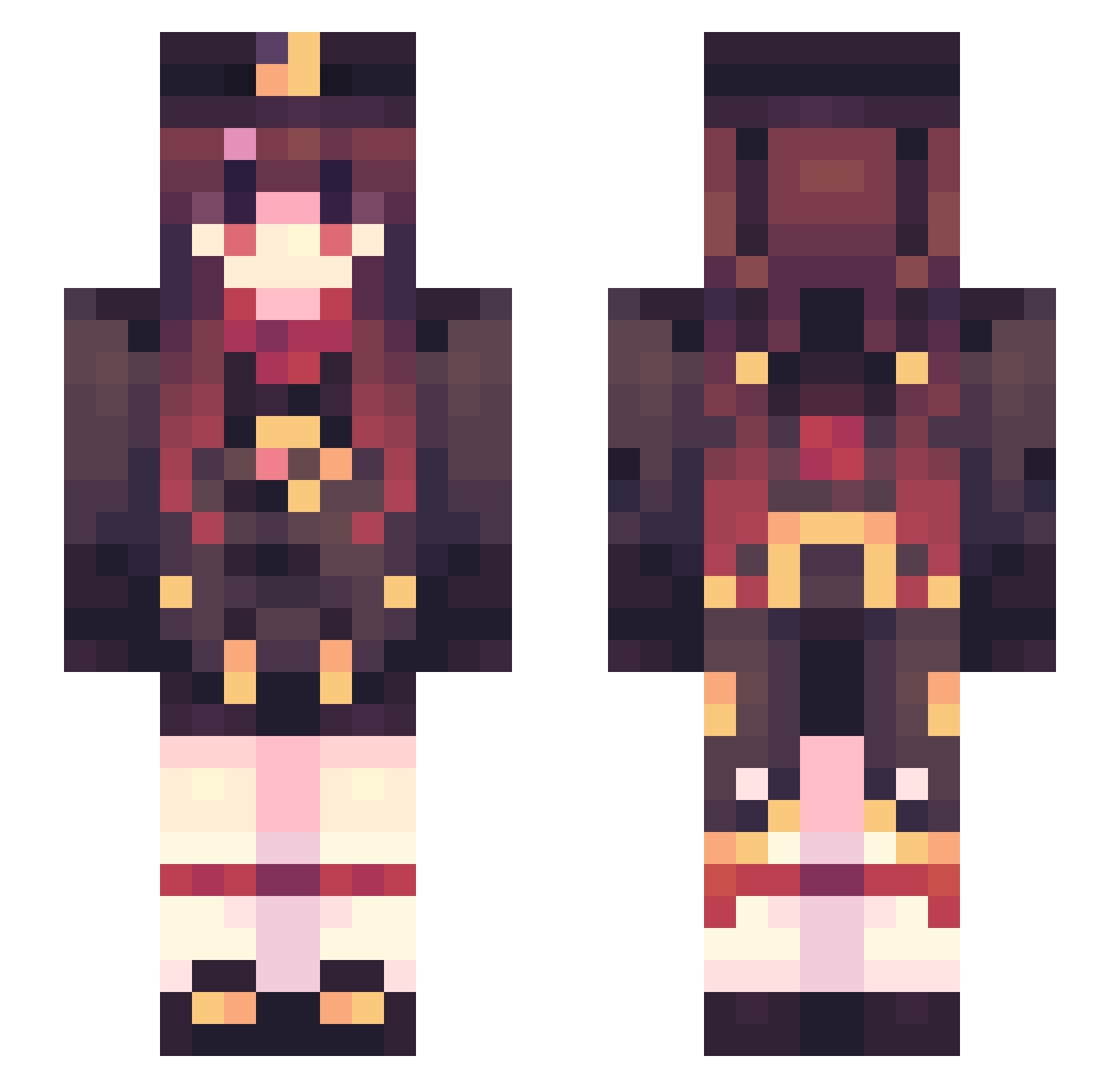
Current Minecraft skin of the player Aragon__, loaded from the official Mojang API. Rotate the 3D model with your mouse or finger, then download the skin as a PNG file and use it in Minecraft: Bedrock Edition or Java Edition for free. When Aragon__ changes their skin, this page updates automatically and the old skin stays in the history below.
Other players with this skin (654)
Aragon__ was the 606th player we have seen with this skin, first spotted on 11.11.2026. The same skin was seen on these players. Open a nickname to see their current skin and skin history.
 MeLucinn toastzone Homo__ shiyi4188 MSHK_lei_beng oxinceo Temmie330 chinayhhl MartiMaus HFTiamo negitororo_ Mofals Kira22_ Twizzy2010 Martinamy sfeng Dmy_awa Sawelxx Ebony221 Reis_eeeee PrAnAv_XD anfenya ElTunas8867 Miton25 mozartyun123 ntmz30 Strohclown RashyDood Masman1304 junebell __RedGuard__ kilkou SRMAOvO hongyenzzi _lychking ccornwall04 Flame_Yan_0416 LING_CHUCHU pickette420 momo_Xxquam MXSLaser gyin360 Sha11ow_Lane Lalo03 Yoda__Senpai_ ALingFF WyRubia _Peng1963 zhouzihua AngelMenma lumos634543 1WeeN1 Marzkiana lkg2020 huichen163 Tanglan7 DavideMattei FuRuiMi kir_kong gameinghulk1
More Hu Tao Minecraft skins
How to install the Aragon__ skin
- Press the Download button above to save the skin as a PNG file.
- Minecraft: Bedrock Edition (PE): open the Dressing Room from the main menu (or tap your character → Edit Character), go to Classic Skins → Owned, press the + (new skin) button, choose the downloaded PNG and pick the Slim (Alex) model. Works on PC and mobile; consoles cannot import custom skins.
- Minecraft: Java Edition: open the Minecraft Launcher, go to the Skins tab, click New Skin, load the PNG, pick the Slim (Alex) model and press Save & Use. You can also upload it at minecraft.net → Profile → Change Skin.
The skin does not show up after import - what should I do?
Restart Minecraft and open the Dressing Room again - imported skins sometimes appear only after a restart. Also make sure you selected the imported skin and picked the Slim (Alex) model.
Which model should I choose, Classic or Slim?
This skin is designed for the Slim (Alex) model. If you pick the wrong model, the arms of the skin will look stretched or squeezed.
Is the skin of Aragon__ free to download?
Yes. Press Download, save the PNG file and use it in Minecraft: Bedrock Edition or Java Edition - no payment or registration needed. The skin also works on multiplayer servers and Realms.
More skins
Looking for more? Go back to all Minecraft skins and check the top skins of the week, month and all time, or find any player's skin by nickname.