
Apocalypse118 - Minecraft Skins & Skin History
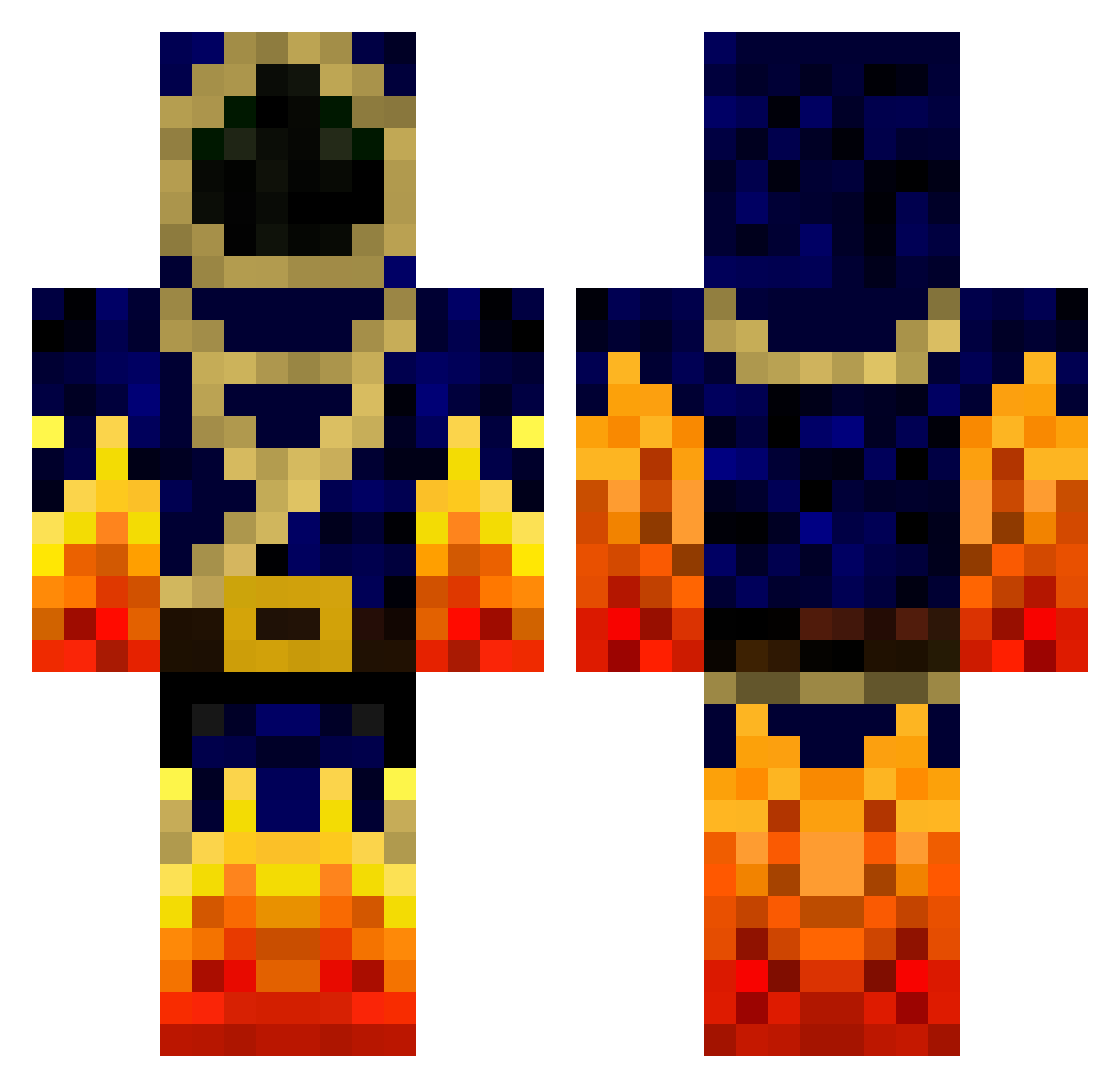
Current Minecraft skin of the player Apocalypse118, loaded from the official Mojang API. Rotate the 3D model with your mouse or finger, then download the skin as a PNG file and use it in Minecraft: Bedrock Edition or Java Edition for free. When Apocalypse118 changes their skin, this page updates automatically and the old skin stays in the history below.
Other players with this skin (778)
Apocalypse118 was the 386th player we have seen with this skin, first spotted on 20.09.2026. The same skin was seen on these players. Open a nickname to see their current skin and skin history.
 Tonyfastjr27 Skaroband hounddoggg1 Leanikigai TheXshot biggulpkid LavaStrike0511 ZilchSword85 CraftWithTyler firebirdxp2000 mehy298 DrDurdle Kill_Switch899 CDub1407 MartinD115 Lostsoul223 TrueThug NUKETRIPPER1 Mac65 dunnuck8 deMesa911 FrigidEhh phantom_e_dragon woodpepper CRM717 skynox3626 jalmlund Magmic_Demon Fire_Kingz BlockPie Qw1st OpTic_Mads gamelover102 r427 Binaeg codycool11 ZingyPies123 Laemion rythekidRN Pyro_HD Birlived Keyert K__LEGENDARY__K Maxou192001 backflip101 KingWhite400 FeeMale Fin_kuusipuu erik5670 Sintex67 BloodBrotherHD SvenKing6 Derked charly_master gosty303 TrymBoix MTROLOLOL Dapps joshS_S Jboss77
More Mage Minecraft skins
How to install the Apocalypse118 skin
- Press the Download button above to save the skin as a PNG file.
- Minecraft: Bedrock Edition (PE): open the Dressing Room from the main menu (or tap your character → Edit Character), go to Classic Skins → Owned, press the + (new skin) button, choose the downloaded PNG and pick the Classic (Steve) model. Works on PC and mobile; consoles cannot import custom skins.
- Minecraft: Java Edition: open the Minecraft Launcher, go to the Skins tab, click New Skin, load the PNG, pick the Classic (Steve) model and press Save & Use. You can also upload it at minecraft.net → Profile → Change Skin.
The skin does not show up after import - what should I do?
Restart Minecraft and open the Dressing Room again - imported skins sometimes appear only after a restart. Also make sure you selected the imported skin and picked the Classic (Steve) model.
Which model should I choose, Classic or Slim?
This skin is designed for the Classic (Steve) model. If you pick the wrong model, the arms of the skin will look stretched or squeezed.
Is the skin of Apocalypse118 free to download?
Yes. Press Download, save the PNG file and use it in Minecraft: Bedrock Edition or Java Edition - no payment or registration needed. The skin also works on multiplayer servers and Realms.
More skins
Looking for more? Go back to all Minecraft skins and check the top skins of the week, month and all time, or find any player's skin by nickname.