
AntoninGRB - Minecraft Skins & Skin History
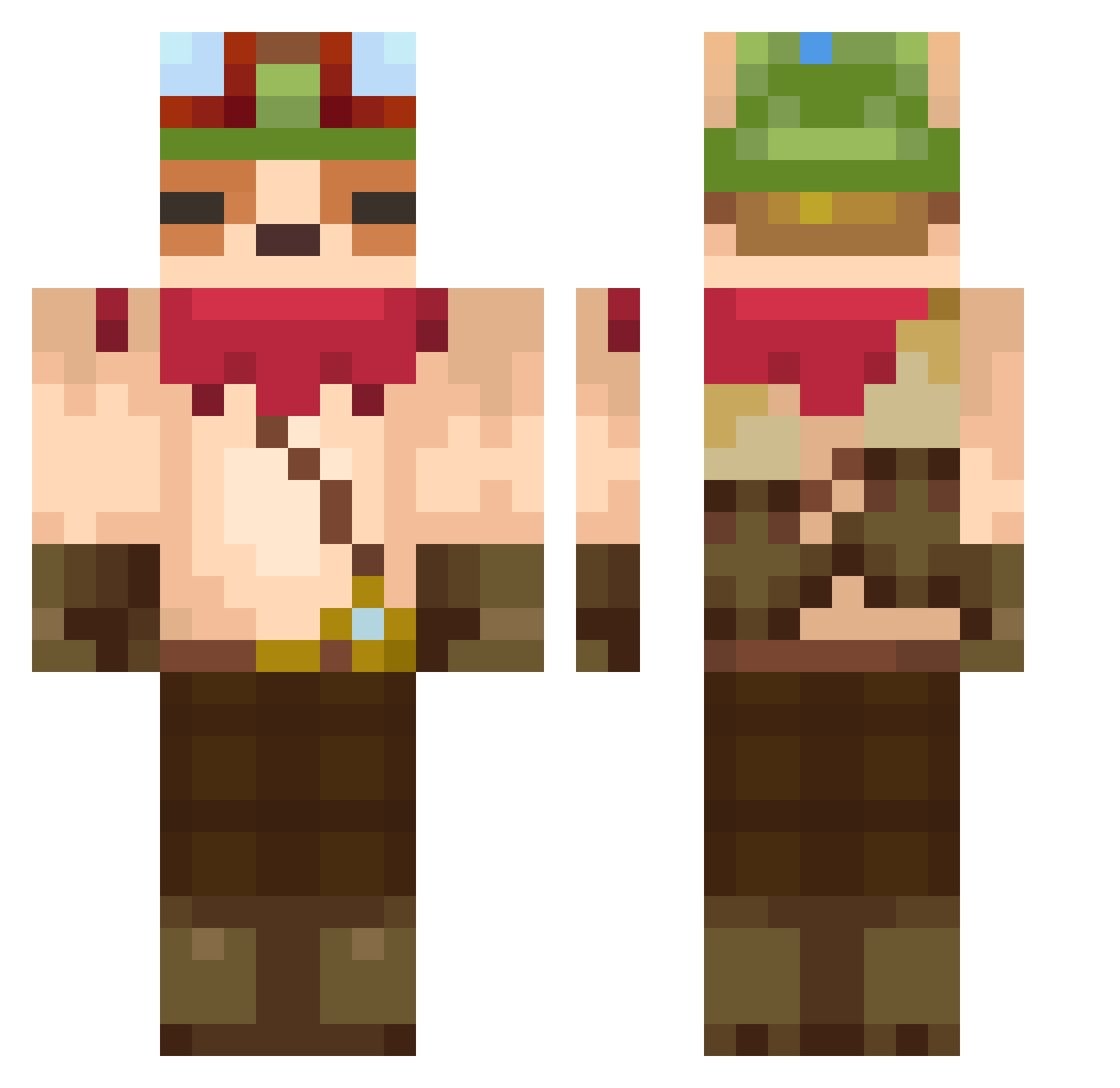
Current Minecraft skin of the player AntoninGRB, loaded from the official Mojang API. Rotate the 3D model with your mouse or finger, then download the skin as a PNG file and use it in Minecraft: Bedrock Edition or Java Edition for free. When AntoninGRB changes their skin, this page updates automatically and the old skin stays in the history below.
Other players with this skin (632)
AntoninGRB was the 622nd player we have seen with this skin, first spotted on 02.11.2026. The same skin was seen on these players. Open a nickname to see their current skin and skin history.
 nuhaures Daiki5670 cRaZyHoRnBaG Meyaps Liar_7 Youness__ MatheusBiz JayzeeJay TeemoOnDuty ImMoving_ painred Teemo_dayo jerry4chicken aki0810 beemill shrodinger_dog TaquitoHD4K Jujurororo seohyunjin080 9atilhamir xmarchewix zzinyi woowoo_603 BunBunXZ Elfranzo42 12345wpwa SciJav DiamontBR Wifly44 Bary426 shiva8 TeemoXD MonTeRa0 DontSPeak7 EhyTia malyptaszek haz1132 Vallling zanc__ J4cob20 PIQUEFIRE ggezgg Pegazo_Azul Krixxish noruseuleum WNWNKing Hunight DAICHINPO Ajihoon FrezZze4Y oggi_5rov kmj10408 rKAQL Kaduleta thedrake_ Cris28 colabear999 dusdnzzang takumi1918 Ulisse95
More Bandana Minecraft skins
How to install the AntoninGRB skin
- Press the Download button above to save the skin as a PNG file.
- Minecraft: Bedrock Edition (PE): open the Dressing Room from the main menu (or tap your character → Edit Character), go to Classic Skins → Owned, press the + (new skin) button, choose the downloaded PNG and pick the Classic (Steve) model. Works on PC and mobile; consoles cannot import custom skins.
- Minecraft: Java Edition: open the Minecraft Launcher, go to the Skins tab, click New Skin, load the PNG, pick the Classic (Steve) model and press Save & Use. You can also upload it at minecraft.net → Profile → Change Skin.
The skin does not show up after import - what should I do?
Restart Minecraft and open the Dressing Room again - imported skins sometimes appear only after a restart. Also make sure you selected the imported skin and picked the Classic (Steve) model.
Which model should I choose, Classic or Slim?
This skin is designed for the Classic (Steve) model. If you pick the wrong model, the arms of the skin will look stretched or squeezed.
Is the skin of AntoninGRB free to download?
Yes. Press Download, save the PNG file and use it in Minecraft: Bedrock Edition or Java Edition - no payment or registration needed. The skin also works on multiplayer servers and Realms.
More skins
Looking for more? Go back to all Minecraft skins and check the top skins of the week, month and all time, or find any player's skin by nickname.