
Antone80 - Minecraft Skins & Skin History
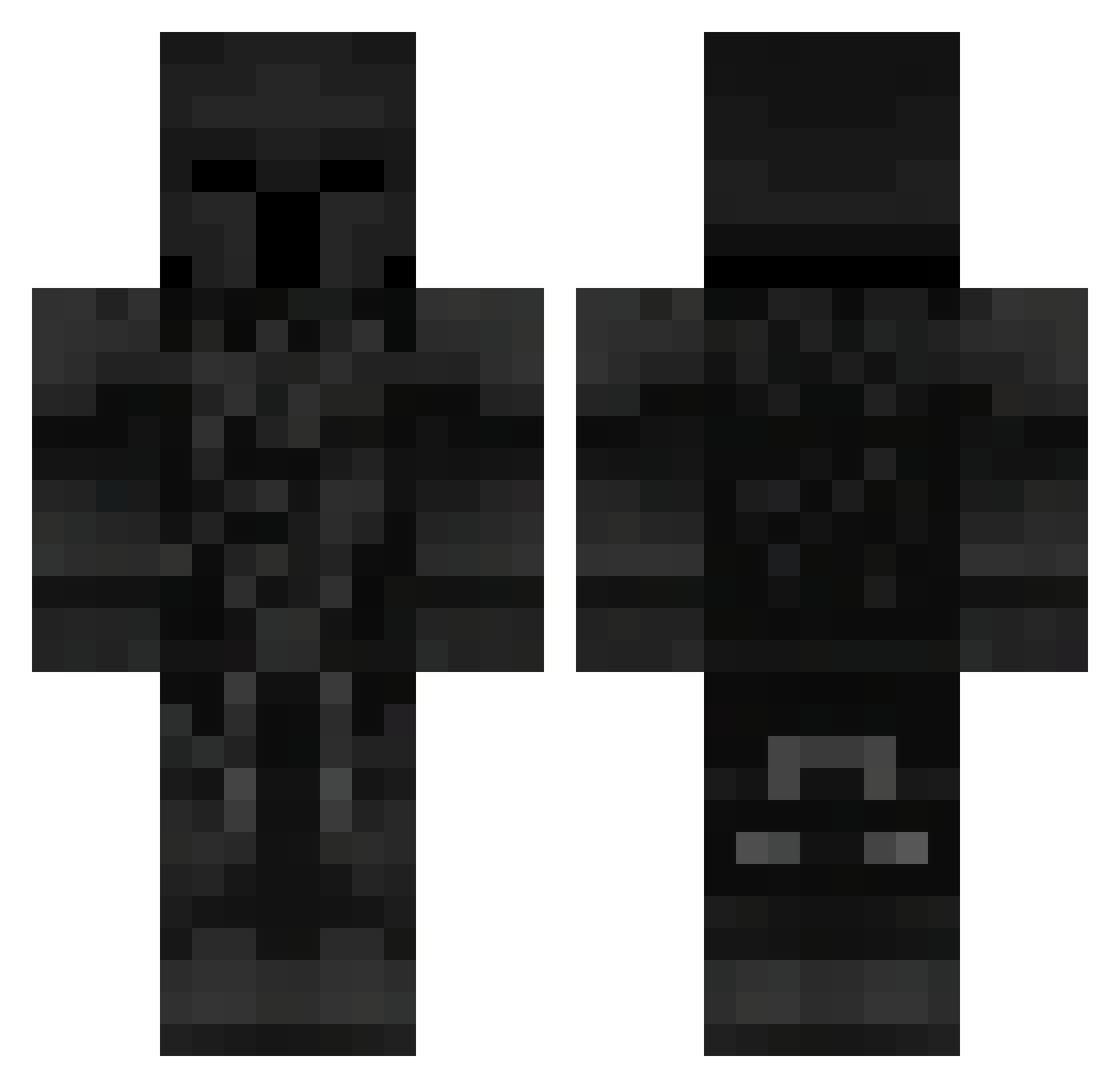
Current Minecraft skin of the player Antone80, loaded from the official Mojang API. Rotate the 3D model with your mouse or finger, then download the skin as a PNG file and use it in Minecraft: Bedrock Edition or Java Edition for free. When Antone80 changes their skin, this page updates automatically and the old skin stays in the history below.
Other players with this skin (105)
Antone80 was the 87th player we have seen with this skin, first spotted on 11.10.2026. The same skin was seen on these players. Open a nickname to see their current skin and skin history.
 FLEB829 sonajksdhf Mathis3411 EreBoS_13 kylian27 Mitocondria9904 knc9 LevoDrago goga2018 KristoffSwe Mate077 PoweRexdi PlasmaLeFiFou Knight9102 Jce10 Xenor2137 Kubasek235 MrHellYTB quikizx Minimoto7777777 DOOM0725 gameforger Fpotato1 titancamera998 slfty HOLS115 bandiq oinqq Wolfvane iTzNxmph Iced_out12 SLasherGHost47 ReedexXL jjncir FazeCasS Astapik_X PredatorHBomb Ghost9231 UncEmperor ordagaa acehinosu N0va222222 KubaM771 AslanArcher TheBean_23 Frog3er Vardrus CapiKenway 24KIBLAZING123 Skubi69 fili1918 manerfdrvd Pa4tryk_ Nanucek123 Tunic3567 NicoBoca11 Zeonx15 RYAN0908 50kVisxn _Dizen
More Knight Minecraft skins
How to install the Antone80 skin
- Press the Download button above to save the skin as a PNG file.
- Minecraft: Bedrock Edition (PE): open the Dressing Room from the main menu (or tap your character → Edit Character), go to Classic Skins → Owned, press the + (new skin) button, choose the downloaded PNG and pick the Classic (Steve) model. Works on PC and mobile; consoles cannot import custom skins.
- Minecraft: Java Edition: open the Minecraft Launcher, go to the Skins tab, click New Skin, load the PNG, pick the Classic (Steve) model and press Save & Use. You can also upload it at minecraft.net → Profile → Change Skin.
The skin does not show up after import - what should I do?
Restart Minecraft and open the Dressing Room again - imported skins sometimes appear only after a restart. Also make sure you selected the imported skin and picked the Classic (Steve) model.
Which model should I choose, Classic or Slim?
This skin is designed for the Classic (Steve) model. If you pick the wrong model, the arms of the skin will look stretched or squeezed.
Is the skin of Antone80 free to download?
Yes. Press Download, save the PNG file and use it in Minecraft: Bedrock Edition or Java Edition - no payment or registration needed. The skin also works on multiplayer servers and Realms.
More skins
Looking for more? Go back to all Minecraft skins and check the top skins of the week, month and all time, or find any player's skin by nickname.