
Anred29 - Minecraft Skins & Skin History
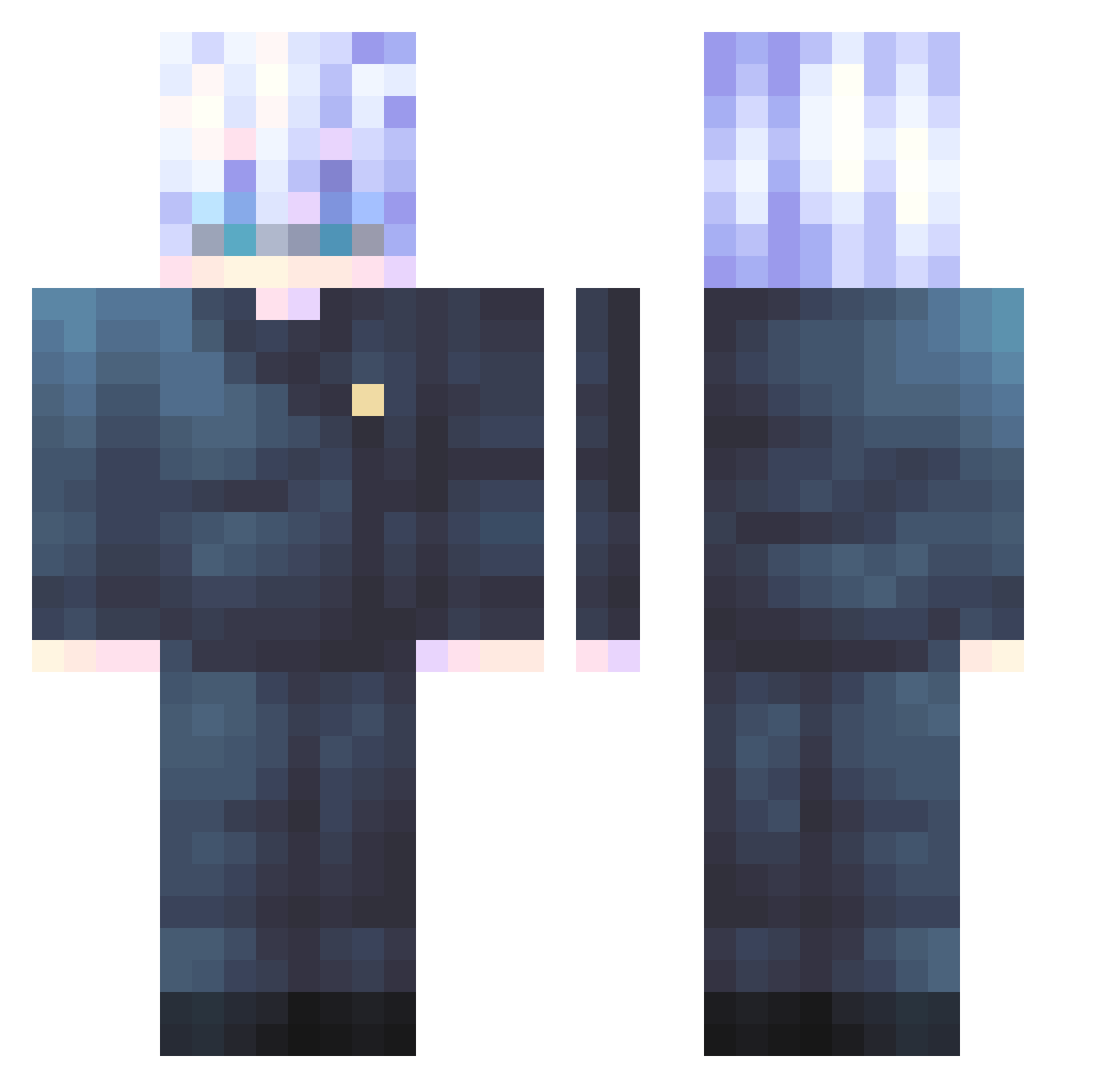
Current Minecraft skin of the player Anred29, loaded from the official Mojang API. Rotate the 3D model with your mouse or finger, then download the skin as a PNG file and use it in Minecraft: Bedrock Edition or Java Edition for free. When Anred29 changes their skin, this page updates automatically and the old skin stays in the history below.
Other players with this skin (547)
Anred29 was the 501st player we have seen with this skin, first spotted on 25.10.2026. The same skin was seen on these players. Open a nickname to see their current skin and skin history.
 AThousandNights Leer_02 jay13094 XATERCHIPER Feen_X JayTheCoder Sa347 Rimuru_Hinata Philophobia__ HollyLou42 WsgYt Manchenghuayu klxvor pharo85 YaelValtio SageCubed tarreqP Kyuubi00 CryDay LinHao1129 Dlany99 lemenisdahora kryzNov BlueSIn17 tounsi1384 Sveshnikov7 Timolicon HCLI_Kiluari Viniwhats Godzilla1207 Mattniz Ching9520 Sinsarasee MaxCaval Sarcastically_Me Czapsky Smol1k DOPEMATIONS PelirrojoSinAlma BubiumBrawler PZZThomas g_dedotated tennisbean22 MC_Sneaky Max30FPS levilkinevil rafidhi313abulul tenny1005 BBrd20083486 Maroonmoon1234 SuperDogGamer1 darkyX223 McCote Voider_2 CallMeKokko NappingBacon Krokmouuu MOTHERLE2S BARRA7 hojini17
More Satoru Gojo Minecraft skins
See all 1317 Satoru Gojo skins
How to install the Anred29 skin
- Press the Download button above to save the skin as a PNG file.
- Minecraft: Bedrock Edition (PE): open the Dressing Room from the main menu (or tap your character → Edit Character), go to Classic Skins → Owned, press the + (new skin) button, choose the downloaded PNG and pick the Classic (Steve) model. Works on PC and mobile; consoles cannot import custom skins.
- Minecraft: Java Edition: open the Minecraft Launcher, go to the Skins tab, click New Skin, load the PNG, pick the Classic (Steve) model and press Save & Use. You can also upload it at minecraft.net → Profile → Change Skin.
The skin does not show up after import - what should I do?
Restart Minecraft and open the Dressing Room again - imported skins sometimes appear only after a restart. Also make sure you selected the imported skin and picked the Classic (Steve) model.
Which model should I choose, Classic or Slim?
This skin is designed for the Classic (Steve) model. If you pick the wrong model, the arms of the skin will look stretched or squeezed.
Is the skin of Anred29 free to download?
Yes. Press Download, save the PNG file and use it in Minecraft: Bedrock Edition or Java Edition - no payment or registration needed. The skin also works on multiplayer servers and Realms.
More skins
Looking for more? Go back to all Minecraft skins and check the top skins of the week, month and all time, or find any player's skin by nickname.