
Angel_Mikasa - Minecraft Skins & Skin History
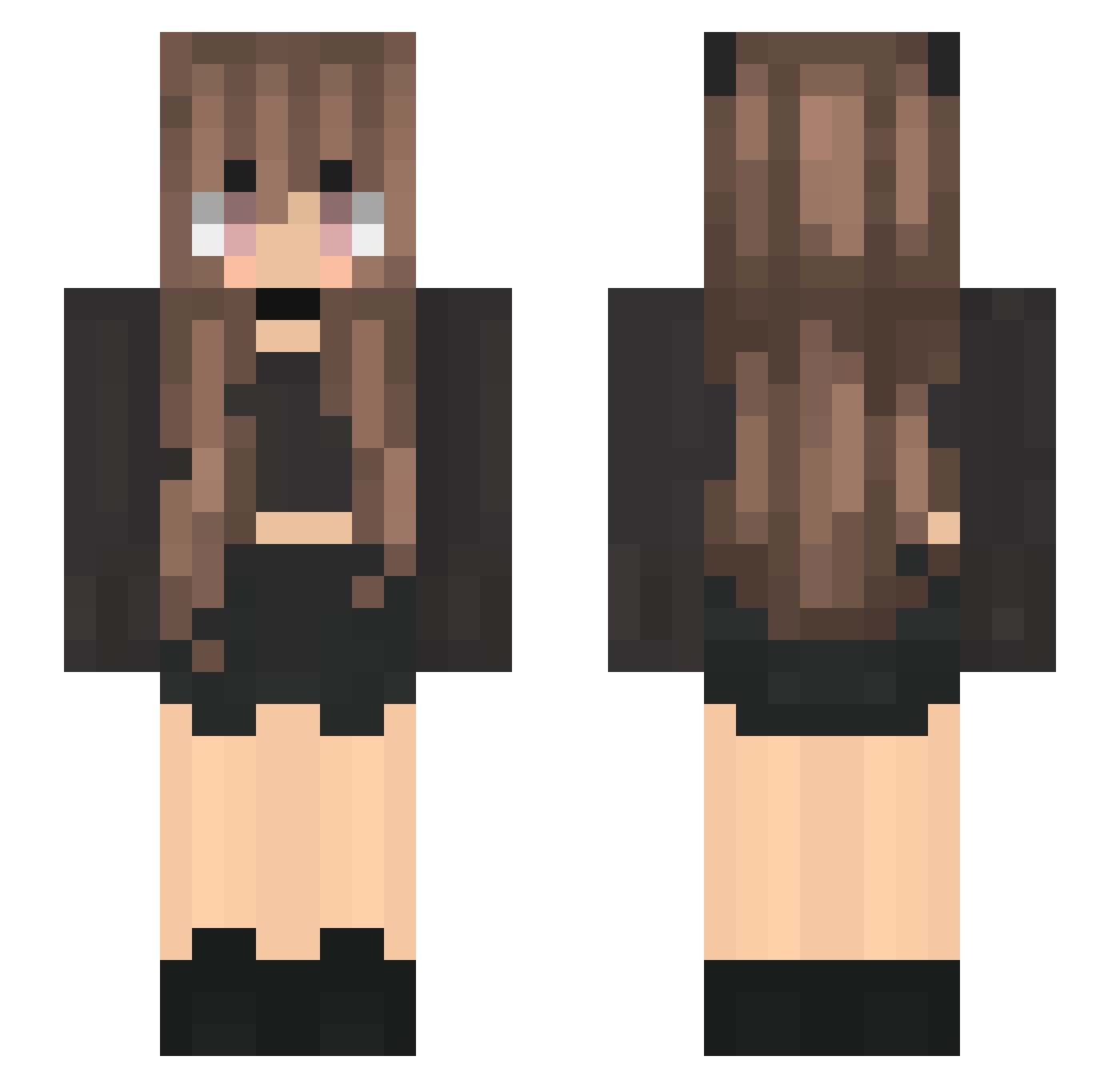
Current Minecraft skin of the player Angel_Mikasa, loaded from the official Mojang API. Rotate the 3D model with your mouse or finger, then download the skin as a PNG file and use it in Minecraft: Bedrock Edition or Java Edition for free. When Angel_Mikasa changes their skin, this page updates automatically and the old skin stays in the history below.
Other players with this skin (200)
Angel_Mikasa was the 33rd player we have seen with this skin, first spotted on 11.08.2026. The same skin was seen on these players. Open a nickname to see their current skin and skin history.
 lucystepper Bluechange AlleyTree xsuuun_ MorangoAzull ana_jkc nomiocat KatieKat2005 iamKaterina RingTailLemur435 itsbrisa LeCoNic mudkrab sakuQK A_lona JoYen0422 SletteMette GodSogeking La_mathou Airixkitox dinogorawr5525 AbitionMusik Eduarda_ glowstarsinajar l3oserax oliiiwkaaa NotSoLegendAhri Marias202 jeniphermello NinjaMaster5669 starlightXYY hotvillagers JehSantos confusiovelvet DGWIN momo7233 Dschinni_ GennyBenny5000 Alice0x Soul8920 Frenchie232004 Ctrap Jean_Charest Chemicalvein _Aerglo Haslaren Azbii juju9118 eylish09 AheDo103 GlowingBucket maytrev14 xi__yang Juriscreuda_ kud_schwarz squige2003 Nonore2008 hcstorksen Naimres2k itzrita
More Goth Minecraft skins
How to install the Angel_Mikasa skin
- Press the Download button above to save the skin as a PNG file.
- Minecraft: Bedrock Edition (PE): open the Dressing Room from the main menu (or tap your character → Edit Character), go to Classic Skins → Owned, press the + (new skin) button, choose the downloaded PNG and pick the Slim (Alex) model. Works on PC and mobile; consoles cannot import custom skins.
- Minecraft: Java Edition: open the Minecraft Launcher, go to the Skins tab, click New Skin, load the PNG, pick the Slim (Alex) model and press Save & Use. You can also upload it at minecraft.net → Profile → Change Skin.
The skin does not show up after import - what should I do?
Restart Minecraft and open the Dressing Room again - imported skins sometimes appear only after a restart. Also make sure you selected the imported skin and picked the Slim (Alex) model.
Which model should I choose, Classic or Slim?
This skin is designed for the Slim (Alex) model. If you pick the wrong model, the arms of the skin will look stretched or squeezed.
Is the skin of Angel_Mikasa free to download?
Yes. Press Download, save the PNG file and use it in Minecraft: Bedrock Edition or Java Edition - no payment or registration needed. The skin also works on multiplayer servers and Realms.
More skins
Looking for more? Go back to all Minecraft skins and check the top skins of the week, month and all time, or find any player's skin by nickname.