
Andreas_AT - Minecraft Skins & Skin History
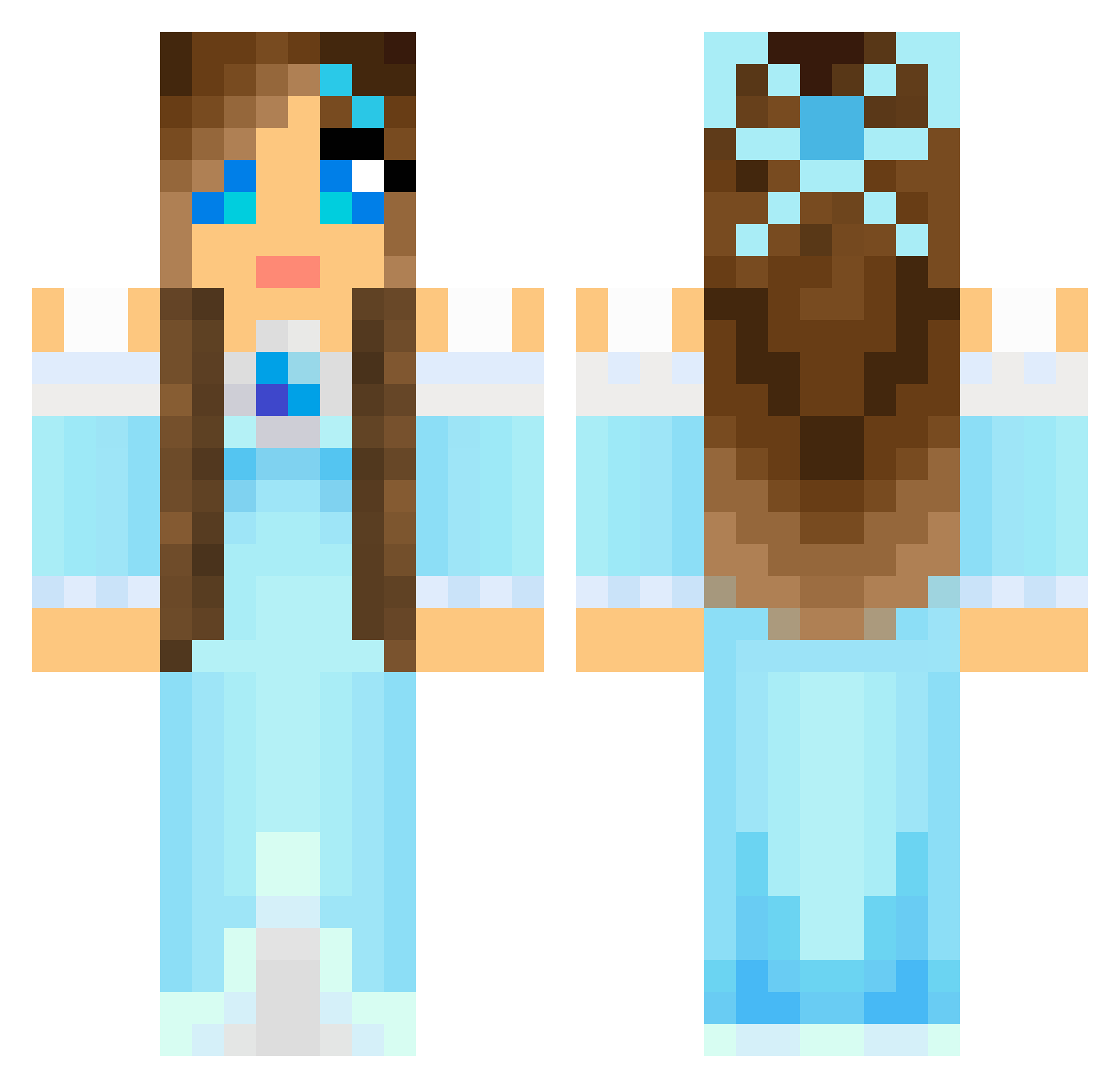
Current Minecraft skin of the player Andreas_AT, loaded from the official Mojang API. Rotate the 3D model with your mouse or finger, then download the skin as a PNG file and use it in Minecraft: Bedrock Edition or Java Edition for free. When Andreas_AT changes their skin, this page updates automatically and the old skin stays in the history below.
Other players with this skin (804)
Andreas_AT was the 419th player we have seen with this skin, first spotted on 21.09.2026. The same skin was seen on these players. Open a nickname to see their current skin and skin history.
 caro0o0 NocturnalLotus JennyPenny cj5b25 AmandaW Chloebadger dani10188 hellojessy Roseebuud Nathasja_zxc chloelondon10 Katja2210 QueenGlory woshiaqian Megan_Potter03 Carebear0709 GirlyGamer274 Eilish2003 XnigglesX torchwood1005 Leona451 buggie22 Summerwolfe ChazyChaz2011 Nanakah Carmencarp _Laryn_ Lilybudge21 toocool26 fawnclub LucyLichterloh Bug4577 JuFruits flutterbye satpat20 AristoKitten VEGA_CRAFT BrittPiiqen Alyzeeke sportdog2 GYMNAST340 Aermisty frosting2012 IKarenI charlotte_holt ETGomez om_nom_berries Wade_2 Crazy775 ILoveLegolas PunPotato hailey55422 Thegumballkid HarryMiner14 celina110 CARMEN26 Missann30 Misshot nevethirwen desertflower92
More Princess Minecraft skins
How to install the Andreas_AT skin
- Press the Download button above to save the skin as a PNG file.
- Minecraft: Bedrock Edition (PE): open the Dressing Room from the main menu (or tap your character → Edit Character), go to Classic Skins → Owned, press the + (new skin) button, choose the downloaded PNG and pick the Classic (Steve) model. Works on PC and mobile; consoles cannot import custom skins.
- Minecraft: Java Edition: open the Minecraft Launcher, go to the Skins tab, click New Skin, load the PNG, pick the Classic (Steve) model and press Save & Use. You can also upload it at minecraft.net → Profile → Change Skin.
The skin does not show up after import - what should I do?
Restart Minecraft and open the Dressing Room again - imported skins sometimes appear only after a restart. Also make sure you selected the imported skin and picked the Classic (Steve) model.
Which model should I choose, Classic or Slim?
This skin is designed for the Classic (Steve) model. If you pick the wrong model, the arms of the skin will look stretched or squeezed.
Is the skin of Andreas_AT free to download?
Yes. Press Download, save the PNG file and use it in Minecraft: Bedrock Edition or Java Edition - no payment or registration needed. The skin also works on multiplayer servers and Realms.
More skins
Looking for more? Go back to all Minecraft skins and check the top skins of the week, month and all time, or find any player's skin by nickname.