
Anbinsn - Minecraft Skins & Skin History
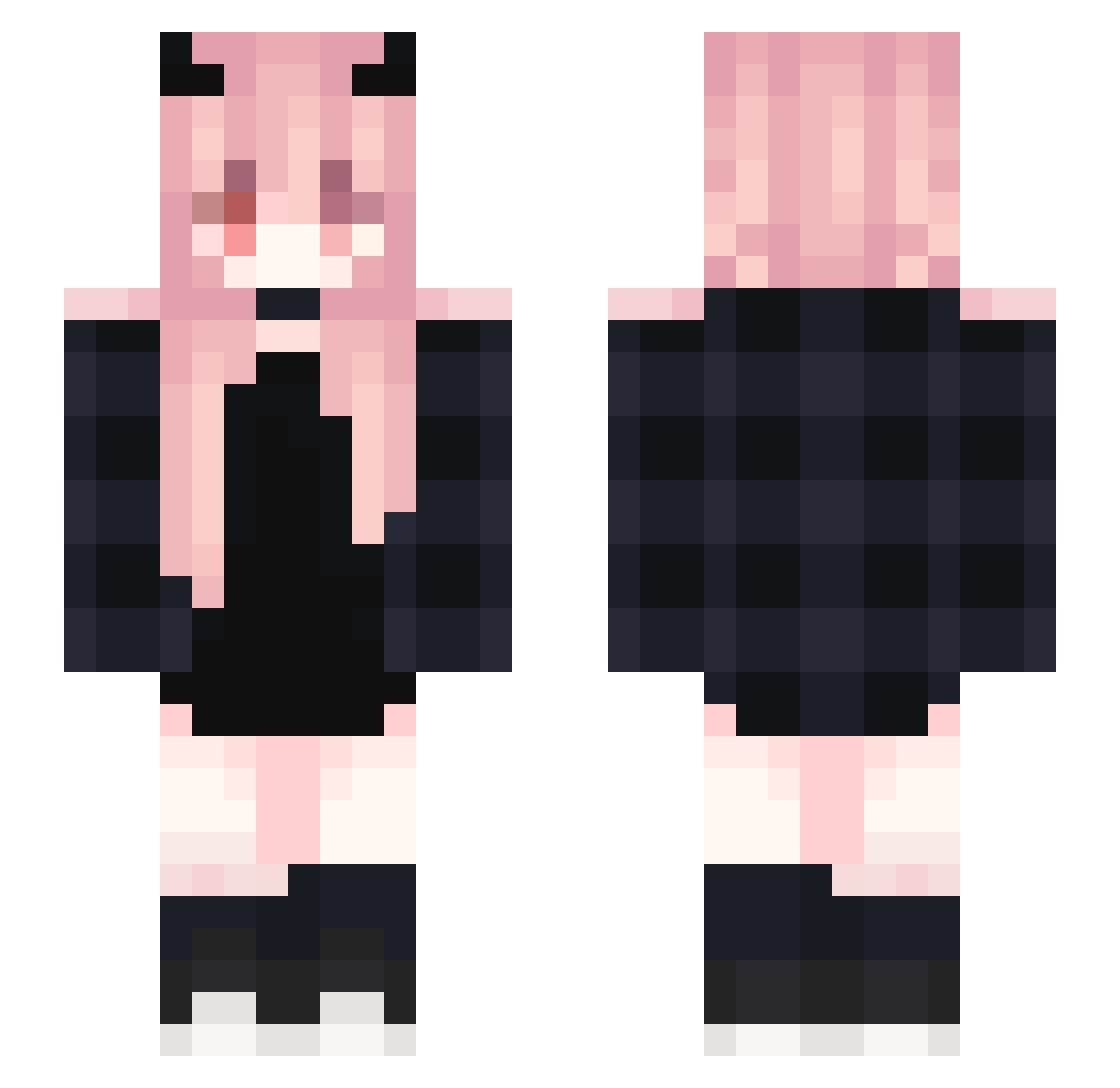
Current Minecraft skin of the player Anbinsn, loaded from the official Mojang API. Rotate the 3D model with your mouse or finger, then download the skin as a PNG file and use it in Minecraft: Bedrock Edition or Java Edition for free. When Anbinsn changes their skin, this page updates automatically and the old skin stays in the history below.
Other players with this skin (367)
Anbinsn was the 140th player we have seen with this skin, first spotted on 03.09.2026. The same skin was seen on these players. Open a nickname to see their current skin and skin history.
 rstdfisg Luna0vQ Cornelia_0125 yeyu1314 XIXIXIZI2079 Dobby0326 Pollete237
 Rias_7 sofnen Farmutt Sun_US keerOVO SHINMJ96 chunn666 1924w Carrie_121 Kimika_Tachibana LingXue_0617 xiaoyang2054 Supremum_ Meniscate NoFearBear06 Kaza619 anlingjun nakqmura leilei002 suhmoon2 Brhma Javeneu kurihure CrowYH playinghardc BH_Yeon Zarathusss firbird Wenonah1026 EstherOVO MariaChan12 cxntur1a Fall25 makharge Dong_Xiang Sofo4ka bootymuncher30 koreabestsexer Unclaimed Anna_Yu gani_princess Duluo_x Calleigh_Alley GreenTea0077 Leblanc_James35 Kerballer sysy03 hnngnhhhzel Teufel_Lucia Azusa_Syun lola152 dsmjizai H0n3ybun
More Demon Horns Minecraft skins
How to install the Anbinsn skin
- Press the Download button above to save the skin as a PNG file.
- Minecraft: Bedrock Edition (PE): open the Dressing Room from the main menu (or tap your character → Edit Character), go to Classic Skins → Owned, press the + (new skin) button, choose the downloaded PNG and pick the Slim (Alex) model. Works on PC and mobile; consoles cannot import custom skins.
- Minecraft: Java Edition: open the Minecraft Launcher, go to the Skins tab, click New Skin, load the PNG, pick the Slim (Alex) model and press Save & Use. You can also upload it at minecraft.net → Profile → Change Skin.
The skin does not show up after import - what should I do?
Restart Minecraft and open the Dressing Room again - imported skins sometimes appear only after a restart. Also make sure you selected the imported skin and picked the Slim (Alex) model.
Which model should I choose, Classic or Slim?
This skin is designed for the Slim (Alex) model. If you pick the wrong model, the arms of the skin will look stretched or squeezed.
Is the skin of Anbinsn free to download?
Yes. Press Download, save the PNG file and use it in Minecraft: Bedrock Edition or Java Edition - no payment or registration needed. The skin also works on multiplayer servers and Realms.
More skins
Looking for more? Go back to all Minecraft skins and check the top skins of the week, month and all time, or find any player's skin by nickname.