
Amko00 - Minecraft Skins & Skin History
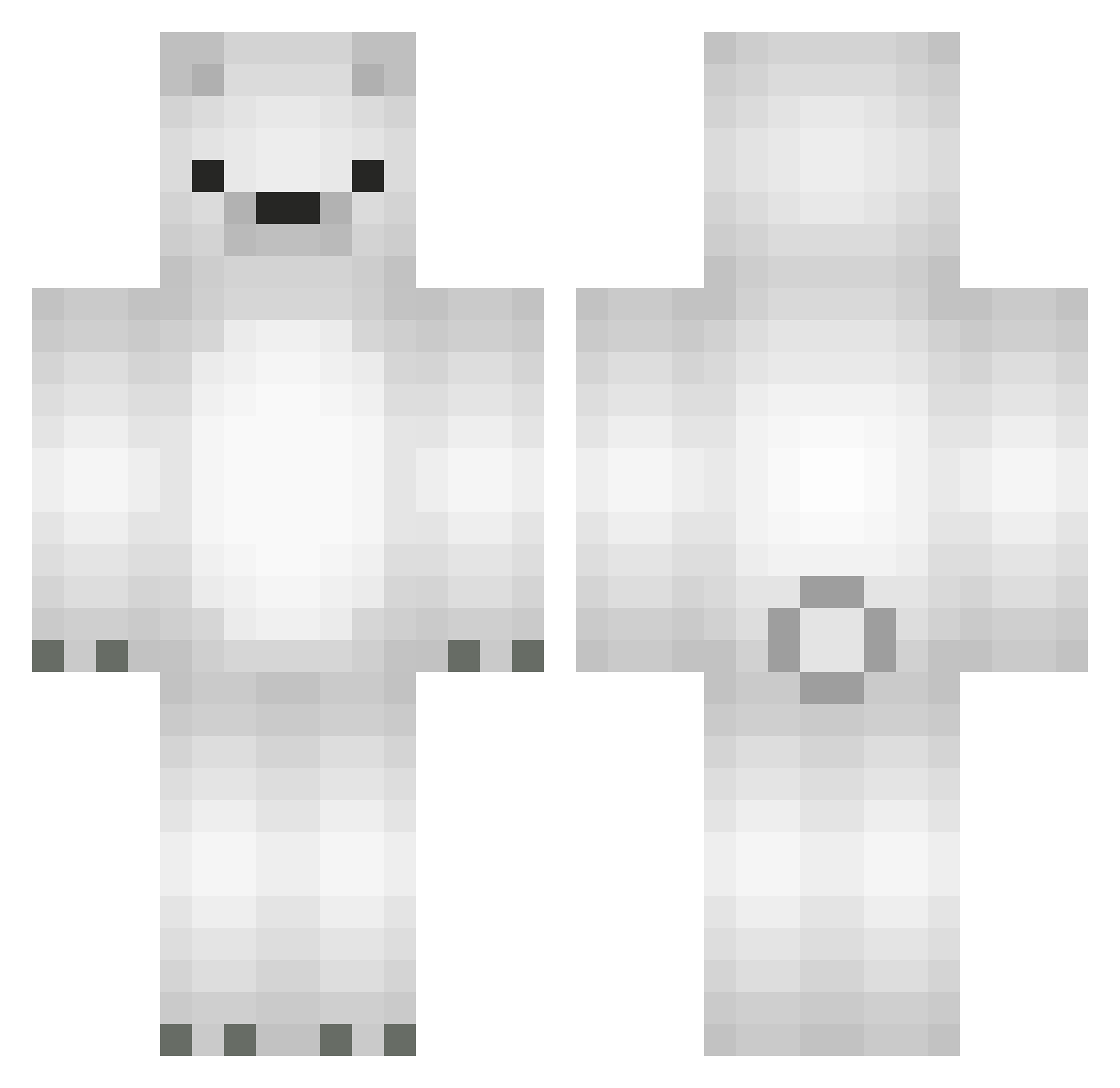
Current Minecraft skin of the player Amko00, loaded from the official Mojang API. Rotate the 3D model with your mouse or finger, then download the skin as a PNG file and use it in Minecraft: Bedrock Edition or Java Edition for free. When Amko00 changes their skin, this page updates automatically and the old skin stays in the history below.
Other players with this skin (677)
Amko00 was the 656th player we have seen with this skin, first spotted on 14.11.2026. The same skin was seen on these players. Open a nickname to see their current skin and skin history.
 Circulatory Dust_706 DaLegitPolarBear memilgoon GiuIianaa RatJohnson utatesi That_mouse crafterkota ImmortalBooster LSB0919 zarko81 GooseCherry minu11 RShunG ecplisemilk SpaceSoldier00 9ff cidcyril yeongjun05 Dongguri_ Happy_man1 i_my v4lorr _nalyd isalex_T chan1309 tr45h5t4r Drakesaurusrex carolinebrnan gagulgagul UU11 CaptJason shtjdwn Rizbell Sneyna _Hwadol quirxly UHCGodlike olo0515 volibearlover FatKittiess polarbearsaver Knuut Darrell3868 nobodynat camou24 fraaanlp Lil_Big_Bear HAETAE____ Luna9468 ddg_33 fraisebelle XrayJunge Crack5546 zxqwc_main J_OGKnight puna822 Malibu__ redgato
More Polar Bear Minecraft skins
How to install the Amko00 skin
- Press the Download button above to save the skin as a PNG file.
- Minecraft: Bedrock Edition (PE): open the Dressing Room from the main menu (or tap your character → Edit Character), go to Classic Skins → Owned, press the + (new skin) button, choose the downloaded PNG and pick the Classic (Steve) model. Works on PC and mobile; consoles cannot import custom skins.
- Minecraft: Java Edition: open the Minecraft Launcher, go to the Skins tab, click New Skin, load the PNG, pick the Classic (Steve) model and press Save & Use. You can also upload it at minecraft.net → Profile → Change Skin.
The skin does not show up after import - what should I do?
Restart Minecraft and open the Dressing Room again - imported skins sometimes appear only after a restart. Also make sure you selected the imported skin and picked the Classic (Steve) model.
Which model should I choose, Classic or Slim?
This skin is designed for the Classic (Steve) model. If you pick the wrong model, the arms of the skin will look stretched or squeezed.
Is the skin of Amko00 free to download?
Yes. Press Download, save the PNG file and use it in Minecraft: Bedrock Edition or Java Edition - no payment or registration needed. The skin also works on multiplayer servers and Realms.
More skins
Looking for more? Go back to all Minecraft skins and check the top skins of the week, month and all time, or find any player's skin by nickname.