
Alleniso_ - Minecraft Skins & Skin History
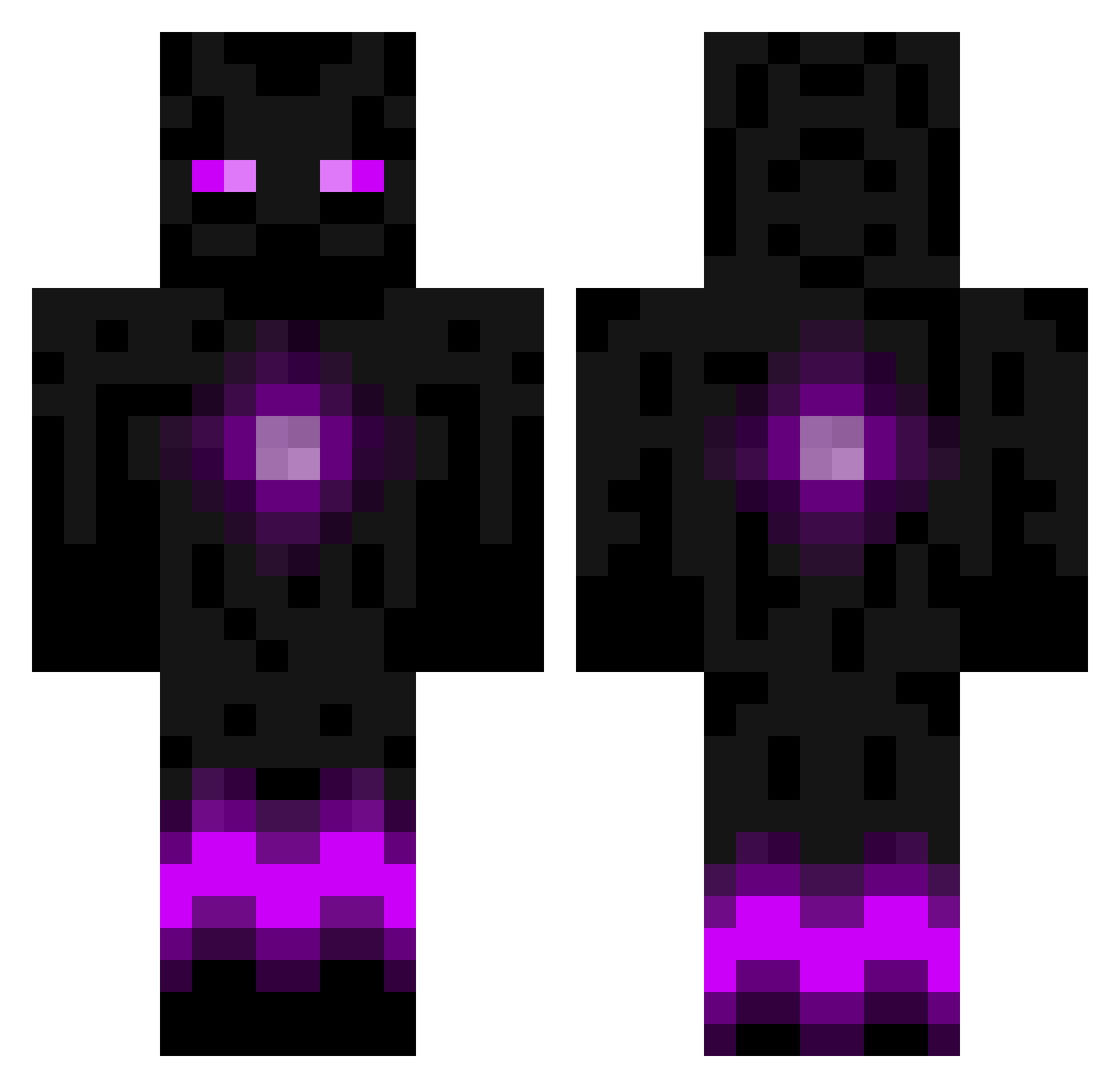
Current Minecraft skin of the player Alleniso_, loaded from the official Mojang API. Rotate the 3D model with your mouse or finger, then download the skin as a PNG file and use it in Minecraft: Bedrock Edition or Java Edition for free. When Alleniso_ changes their skin, this page updates automatically and the old skin stays in the history below.
Other players with this skin (788)
Alleniso_ was the 205th player we have seen with this skin, first spotted on 22.08.2026. The same skin was seen on these players. Open a nickname to see their current skin and skin history.
 Thebosskiller199 whitewolfback IliasGiak urbanone FailKing16 bysw12 Nikopotamus EternalDeiwos backtype coldchaosdragon Kumara_Chips Kalistat Soussou_123 ZeOctepoos Endergamer_98 timo2112 Mann360Clan Tom9013 cash837 crafterboy11 Jackcosma Jonownsya sgtgunny57 GabrielIsThaShit Demitri56 KerrAndoo Enzey Leander3man Oceanflash TheWildThing99 drk_dragon vandever88 Freematrix McNiggaGangstaa cdplayer1324 Herman_L awesomeellis123 RYchessKITTIE5 tjabo05 blackhandlez dono5000 CrazyLegomann ZayZay minecraftiwll oliverl22 YIKESEKIY sadashiv DoMeCoNeZ Nugget83 Enderbot3000 nitram72 ASm00thCriminal MisterNibster XSWAT1000 CrafteeDawg Rinne_1 Hardyb1 Oreo994 DevilFigure1 Bossbro15
More Enderman Minecraft skins
How to install the Alleniso_ skin
- Press the Download button above to save the skin as a PNG file.
- Minecraft: Bedrock Edition (PE): open the Dressing Room from the main menu (or tap your character → Edit Character), go to Classic Skins → Owned, press the + (new skin) button, choose the downloaded PNG and pick the Classic (Steve) model. Works on PC and mobile; consoles cannot import custom skins.
- Minecraft: Java Edition: open the Minecraft Launcher, go to the Skins tab, click New Skin, load the PNG, pick the Classic (Steve) model and press Save & Use. You can also upload it at minecraft.net → Profile → Change Skin.
The skin does not show up after import - what should I do?
Restart Minecraft and open the Dressing Room again - imported skins sometimes appear only after a restart. Also make sure you selected the imported skin and picked the Classic (Steve) model.
Which model should I choose, Classic or Slim?
This skin is designed for the Classic (Steve) model. If you pick the wrong model, the arms of the skin will look stretched or squeezed.
Is the skin of Alleniso_ free to download?
Yes. Press Download, save the PNG file and use it in Minecraft: Bedrock Edition or Java Edition - no payment or registration needed. The skin also works on multiplayer servers and Realms.
More skins
Looking for more? Go back to all Minecraft skins and check the top skins of the week, month and all time, or find any player's skin by nickname.