
Alejandromm112 - Minecraft Skins & Skin History
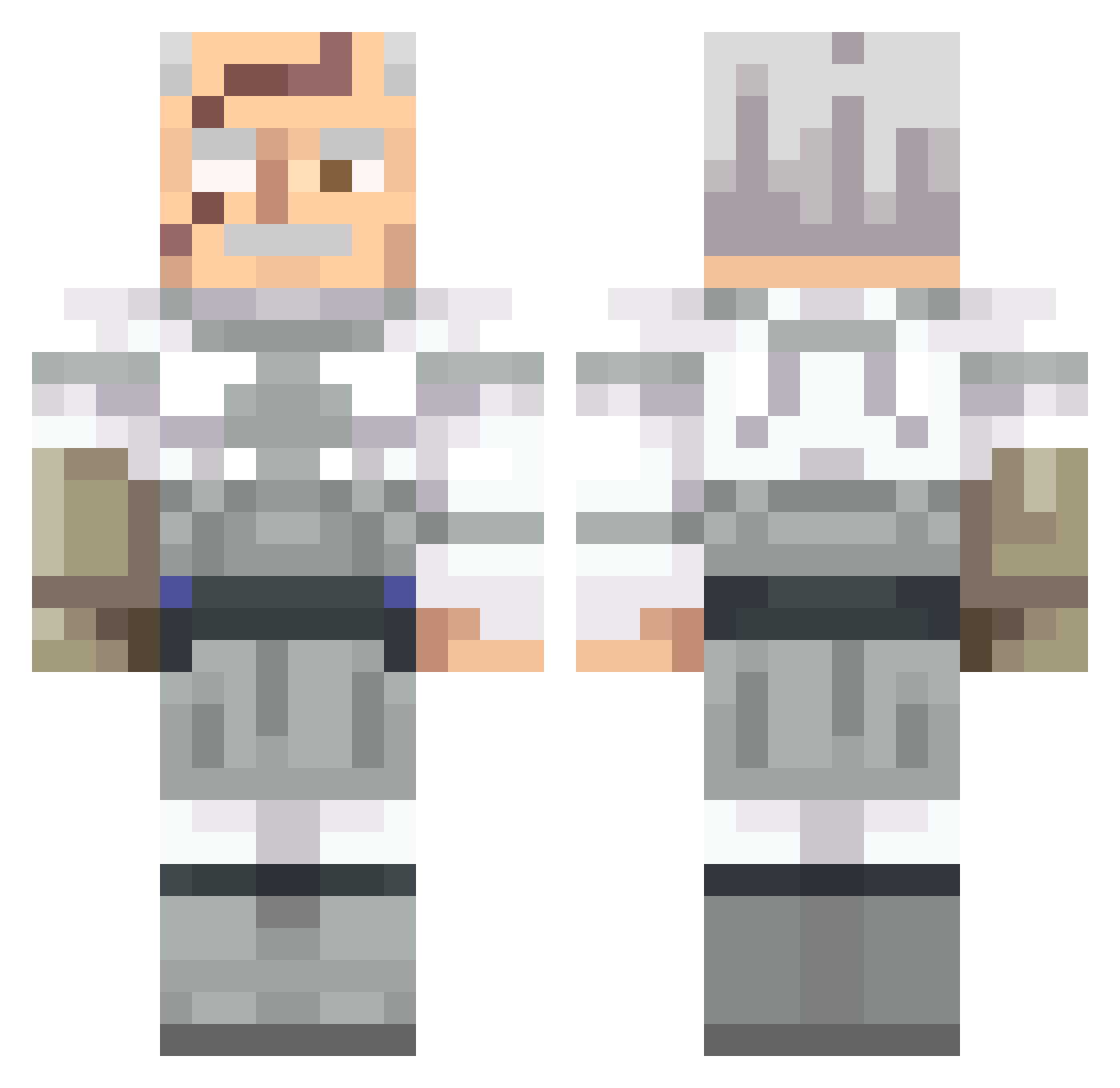
Current Minecraft skin of the player Alejandromm112, loaded from the official Mojang API. Rotate the 3D model with your mouse or finger, then download the skin as a PNG file and use it in Minecraft: Bedrock Edition or Java Edition for free. When Alejandromm112 changes their skin, this page updates automatically and the old skin stays in the history below.
Other players with this skin (562)
Alejandromm112 was the 425th player we have seen with this skin, first spotted on 12.10.2026. The same skin was seen on these players. Open a nickname to see their current skin and skin history.
 kkhoder krowkaa Mister_Fantasy Ratso246 KoxXD TwiggyTheTurtle Lord_Stark01 BigDog71206 Birdinio oBeni DoctorWho35 Piblo789 J00S3PH ballmaster5 ciitrous Azareal27 Glitch990 Aquaveli BeanieWeenie007 Sytemc AWKtheGREAT Randigulous sGod237 malikx2 Just77nate mc2universe LatinaLuver Brewings TonyTheGirth Otruchevolante RIS675 lollone_ cunnquest121 spider2345 AG_Splash785 ZZ0RO TheDreamingX Ozarxy pwuf Death_Snowman NateBoi5342 foldupchair69 NotDaze_ ChesterCinn Altered_Amiba ZackAttacisurboi HopefulBaboon DMK1234 bellaharl NKromer oddzilla1 EnlargedBalls exiledchild SadPepos Neutron7274 wingstopwarrior Greenluther Pavuov FrostCycles CaptainC1ue1ess
More Commander Pyxis Minecraft skins
See all 3 Commander Pyxis skins
How to install the Alejandromm112 skin
- Press the Download button above to save the skin as a PNG file.
- Minecraft: Bedrock Edition (PE): open the Dressing Room from the main menu (or tap your character → Edit Character), go to Classic Skins → Owned, press the + (new skin) button, choose the downloaded PNG and pick the Classic (Steve) model. Works on PC and mobile; consoles cannot import custom skins.
- Minecraft: Java Edition: open the Minecraft Launcher, go to the Skins tab, click New Skin, load the PNG, pick the Classic (Steve) model and press Save & Use. You can also upload it at minecraft.net → Profile → Change Skin.
The skin does not show up after import - what should I do?
Restart Minecraft and open the Dressing Room again - imported skins sometimes appear only after a restart. Also make sure you selected the imported skin and picked the Classic (Steve) model.
Which model should I choose, Classic or Slim?
This skin is designed for the Classic (Steve) model. If you pick the wrong model, the arms of the skin will look stretched or squeezed.
Is the skin of Alejandromm112 free to download?
Yes. Press Download, save the PNG file and use it in Minecraft: Bedrock Edition or Java Edition - no payment or registration needed. The skin also works on multiplayer servers and Realms.
More skins
Looking for more? Go back to all Minecraft skins and check the top skins of the week, month and all time, or find any player's skin by nickname.