
AixMod - Minecraft Skins & Skin History
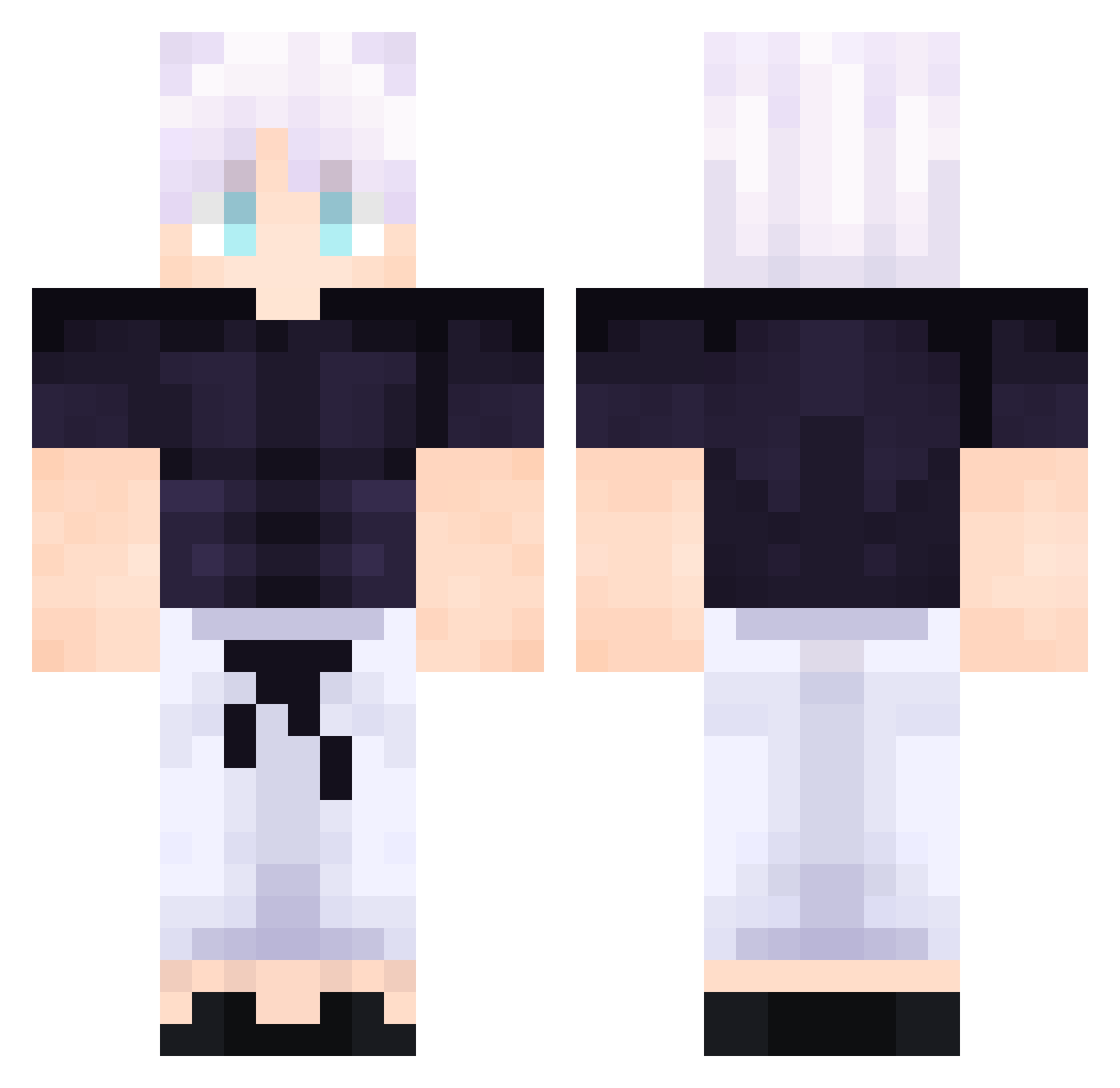
Current Minecraft skin of the player AixMod, loaded from the official Mojang API. Rotate the 3D model with your mouse or finger, then download the skin as a PNG file and use it in Minecraft: Bedrock Edition or Java Edition for free. When AixMod changes their skin, this page updates automatically and the old skin stays in the history below.
Other players with this skin (510)
AixMod was the 172nd player we have seen with this skin, first spotted on 27.08.2026. The same skin was seen on these players. Open a nickname to see their current skin and skin history.
 Kenny_Mccormick8 ErenJeager13 Freezq roxDxebec Darkok1 MiaJaSisu Yronikk InTheStorm xxxRoKeRxxx TendoSensei kindroid fieldow Zipz6556 IISeeYou Seckeezy In_Shadow Looking4Real Mongsiri1028 Ketchup_Corei5 Cynocidee Moodman7 CrashBad Lcs1231 NONAME0034 SingleSuspect LeonelPala Redx0559 INDOXYGEN Badhayden spartanassasin_e funnyys PhPgdl Johannicus Crzyonss sungyoon0513 Nathan_mlnw enanoide Ak1rou joa0703 Ni14ck Neizer785 y_0218 FoundYouAgain keev_xZn VRC_yFkhH mrpato2012 ArthurVFT LuisZ0506
 NathanTheWeedMan wal3a Tainez lord_R9
 Rat4595 MASTEDD thekingsaver MiMix223 Mr_Dexi_ P4RCONS MICRONBO Danirexxx7
More Satoru Gojo Minecraft skins
See all 1318 Satoru Gojo skins
How to install the AixMod skin
- Press the Download button above to save the skin as a PNG file.
- Minecraft: Bedrock Edition (PE): open the Dressing Room from the main menu (or tap your character → Edit Character), go to Classic Skins → Owned, press the + (new skin) button, choose the downloaded PNG and pick the Classic (Steve) model. Works on PC and mobile; consoles cannot import custom skins.
- Minecraft: Java Edition: open the Minecraft Launcher, go to the Skins tab, click New Skin, load the PNG, pick the Classic (Steve) model and press Save & Use. You can also upload it at minecraft.net → Profile → Change Skin.
The skin does not show up after import - what should I do?
Restart Minecraft and open the Dressing Room again - imported skins sometimes appear only after a restart. Also make sure you selected the imported skin and picked the Classic (Steve) model.
Which model should I choose, Classic or Slim?
This skin is designed for the Classic (Steve) model. If you pick the wrong model, the arms of the skin will look stretched or squeezed.
Is the skin of AixMod free to download?
Yes. Press Download, save the PNG file and use it in Minecraft: Bedrock Edition or Java Edition - no payment or registration needed. The skin also works on multiplayer servers and Realms.
More skins
Looking for more? Go back to all Minecraft skins and check the top skins of the week, month and all time, or find any player's skin by nickname.