
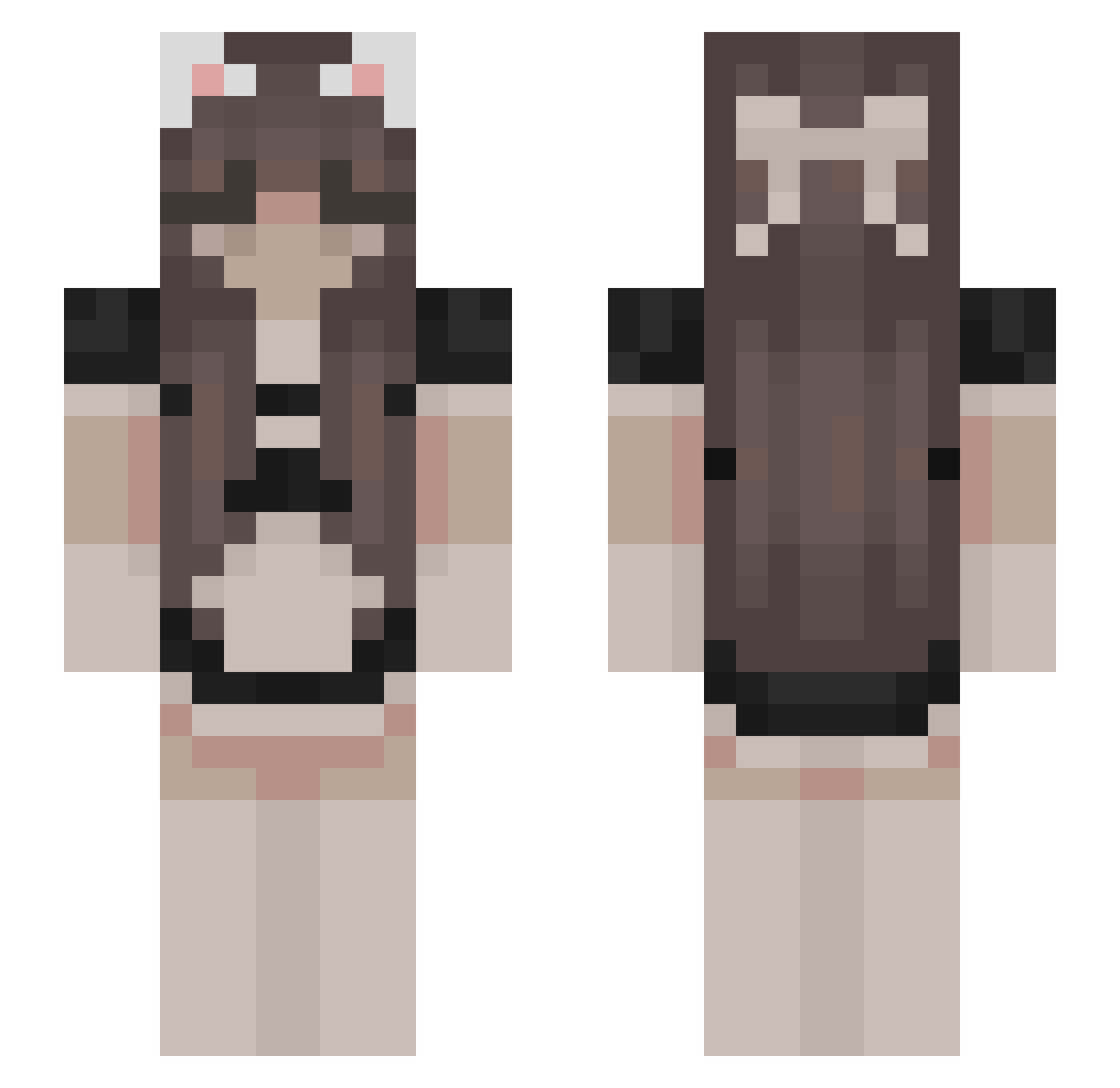
Current Minecraft skin of the player AimKoot, loaded from the official Mojang API. Rotate the 3D model with your mouse or finger, then download the skin as a PNG file and use it in Minecraft: Bedrock Edition or Java Edition for free. When AimKoot changes their skin, this page updates automatically and the old skin stays in the history below.
Other players with this skin (414)
AimKoot was the 197th player we have seen with this skin, first spotted on 04.09.2026. The same skin was seen on these players. Open a nickname to see their current skin and skin history.
 Bubble45 DumbNoodle uwuAzura Karoolajna emikusiaa Talad Matoko96 Manji2000 XxxAgiQxxx MarkPsa 416DZHG wiczunia K_et Essence_of_UwU julzrosez TheEmpane Nekomyon smokie3476 __skar Shadurei TeakieBelt qaulee GEJmer123 Dienerin Lia_Online ANUBIS_PYLY lennonthegoat123 Nano_B traci_x FaintJoey807 wafflenn ConnemaraRoyalty Tonneau stormpje896 xAnielka Quark_3721 Sakurao_06 LumosBB xXxbruh420xXx kicius8 Mich_10 KimGolden_ pwettyyy Naveerah termitey SuperbKitten woemmm Halo_Of_Sunshine mdianaaa Xiang_0712 lynnixxsi Hangaaa memes123 jem1mapuddleduck Tatiaen KinesAI 299293 sadiiz igula113 blm_strijder
More Bow Minecraft skins
How to install the AimKoot skin
- Press the Download button above to save the skin as a PNG file.
- Minecraft: Bedrock Edition (PE): open the Dressing Room from the main menu (or tap your character → Edit Character), go to Classic Skins → Owned, press the + (new skin) button, choose the downloaded PNG and pick the Slim (Alex) model. Works on PC and mobile; consoles cannot import custom skins.
- Minecraft: Java Edition: open the Minecraft Launcher, go to the Skins tab, click New Skin, load the PNG, pick the Slim (Alex) model and press Save & Use. You can also upload it at minecraft.net → Profile → Change Skin.
The skin does not show up after import - what should I do?
Restart Minecraft and open the Dressing Room again - imported skins sometimes appear only after a restart. Also make sure you selected the imported skin and picked the Slim (Alex) model.
Which model should I choose, Classic or Slim?
This skin is designed for the Slim (Alex) model. If you pick the wrong model, the arms of the skin will look stretched or squeezed.
Is the skin of AimKoot free to download?
Yes. Press Download, save the PNG file and use it in Minecraft: Bedrock Edition or Java Edition - no payment or registration needed. The skin also works on multiplayer servers and Realms.
More skins
Looking for more? Go back to all Minecraft skins and check the top skins of the week, month and all time, or find any player's skin by nickname.