
AgathorSP - Minecraft Skins & Skin History
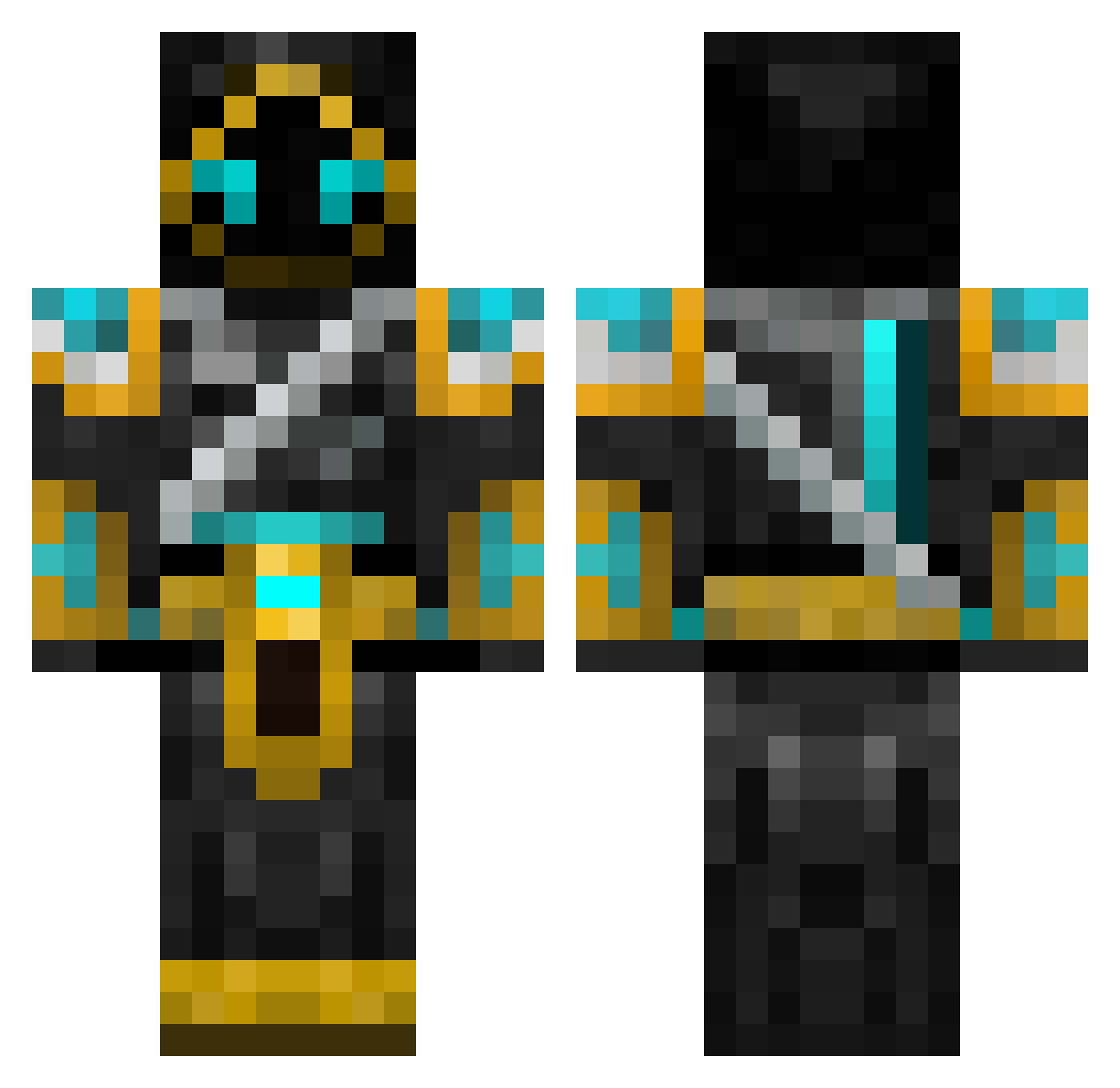
Current Minecraft skin of the player AgathorSP, loaded from the official Mojang API. Rotate the 3D model with your mouse or finger, then download the skin as a PNG file and use it in Minecraft: Bedrock Edition or Java Edition for free. When AgathorSP changes their skin, this page updates automatically and the old skin stays in the history below.
Other players with this skin (701)
AgathorSP was the 402nd player we have seen with this skin, first spotted on 29.09.2026. The same skin was seen on these players. Open a nickname to see their current skin and skin history.
 THEboys4567 Joejoe1250 PeytonB1101 JordanASF ikke992 CrimsonShadows44 TrevanR8501 Raffelwaffel Mariovg XSKYBLUEX larzar159 deadman500 lobster1201 Kismet5495 2Tnt10 boxea21 custard_kid TimS3699 MasterGamerJK ajr7777 HoOd_GaMeRz Zealtos Picture32 Inanna28 gschaefer SupperMackan kj9898 TangyTomz Usual_Cat rivera91 bluefacex Dude5764 MoIesterStaIIone Opptt Dragons1ayer1990 C0okieM0nst3r192 SpiritofMars sapcor langleycello deadeyetwoo stivan98 vatsug007 1_800shakeNbake HunnyBee106 Lelain SomzTohm Fraktul NoUserName1 MuaiSai Mokuboc armysoldier7989 Br0Wny69 zerdox4 Rhysie08 maphias timps321 xXEvilGeniusXx Lewaxy Granspectre Fireminer82
More Hooded Warrior Minecraft skins
See all 49 Hooded Warrior skins
How to install the AgathorSP skin
- Press the Download button above to save the skin as a PNG file.
- Minecraft: Bedrock Edition (PE): open the Dressing Room from the main menu (or tap your character → Edit Character), go to Classic Skins → Owned, press the + (new skin) button, choose the downloaded PNG and pick the Classic (Steve) model. Works on PC and mobile; consoles cannot import custom skins.
- Minecraft: Java Edition: open the Minecraft Launcher, go to the Skins tab, click New Skin, load the PNG, pick the Classic (Steve) model and press Save & Use. You can also upload it at minecraft.net → Profile → Change Skin.
The skin does not show up after import - what should I do?
Restart Minecraft and open the Dressing Room again - imported skins sometimes appear only after a restart. Also make sure you selected the imported skin and picked the Classic (Steve) model.
Which model should I choose, Classic or Slim?
This skin is designed for the Classic (Steve) model. If you pick the wrong model, the arms of the skin will look stretched or squeezed.
Is the skin of AgathorSP free to download?
Yes. Press Download, save the PNG file and use it in Minecraft: Bedrock Edition or Java Edition - no payment or registration needed. The skin also works on multiplayer servers and Realms.
More skins
Looking for more? Go back to all Minecraft skins and check the top skins of the week, month and all time, or find any player's skin by nickname.