
Adidicraft - Minecraft Skins & Skin History
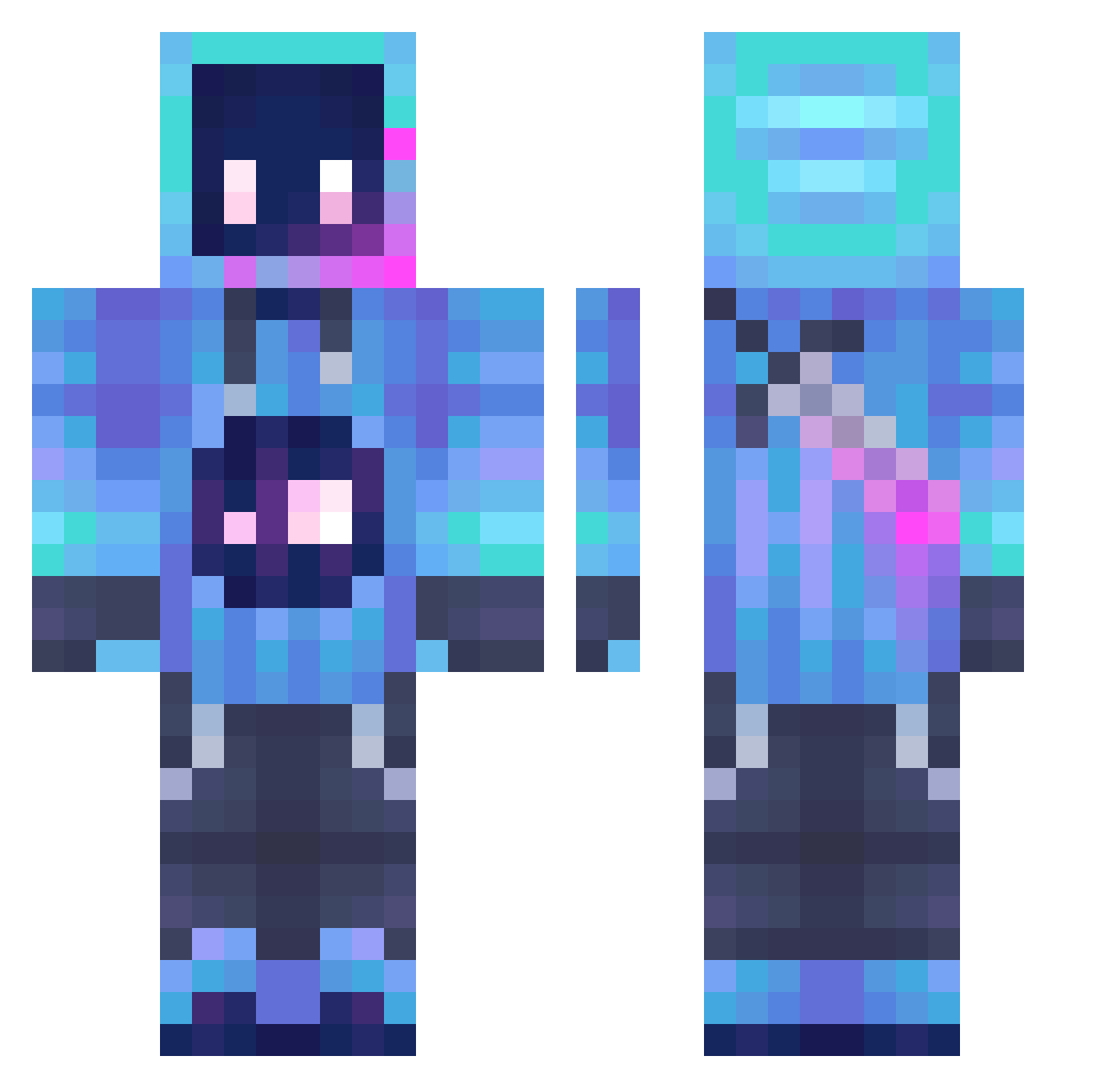
Current Minecraft skin of the player Adidicraft, loaded from the official Mojang API. Rotate the 3D model with your mouse or finger, then download the skin as a PNG file and use it in Minecraft: Bedrock Edition or Java Edition for free. When Adidicraft changes their skin, this page updates automatically and the old skin stays in the history below.
Other players with this skin (1290)
Adidicraft was the 693rd player we have seen with this skin, first spotted on 25.09.2026. The same skin was seen on these players. Open a nickname to see their current skin and skin history.
 white_wolf_skr stratshit_kfRZT Heyyzo DrewROCKS223 lazarust2 LuciferSataan HaoBlueSoul Its_Siwy Bebomua Obbardacus minehack2010 HavyEx ZekromEXs yang4239 Aveyr_ juicr xxx420lily420xxx Ghost2227 neogamer2022 junotheevs FisoTV Meow_OP12 Bankanel YourboiMitch ooHex Grimini SolemanWalker herobrine1025 QQYMY Pctenstudo CashMoney223 vrbot262 ARKRobot1234 ToxicCupcakes Pikor609 Crazy_zong Dirty_South PumaZeta schememr 277mt Lupiuos ikura67 astr0dragon71 sCatto ffgfmg YESHUAPEWPEW lele05091 BILAYY WAFFIE72 Koushikk rkqrkqdl oHyperXD Wiktor_Gaming maxvelik21 BEGA_TU Huzzahian Hakusaiww theenderguy1 Yurrize 8880590
More Sword Minecraft skins
How to install the Adidicraft skin
- Press the Download button above to save the skin as a PNG file.
- Minecraft: Bedrock Edition (PE): open the Dressing Room from the main menu (or tap your character → Edit Character), go to Classic Skins → Owned, press the + (new skin) button, choose the downloaded PNG and pick the Classic (Steve) model. Works on PC and mobile; consoles cannot import custom skins.
- Minecraft: Java Edition: open the Minecraft Launcher, go to the Skins tab, click New Skin, load the PNG, pick the Classic (Steve) model and press Save & Use. You can also upload it at minecraft.net → Profile → Change Skin.
The skin does not show up after import - what should I do?
Restart Minecraft and open the Dressing Room again - imported skins sometimes appear only after a restart. Also make sure you selected the imported skin and picked the Classic (Steve) model.
Which model should I choose, Classic or Slim?
This skin is designed for the Classic (Steve) model. If you pick the wrong model, the arms of the skin will look stretched or squeezed.
Is the skin of Adidicraft free to download?
Yes. Press Download, save the PNG file and use it in Minecraft: Bedrock Edition or Java Edition - no payment or registration needed. The skin also works on multiplayer servers and Realms.
More skins
Looking for more? Go back to all Minecraft skins and check the top skins of the week, month and all time, or find any player's skin by nickname.