
Abii_gail - Minecraft Skins & Skin History
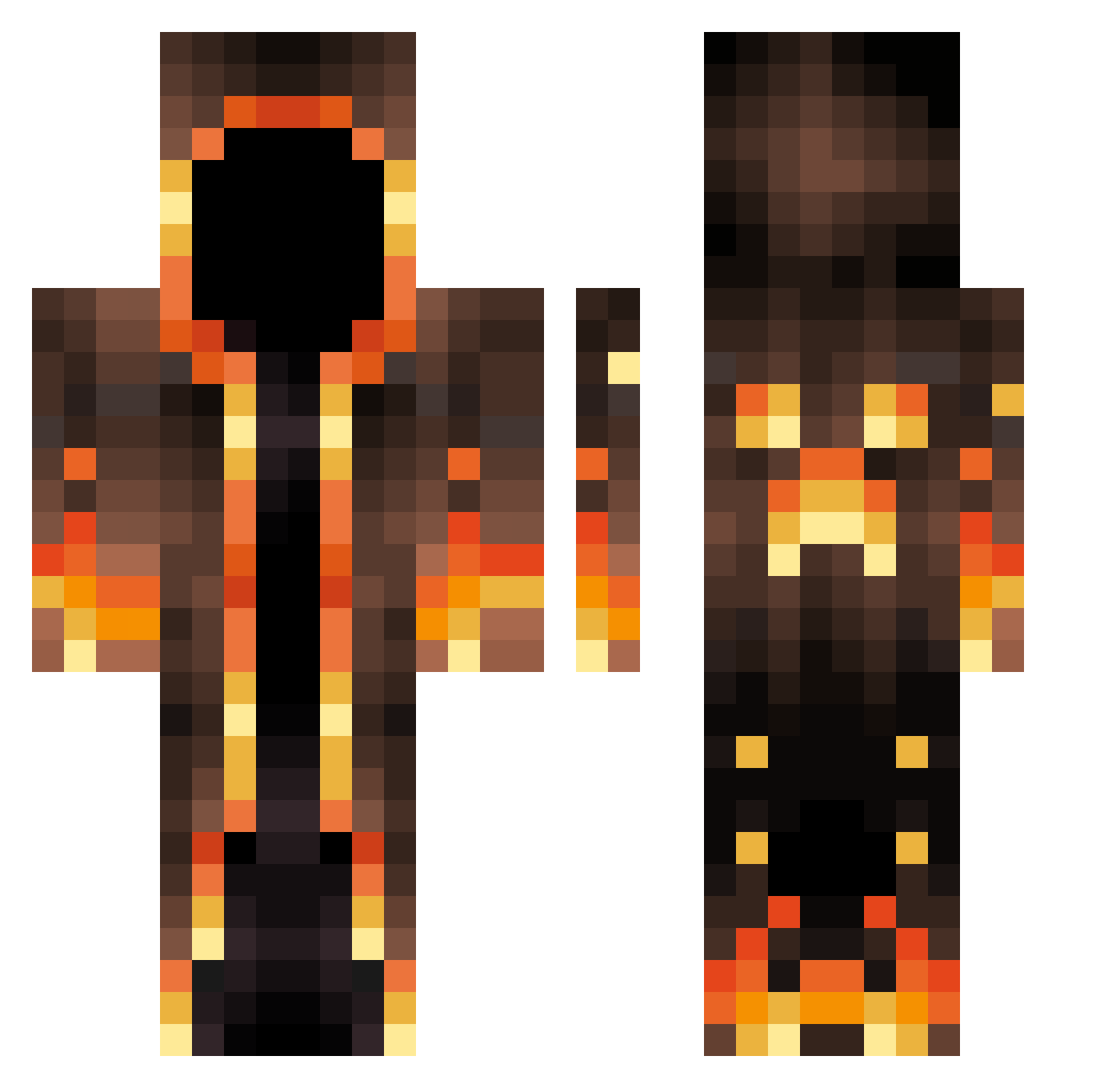
Current Minecraft skin of the player Abii_gail, loaded from the official Mojang API. Rotate the 3D model with your mouse or finger, then download the skin as a PNG file and use it in Minecraft: Bedrock Edition or Java Edition for free. When Abii_gail changes their skin, this page updates automatically and the old skin stays in the history below.
Other players with this skin (763)
Abii_gail was the 547th player we have seen with this skin, first spotted on 21.10.2026. The same skin was seen on these players. Open a nickname to see their current skin and skin history.
 WonderfulZombie B_ongo Mr_Face_Less kz1Sauvignon XxshamenkingxX Riefolini Looting1__ Oscar091901 Azzzrr Alexandro55 Treecko56 FlaLunus ChimpChase Craft_Clicer _Admixpl_ AyeAreEm SkullyZA323 Kr_Ena TribuStar Golonkowicz shadow_22222 Spicy113 Luzzzzaak IIEclypse Darik123 kevin21214355 ghosthunter712 Lycosis9 Braden5790 Lunatist Dexoplex TenTooth1 ArktoZx Thr36ty ChaseGT2 SnD1911 fnzk1004 jorangyee CJSKclub103 Benji240891 Baids DrySaltMine Orvnal VazeinaBraquiara Louis_AX Elite_Lipton Gofru car_bar Nithe7 MoeSlander welxito OAOAOAMMM TechnoBlade749 LavaNinja101 mazwalsh Mayor_Mayo_ JrSnow1 Zeus1221 Reap3r117 rZurg
More Magma Minecraft skins
How to install the Abii_gail skin
- Press the Download button above to save the skin as a PNG file.
- Minecraft: Bedrock Edition (PE): open the Dressing Room from the main menu (or tap your character → Edit Character), go to Classic Skins → Owned, press the + (new skin) button, choose the downloaded PNG and pick the Classic (Steve) model. Works on PC and mobile; consoles cannot import custom skins.
- Minecraft: Java Edition: open the Minecraft Launcher, go to the Skins tab, click New Skin, load the PNG, pick the Classic (Steve) model and press Save & Use. You can also upload it at minecraft.net → Profile → Change Skin.
The skin does not show up after import - what should I do?
Restart Minecraft and open the Dressing Room again - imported skins sometimes appear only after a restart. Also make sure you selected the imported skin and picked the Classic (Steve) model.
Which model should I choose, Classic or Slim?
This skin is designed for the Classic (Steve) model. If you pick the wrong model, the arms of the skin will look stretched or squeezed.
Is the skin of Abii_gail free to download?
Yes. Press Download, save the PNG file and use it in Minecraft: Bedrock Edition or Java Edition - no payment or registration needed. The skin also works on multiplayer servers and Realms.
More skins
Looking for more? Go back to all Minecraft skins and check the top skins of the week, month and all time, or find any player's skin by nickname.