
ALEXIS2803 - Minecraft Skins & Skin History
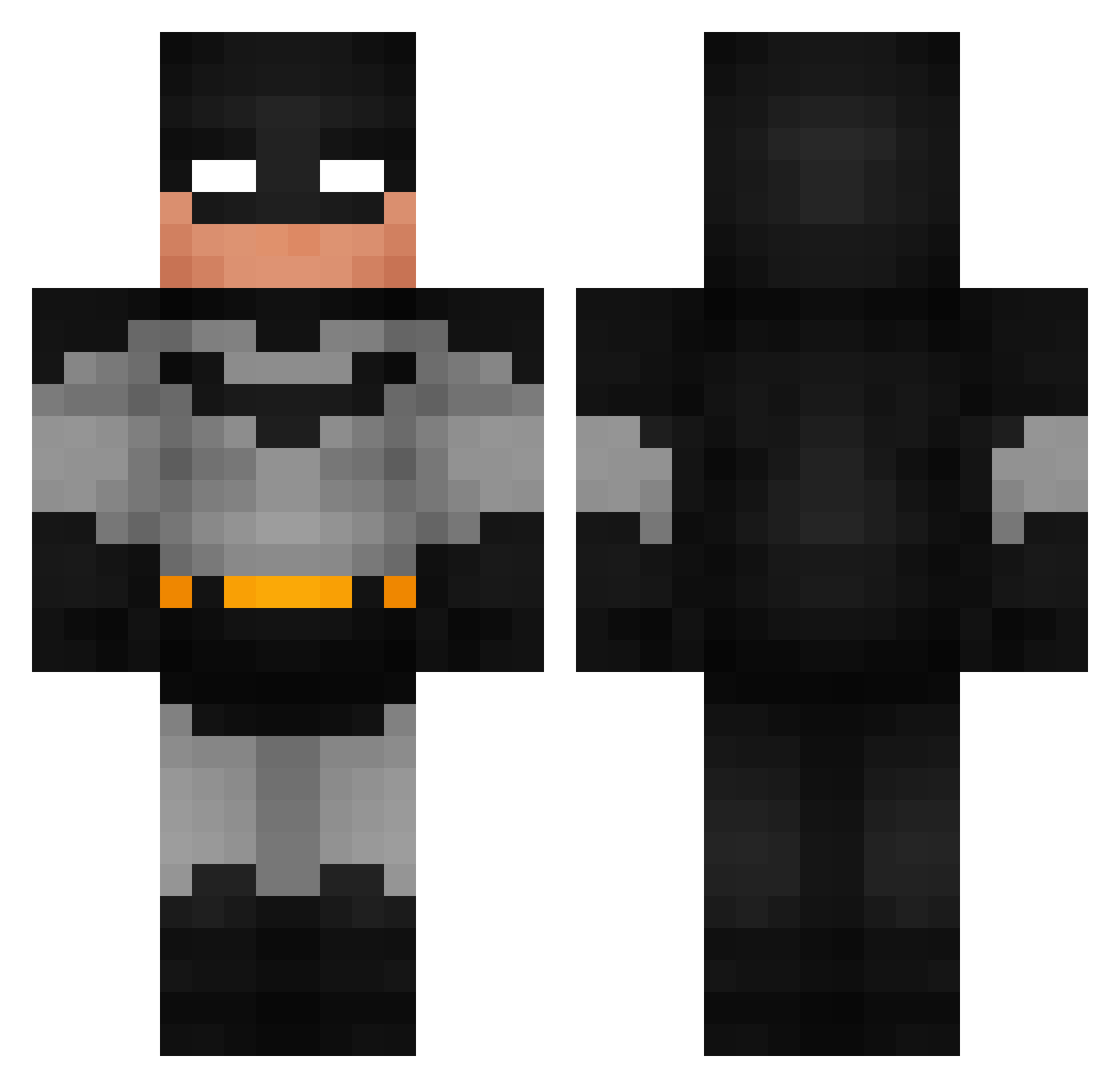
Current Minecraft skin of the player ALEXIS2803, loaded from the official Mojang API. Rotate the 3D model with your mouse or finger, then download the skin as a PNG file and use it in Minecraft: Bedrock Edition or Java Edition for free. When ALEXIS2803 changes their skin, this page updates automatically and the old skin stays in the history below.
Other players with this skin (791)
ALEXIS2803 was the 705th player we have seen with this skin, first spotted on 13.10.2026. The same skin was seen on these players. Open a nickname to see their current skin and skin history.
 Xedilius King_Farquad plutoscorpse SXABC TyrTheNorseGod Greenbayblues NanashIlI Abdibedwarspro67 Drake1a lachlansbch IMPERIUM_01 CaviarSouffle Dee_cho Sadiohead ShotReader TheRealDmast AquaBasel Spajd MelleV2 IPPO_KATAMURA abooooody CK_TwistedHalo bilall1 NHeroes MagaHock hepi96 LOID9749 Bray877 CjM0ney Ferons G59_ttg ChildFarmer Apharell Yeremimon PotatoProtato Griffinkapa ANT7991 Brightlights2047 EmilWall KoreanSniper JavxMC mort_irl Sacs2 Siam2012 FSDiSciDe SpaltenSprenger1 skibidigamergirl wDonzz ABFAL2137 DestrKaio S7VNTY9 Undeath4 D3LICJ3 EddyGaming21 dywan101 Puss_inBoots LJM_2004 lilas226 MichaelJackson19 Hyberiid
More Batman Minecraft skins
How to install the ALEXIS2803 skin
- Press the Download button above to save the skin as a PNG file.
- Minecraft: Bedrock Edition (PE): open the Dressing Room from the main menu (or tap your character → Edit Character), go to Classic Skins → Owned, press the + (new skin) button, choose the downloaded PNG and pick the Classic (Steve) model. Works on PC and mobile; consoles cannot import custom skins.
- Minecraft: Java Edition: open the Minecraft Launcher, go to the Skins tab, click New Skin, load the PNG, pick the Classic (Steve) model and press Save & Use. You can also upload it at minecraft.net → Profile → Change Skin.
The skin does not show up after import - what should I do?
Restart Minecraft and open the Dressing Room again - imported skins sometimes appear only after a restart. Also make sure you selected the imported skin and picked the Classic (Steve) model.
Which model should I choose, Classic or Slim?
This skin is designed for the Classic (Steve) model. If you pick the wrong model, the arms of the skin will look stretched or squeezed.
Is the skin of ALEXIS2803 free to download?
Yes. Press Download, save the PNG file and use it in Minecraft: Bedrock Edition or Java Edition - no payment or registration needed. The skin also works on multiplayer servers and Realms.
More skins
Looking for more? Go back to all Minecraft skins and check the top skins of the week, month and all time, or find any player's skin by nickname.