
AESousa - Minecraft Skins & Skin History
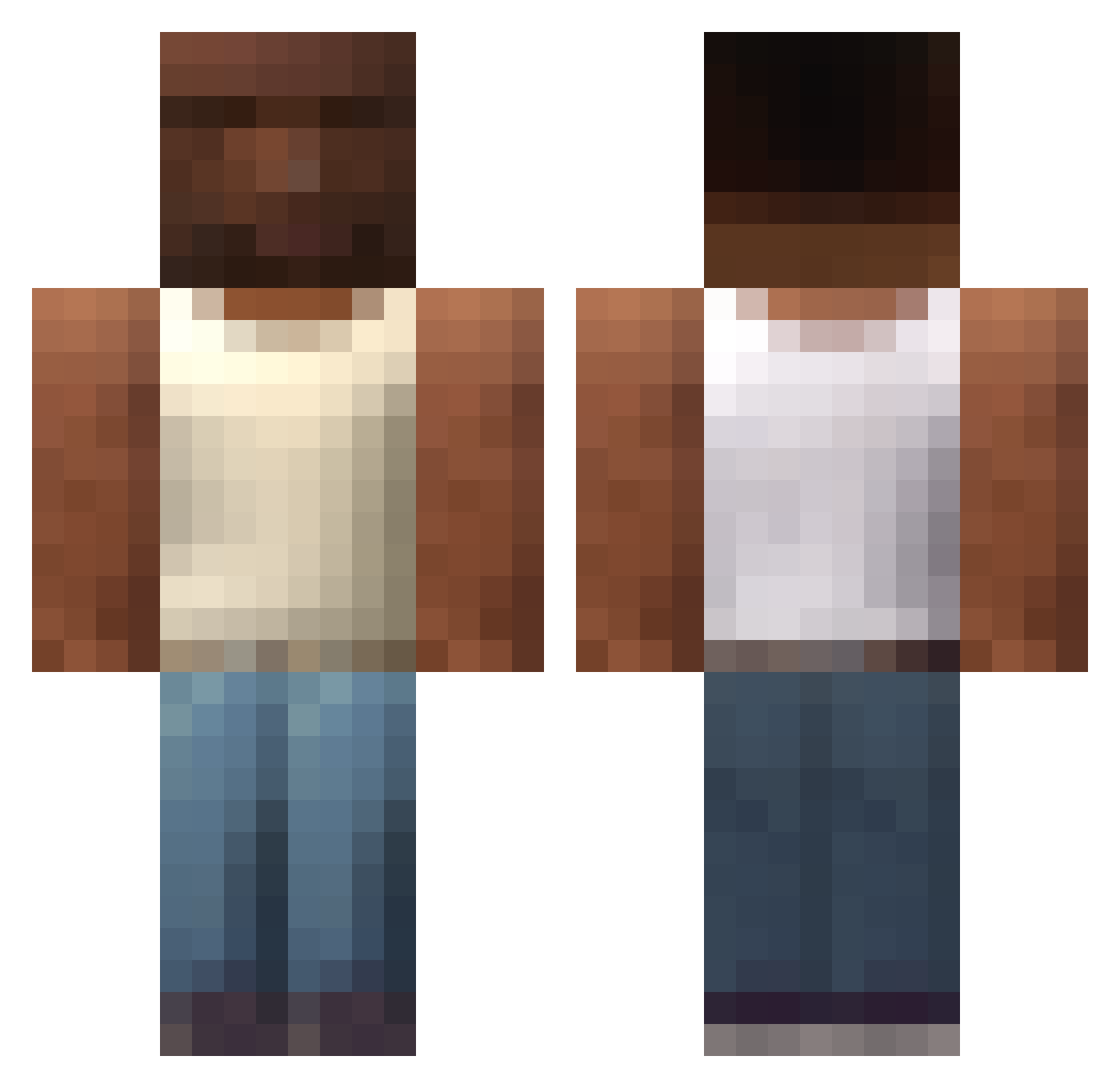
Current Minecraft skin of the player AESousa, loaded from the official Mojang API. Rotate the 3D model with your mouse or finger, then download the skin as a PNG file and use it in Minecraft: Bedrock Edition or Java Edition for free. When AESousa changes their skin, this page updates automatically and the old skin stays in the history below.
Other players with this skin (616)
AESousa was the 220th player we have seen with this skin, first spotted on 04.09.2026. The same skin was seen on these players. Open a nickname to see their current skin and skin history.
 Edonu VENTHUSIASM AzzU09 LORE_YT Amirsupra Pekik753 DoctorNeoCortex Mariortega2001 Tastsy _Nalu_ jeffgodD yungwan1221 Dopinderek feeelsy Yezusek username999 Merucci Metehans22 Bora_Cem765 TaahT DonWeitor dandid123 xxElandYxx faruk1286 bundasuja146 AAAAHHHHHHH trialslave67 dtmww RosaMelcacho372 astragale breadg24 trainer_kfc MachoGamer SoyhanG ExEler04 Grandpoobah85 SaladDicc Hotkey2435 Dxngerrrr El_Tinch0 kaduxis yukari04 LmeoFR SadlereqPL Somaplus7 jingzi467 T0MWILLY Orzel11 Sherif_Woody karacameu123 Wowimhere WatonPeluo slauqez Mrgabek allgamesaredone Aisko polskibananaa Halo627 BenjiFN
 Gradis_Nice
More San Andreas Minecraft skins
How to install the AESousa skin
- Press the Download button above to save the skin as a PNG file.
- Minecraft: Bedrock Edition (PE): open the Dressing Room from the main menu (or tap your character → Edit Character), go to Classic Skins → Owned, press the + (new skin) button, choose the downloaded PNG and pick the Classic (Steve) model. Works on PC and mobile; consoles cannot import custom skins.
- Minecraft: Java Edition: open the Minecraft Launcher, go to the Skins tab, click New Skin, load the PNG, pick the Classic (Steve) model and press Save & Use. You can also upload it at minecraft.net → Profile → Change Skin.
The skin does not show up after import - what should I do?
Restart Minecraft and open the Dressing Room again - imported skins sometimes appear only after a restart. Also make sure you selected the imported skin and picked the Classic (Steve) model.
Which model should I choose, Classic or Slim?
This skin is designed for the Classic (Steve) model. If you pick the wrong model, the arms of the skin will look stretched or squeezed.
Is the skin of AESousa free to download?
Yes. Press Download, save the PNG file and use it in Minecraft: Bedrock Edition or Java Edition - no payment or registration needed. The skin also works on multiplayer servers and Realms.
More skins
Looking for more? Go back to all Minecraft skins and check the top skins of the week, month and all time, or find any player's skin by nickname.