
A3th3rs - Minecraft Skins & Skin History
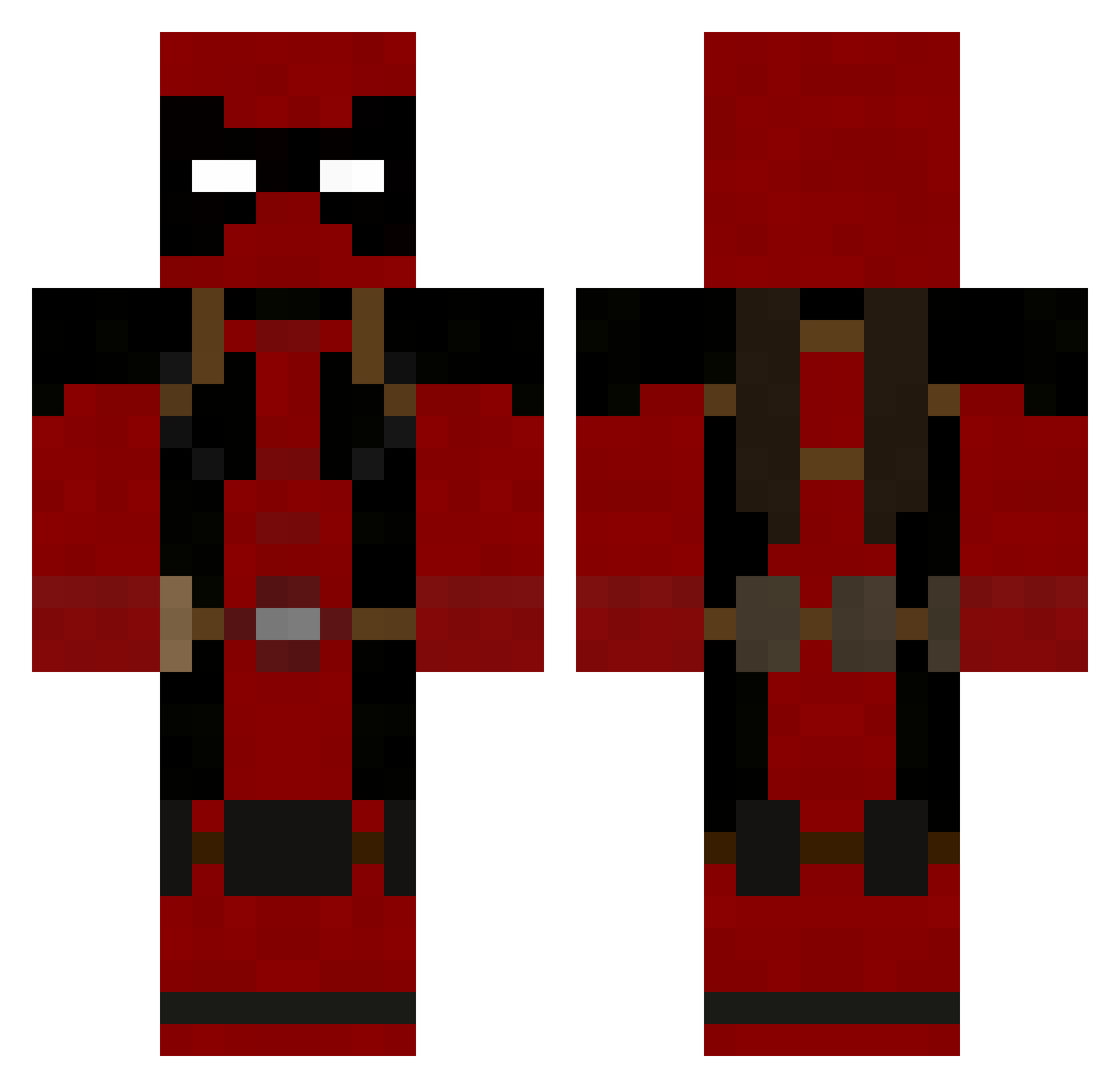
Current Minecraft skin of the player A3th3rs, loaded from the official Mojang API. Rotate the 3D model with your mouse or finger, then download the skin as a PNG file and use it in Minecraft: Bedrock Edition or Java Edition for free. When A3th3rs changes their skin, this page updates automatically and the old skin stays in the history below.
Other players with this skin (246)
A3th3rs was the 192nd player we have seen with this skin, first spotted on 22.10.2026. The same skin was seen on these players. Open a nickname to see their current skin and skin history.
 Nearik Stroheim999 Boemmel84 tallmanjackson pawelozga Asyuton_23 Decapit Shwengler leoprost Juice0118 Brixius K0rkmaz06 Its_Impulsee gthang98 Zealots89 skyzGANGSTA Spade48 RaidEno_0 DonGio11 jianfengchen peterparker8202 financialflame iloveit1229 MilosIsland NnoY HeyitsBladeRunr Dromelon RedLexx LivingTribunal SuperstargamerX Karlgus Nightraven_jp leepen MahShuDontFit SharinXD Kontsa1212 spirit248 TrolololNinja Norrin667 DRAREG23 DarthElmo1 Korematsu DrakeCore_ novadrop manwithoutname ThePon23 thomas0999 romain62 Suulix TLN_Zinaye Preeceh VincentSyd RAGEPORTO JonasVII Melton5271 ShadowMotion NeutrinoEbber376 Mighty_Mousetrap branncott King_conway
More Deadpool Minecraft skins
How to install the A3th3rs skin
- Press the Download button above to save the skin as a PNG file.
- Minecraft: Bedrock Edition (PE): open the Dressing Room from the main menu (or tap your character → Edit Character), go to Classic Skins → Owned, press the + (new skin) button, choose the downloaded PNG and pick the Classic (Steve) model. Works on PC and mobile; consoles cannot import custom skins.
- Minecraft: Java Edition: open the Minecraft Launcher, go to the Skins tab, click New Skin, load the PNG, pick the Classic (Steve) model and press Save & Use. You can also upload it at minecraft.net → Profile → Change Skin.
The skin does not show up after import - what should I do?
Restart Minecraft and open the Dressing Room again - imported skins sometimes appear only after a restart. Also make sure you selected the imported skin and picked the Classic (Steve) model.
Which model should I choose, Classic or Slim?
This skin is designed for the Classic (Steve) model. If you pick the wrong model, the arms of the skin will look stretched or squeezed.
Is the skin of A3th3rs free to download?
Yes. Press Download, save the PNG file and use it in Minecraft: Bedrock Edition or Java Edition - no payment or registration needed. The skin also works on multiplayer servers and Realms.
More skins
Looking for more? Go back to all Minecraft skins and check the top skins of the week, month and all time, or find any player's skin by nickname.