
88_0 - Minecraft Skins & Skin History
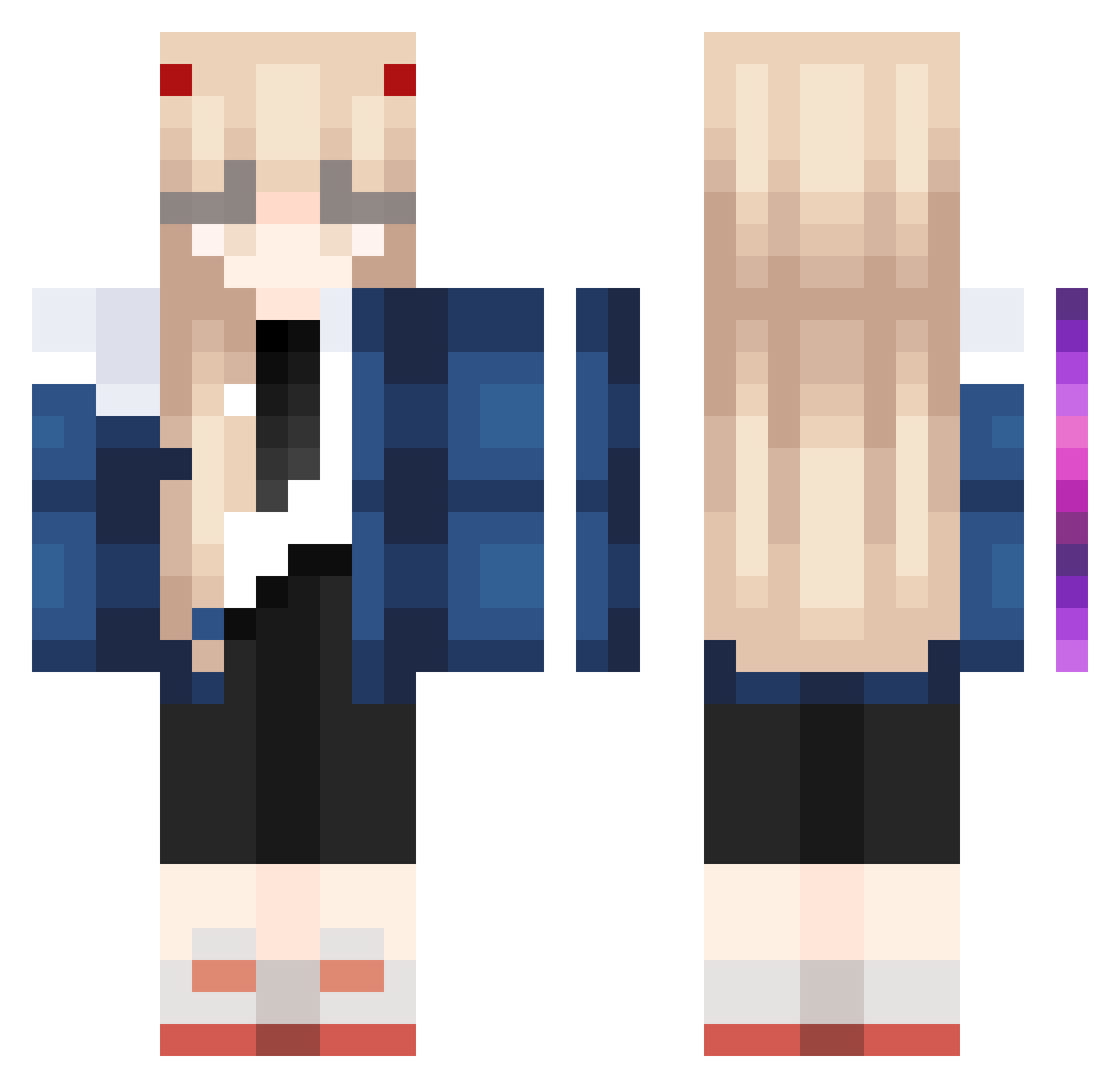
Current Minecraft skin of the player 88_0, loaded from the official Mojang API. Rotate the 3D model with your mouse or finger, then download the skin as a PNG file and use it in Minecraft: Bedrock Edition or Java Edition for free. When 88_0 changes their skin, this page updates automatically and the old skin stays in the history below.
Other players with this skin (908)
88_0 was the 649th player we have seen with this skin, first spotted on 03.10.2026. The same skin was seen on these players. Open a nickname to see their current skin and skin history.
 anson1314_112 WDAE233 4ever__________ Auntalni mypotato00 RenewedPizza912 moon0226k MiYu873 hangeuls Muliszz taugehh Gregory1916 HealerJiu Noshka wwsffv projectcosmic msoousaa Syllarisia DarkAngel_7274 XiaoChangCh Niko_CHINA taroooo0213 Hapfel WShingetsu Domiscc kaysss LSamui ROCKsolidJP Camvfx Soos1235 Leondin Dumbietea gahyoii kriz64 siooo2525 cai001 BlackHoleee WordHenDark DIJV_HBDDT_ Shyvsking panquesituchiha BistJaRichtigGut cyanide4k ShiroiHebi_ Femd UMINEKOMARU HeiNLunya Danoull MC_Fairy147 iCryoSleep Gamemode___1 vinei quanjinghua LhamaAmada Aprecots kensumi730 Kornput InukaisDog Mangaholic ArcticProxy
More Zero Two Minecraft skins
How to install the 88_0 skin
- Press the Download button above to save the skin as a PNG file.
- Minecraft: Bedrock Edition (PE): open the Dressing Room from the main menu (or tap your character → Edit Character), go to Classic Skins → Owned, press the + (new skin) button, choose the downloaded PNG and pick the Classic (Steve) model. Works on PC and mobile; consoles cannot import custom skins.
- Minecraft: Java Edition: open the Minecraft Launcher, go to the Skins tab, click New Skin, load the PNG, pick the Classic (Steve) model and press Save & Use. You can also upload it at minecraft.net → Profile → Change Skin.
The skin does not show up after import - what should I do?
Restart Minecraft and open the Dressing Room again - imported skins sometimes appear only after a restart. Also make sure you selected the imported skin and picked the Classic (Steve) model.
Which model should I choose, Classic or Slim?
This skin is designed for the Classic (Steve) model. If you pick the wrong model, the arms of the skin will look stretched or squeezed.
Is the skin of 88_0 free to download?
Yes. Press Download, save the PNG file and use it in Minecraft: Bedrock Edition or Java Edition - no payment or registration needed. The skin also works on multiplayer servers and Realms.
More skins
Looking for more? Go back to all Minecraft skins and check the top skins of the week, month and all time, or find any player's skin by nickname.