
6s1ns - Minecraft Skins & Skin History
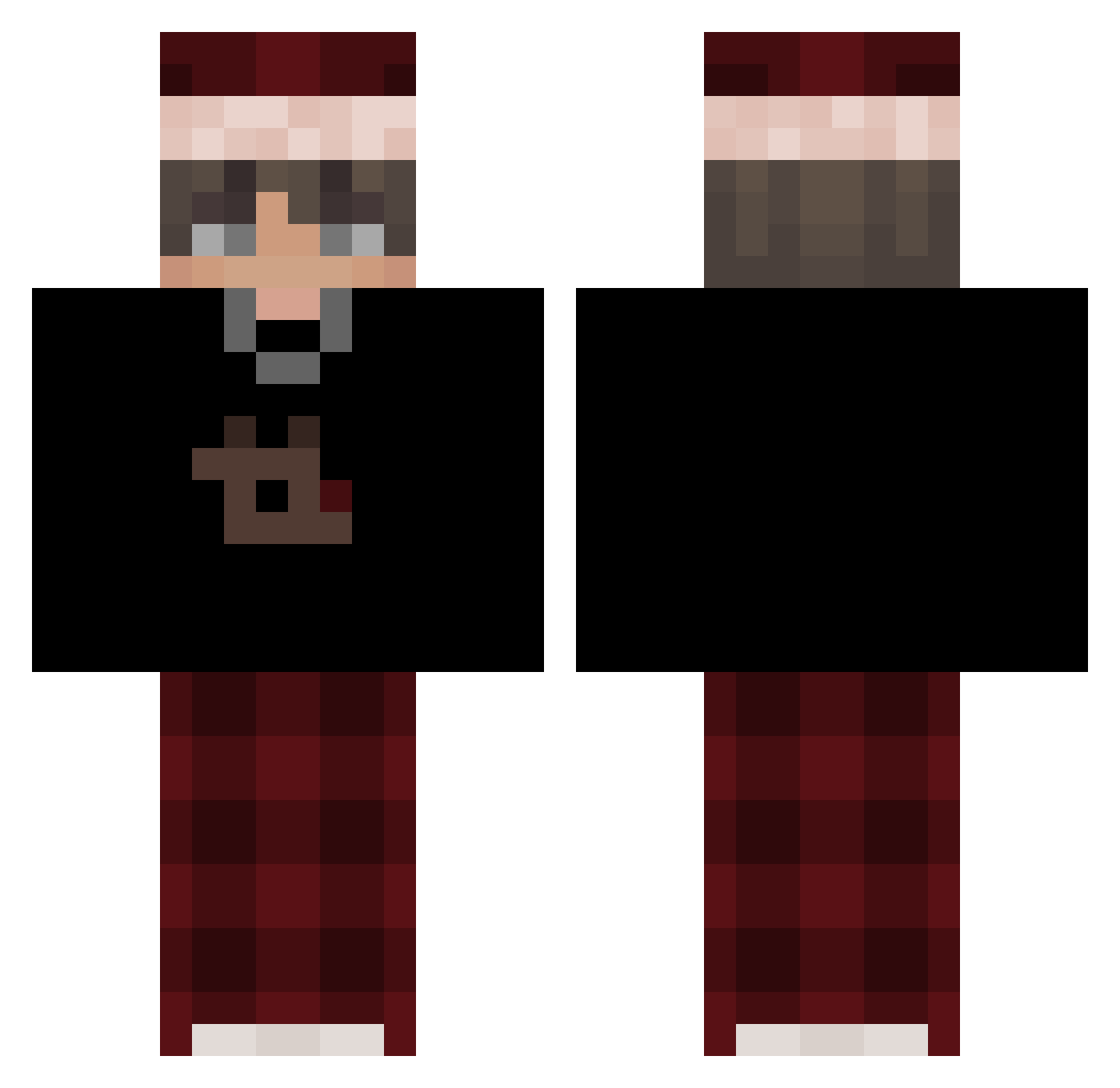
Current Minecraft skin of the player 6s1ns, loaded from the official Mojang API. Rotate the 3D model with your mouse or finger, then download the skin as a PNG file and use it in Minecraft: Bedrock Edition or Java Edition for free. When 6s1ns changes their skin, this page updates automatically and the old skin stays in the history below.
Other players with this skin (501)
6s1ns was the 457th player we have seen with this skin, first spotted on 13.10.2026. The same skin was seen on these players. Open a nickname to see their current skin and skin history.
 flvyx jkl87 2BAAD lyszs2 Husker_KId ckce fzqwatt01 macieksolos AndrzejWalipieta TW5Luk4s ryanxfd Dobertito D02E Antek8877 Jamezrl Lava_boyy joosti340 QWERTY1314 lazycub KroviaX GaboRizo AbdurrahmanCAN maxi7_ misinterprets Lathiias C0DY60 Avatar_Nyx _tic___ DreambyYT NitramH1 WhiteMefa _K1yoshi _xcali federfalke15301 CositaHermosa HUJIAXING haisee77 benja2445 _Eisregen_ Laooss BurgesMeredith JOHANcar14 Mc_Leplexo Sv2QAkxPuOZ3xSv2 EzToK1ll DyuS__ ptaltsCWOcd WorldsMH Gurur afiieel STEALTHNINJA2K10 nnif3000 _janek14 KaiCrafter_ ilyenzz AGTShinazen uich2115 Flynn_1L HypebeastGenji EmptyOw
More Santa Hat Minecraft skins
How to install the 6s1ns skin
- Press the Download button above to save the skin as a PNG file.
- Minecraft: Bedrock Edition (PE): open the Dressing Room from the main menu (or tap your character → Edit Character), go to Classic Skins → Owned, press the + (new skin) button, choose the downloaded PNG and pick the Classic (Steve) model. Works on PC and mobile; consoles cannot import custom skins.
- Minecraft: Java Edition: open the Minecraft Launcher, go to the Skins tab, click New Skin, load the PNG, pick the Classic (Steve) model and press Save & Use. You can also upload it at minecraft.net → Profile → Change Skin.
The skin does not show up after import - what should I do?
Restart Minecraft and open the Dressing Room again - imported skins sometimes appear only after a restart. Also make sure you selected the imported skin and picked the Classic (Steve) model.
Which model should I choose, Classic or Slim?
This skin is designed for the Classic (Steve) model. If you pick the wrong model, the arms of the skin will look stretched or squeezed.
Is the skin of 6s1ns free to download?
Yes. Press Download, save the PNG file and use it in Minecraft: Bedrock Edition or Java Edition - no payment or registration needed. The skin also works on multiplayer servers and Realms.
More skins
Looking for more? Go back to all Minecraft skins and check the top skins of the week, month and all time, or find any player's skin by nickname.