
60E - Minecraft Skins & Skin History
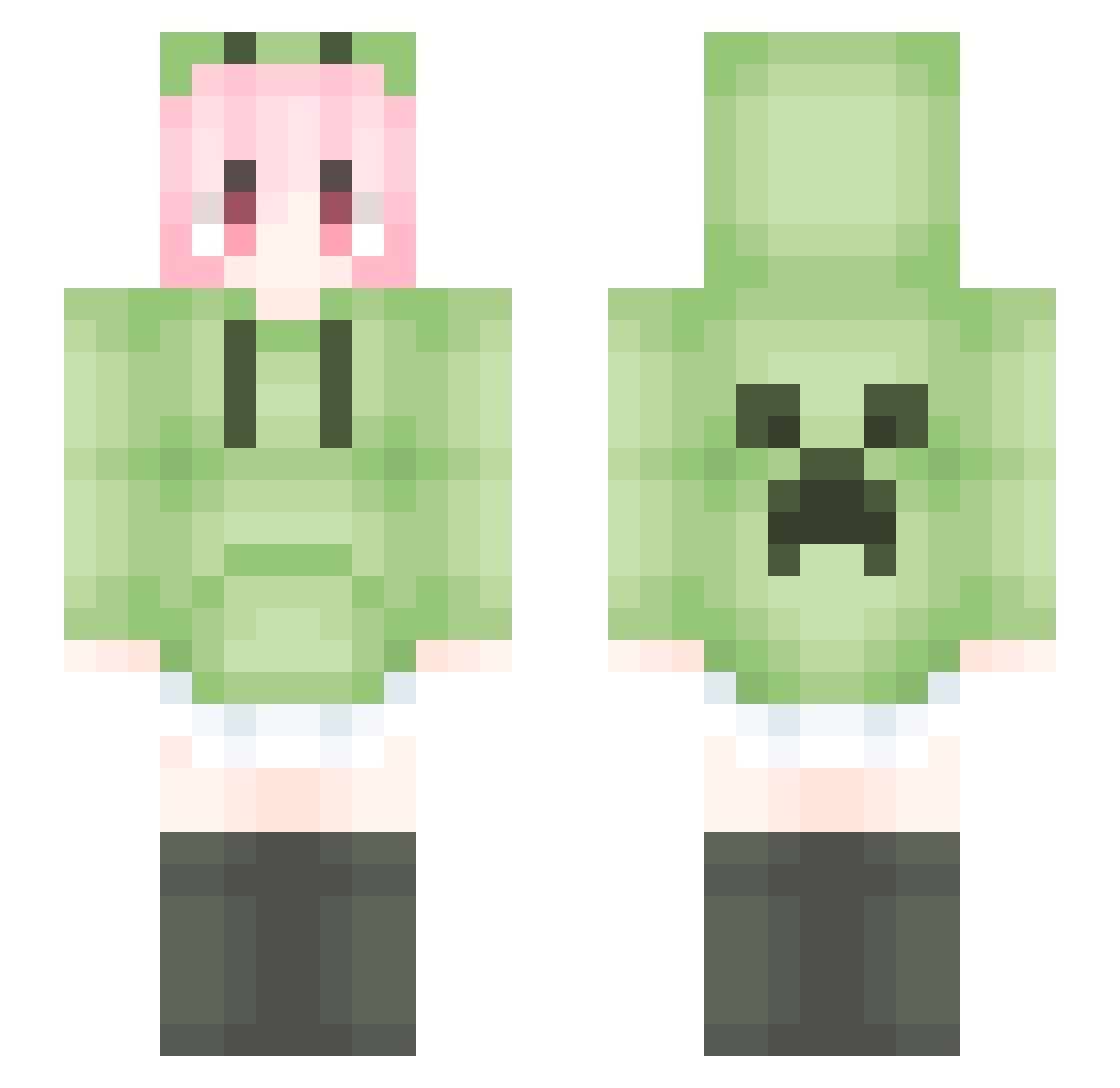
Current Minecraft skin of the player 60E, loaded from the official Mojang API. Rotate the 3D model with your mouse or finger, then download the skin as a PNG file and use it in Minecraft: Bedrock Edition or Java Edition for free. When 60E changes their skin, this page updates automatically and the old skin stays in the history below.
Other players with this skin (1787)
60E was the 739th player we have seen with this skin, first spotted on 11.09.2026. The same skin was seen on these players. Open a nickname to see their current skin and skin history.
 yimouren RSY666 Pokoyi XingZhichen dfg111 Tridts Nikita325 Asankilp xmm0929 zboorish qinglanxiang DoraLinnet shunran12 Shiely_LEE wertyuzh Moon_wheat Aahax singer3332 Nextgen1n3 Fank1231 SturdyBus KLPDF Chrome1145 MO002 wslhq L_Nya_haker_HmFd SongGF Ri_cube MITUKS_ WDASR HuaaLi haoran5 LiquidBounceB90 xiaoernaaaa FoxLenend KingLL2233 JoseChow kabalabusa FCZLOVE kexiong zhujie08 XiaoChen16888 cuteg3 qiusynb666 EasonLee_2048 liji001 Recheal mmk_xi Mob1us888 z0e_POG QiXian7777 ZZT050402 yoly_ Txxxx0d0 QvFan zq2024 Khan12345 MengChenzy Antisga3 Sparkrbs
More Anime Girl Minecraft skins
See all 13722 Anime Girl skins
How to install the 60E skin
- Press the Download button above to save the skin as a PNG file.
- Minecraft: Bedrock Edition (PE): open the Dressing Room from the main menu (or tap your character → Edit Character), go to Classic Skins → Owned, press the + (new skin) button, choose the downloaded PNG and pick the Slim (Alex) model. Works on PC and mobile; consoles cannot import custom skins.
- Minecraft: Java Edition: open the Minecraft Launcher, go to the Skins tab, click New Skin, load the PNG, pick the Slim (Alex) model and press Save & Use. You can also upload it at minecraft.net → Profile → Change Skin.
The skin does not show up after import - what should I do?
Restart Minecraft and open the Dressing Room again - imported skins sometimes appear only after a restart. Also make sure you selected the imported skin and picked the Slim (Alex) model.
Which model should I choose, Classic or Slim?
This skin is designed for the Slim (Alex) model. If you pick the wrong model, the arms of the skin will look stretched or squeezed.
Is the skin of 60E free to download?
Yes. Press Download, save the PNG file and use it in Minecraft: Bedrock Edition or Java Edition - no payment or registration needed. The skin also works on multiplayer servers and Realms.
More skins
Looking for more? Go back to all Minecraft skins and check the top skins of the week, month and all time, or find any player's skin by nickname.