
4characters - Minecraft Skins & Skin History
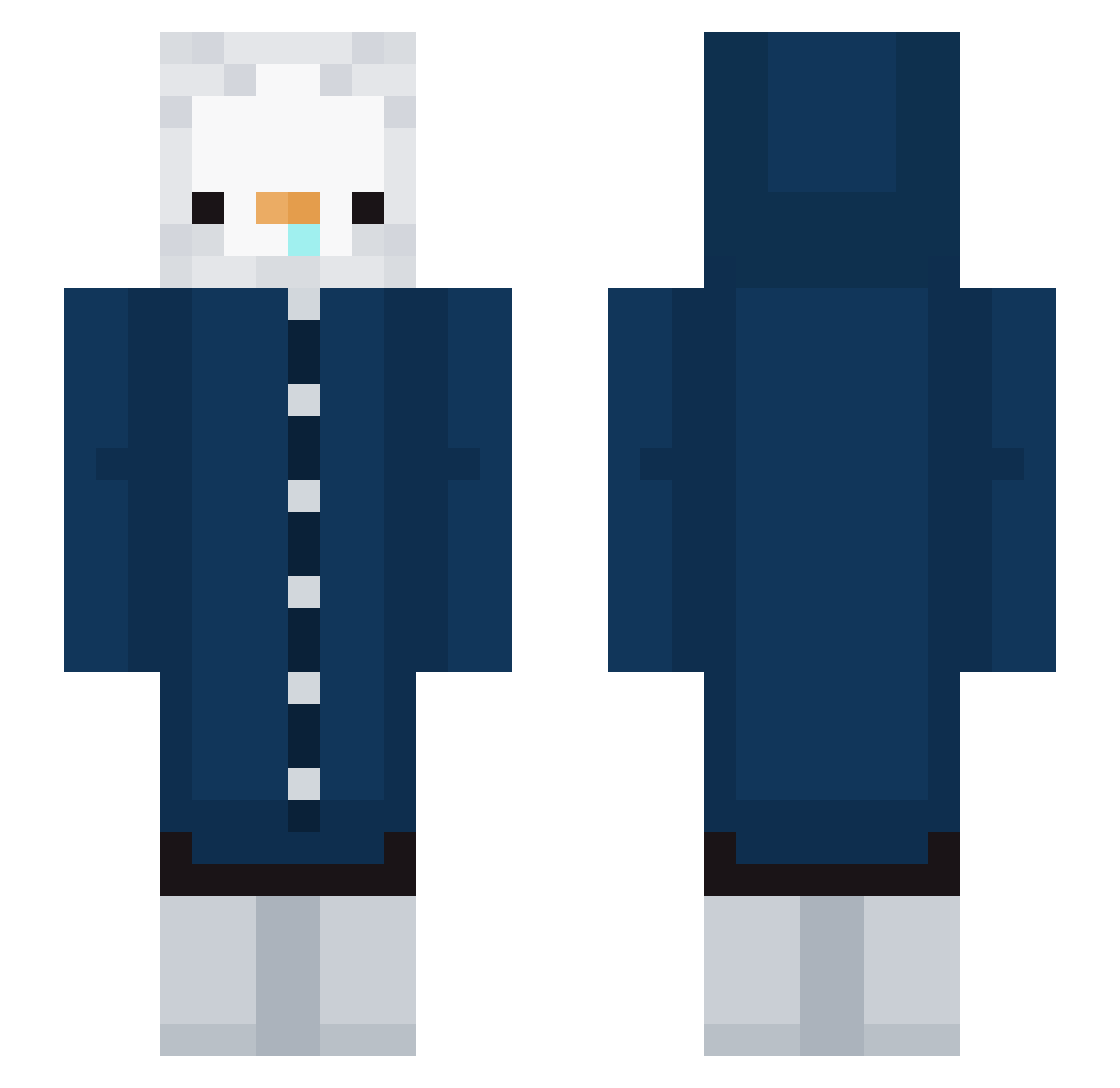
Current Minecraft skin of the player 4characters, loaded from the official Mojang API. Rotate the 3D model with your mouse or finger, then download the skin as a PNG file and use it in Minecraft: Bedrock Edition or Java Edition for free. When 4characters changes their skin, this page updates automatically and the old skin stays in the history below.
Other players with this skin (296)
4characters was the 246th player we have seen with this skin, first spotted on 25.10.2026. The same skin was seen on these players. Open a nickname to see their current skin and skin history.
 XWolfie21 messy_craft cactusjohns123 dashie1285 Incrt october_12 AhVenom jungleboost curry_0624 Rockuelas Throwz Rtl6106 frichou protos123 ac_denti Eric_945 manutsave5555 inakzeptabel not42 yzyg ChupapiMunhanho Akri878 xXRiotsXx LilWoozy02 simon74 mqsterpiece JackHudson jxn_spxn _Son__ 5COWL Erio_Pop Snoi ScarahHyde mugbooo Darren_OMG 2ch9 John_Bogle SH_0401 KibaxuCraft11 Bumcloud Top_Secret1 sinsang belowthealpine koperx123wp BuzzBeeeee lovesmall waterfl4re kyabe3 TzuJa Guenul pyhpyh11 ayaaaaasi Tonari_taruma Theiaa_ alida_icy_tower zeny_s avemaris t4woby MacaronlL OverChilling
More Duck Minecraft skins
How to install the 4characters skin
- Press the Download button above to save the skin as a PNG file.
- Minecraft: Bedrock Edition (PE): open the Dressing Room from the main menu (or tap your character → Edit Character), go to Classic Skins → Owned, press the + (new skin) button, choose the downloaded PNG and pick the Slim (Alex) model. Works on PC and mobile; consoles cannot import custom skins.
- Minecraft: Java Edition: open the Minecraft Launcher, go to the Skins tab, click New Skin, load the PNG, pick the Slim (Alex) model and press Save & Use. You can also upload it at minecraft.net → Profile → Change Skin.
The skin does not show up after import - what should I do?
Restart Minecraft and open the Dressing Room again - imported skins sometimes appear only after a restart. Also make sure you selected the imported skin and picked the Slim (Alex) model.
Which model should I choose, Classic or Slim?
This skin is designed for the Slim (Alex) model. If you pick the wrong model, the arms of the skin will look stretched or squeezed.
Is the skin of 4characters free to download?
Yes. Press Download, save the PNG file and use it in Minecraft: Bedrock Edition or Java Edition - no payment or registration needed. The skin also works on multiplayer servers and Realms.
More skins
Looking for more? Go back to all Minecraft skins and check the top skins of the week, month and all time, or find any player's skin by nickname.