
304Lyonn - Minecraft Skins & Skin History
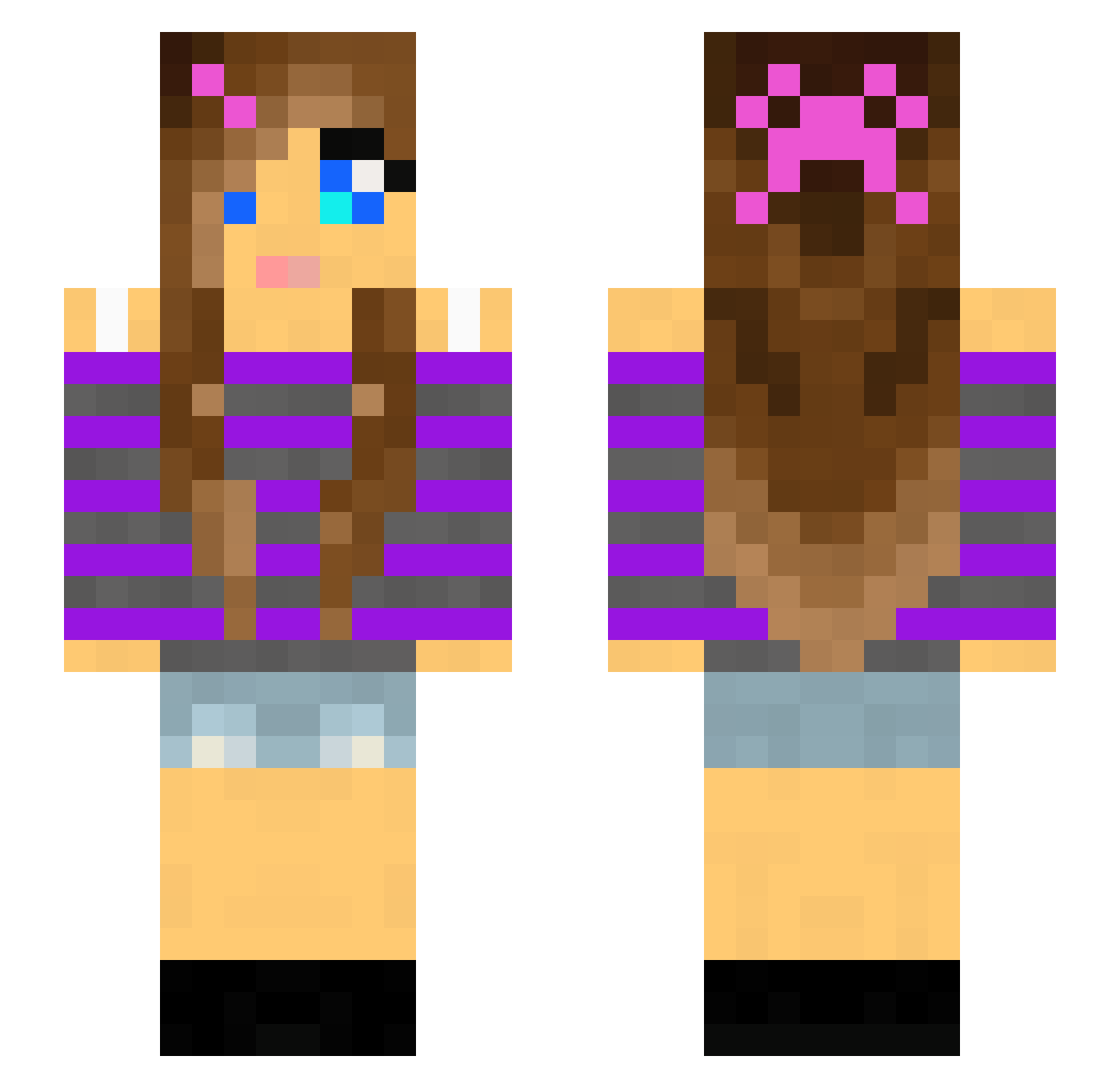
Current Minecraft skin of the player 304Lyonn, loaded from the official Mojang API. Rotate the 3D model with your mouse or finger, then download the skin as a PNG file and use it in Minecraft: Bedrock Edition or Java Edition for free. When 304Lyonn changes their skin, this page updates automatically and the old skin stays in the history below.
Other players with this skin (143)
304Lyonn was the 86th player we have seen with this skin, first spotted on 05.10.2026. The same skin was seen on these players. Open a nickname to see their current skin and skin history.
 VendoNatura ValeaMx cazador400 Tiarla ilyzuzanna SylvieCoiffure Aywa78 Prinzessinbello chiquitaeliii meelzonwheels IamDorine tayl0r_swift_fan 8_De Susan87 osau Coffechaan TweetySam MedionStars MissRelatable Kuir Devtho7523 rachel_94 BeautyLilly Bdgu_2 bertoschka Rotls happysquid20 nosocksincrocs Jezzibella KelahDavid Honodle mummzie juliadyr danab06 Mellibelle Camille_Tigre attwoodj kxdnn EternalGrace209 MAXIMTOKOX IronicButterfly croftyx1 meganwow PaxOrionis Server_Owner_ LORYRAIDER xoxogiannaxoxo3 Jaydelookalike Rmucc01 sshaun Kiziamizia01 Miarosemine Kaittaa XeniaPigen reagank4 ronwrocks cosette11 Kristastarr johanne00 RainbowDash2020
More Girl Minecraft skins
How to install the 304Lyonn skin
- Press the Download button above to save the skin as a PNG file.
- Minecraft: Bedrock Edition (PE): open the Dressing Room from the main menu (or tap your character → Edit Character), go to Classic Skins → Owned, press the + (new skin) button, choose the downloaded PNG and pick the Slim (Alex) model. Works on PC and mobile; consoles cannot import custom skins.
- Minecraft: Java Edition: open the Minecraft Launcher, go to the Skins tab, click New Skin, load the PNG, pick the Slim (Alex) model and press Save & Use. You can also upload it at minecraft.net → Profile → Change Skin.
The skin does not show up after import - what should I do?
Restart Minecraft and open the Dressing Room again - imported skins sometimes appear only after a restart. Also make sure you selected the imported skin and picked the Slim (Alex) model.
Which model should I choose, Classic or Slim?
This skin is designed for the Slim (Alex) model. If you pick the wrong model, the arms of the skin will look stretched or squeezed.
Is the skin of 304Lyonn free to download?
Yes. Press Download, save the PNG file and use it in Minecraft: Bedrock Edition or Java Edition - no payment or registration needed. The skin also works on multiplayer servers and Realms.
More skins
Looking for more? Go back to all Minecraft skins and check the top skins of the week, month and all time, or find any player's skin by nickname.