
3000x3000 - Minecraft Skins & Skin History
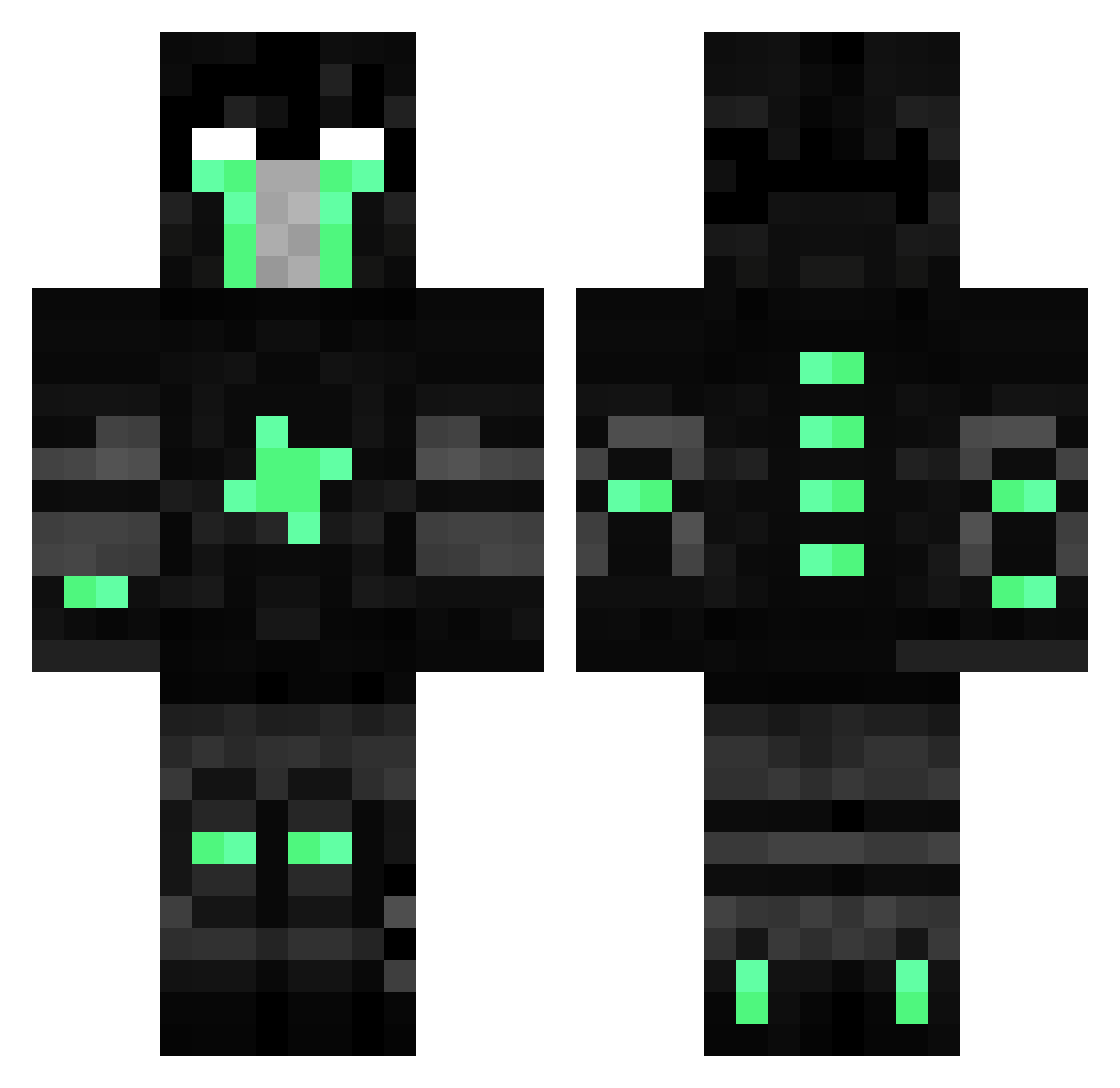
Current Minecraft skin of the player 3000x3000, loaded from the official Mojang API. Rotate the 3D model with your mouse or finger, then download the skin as a PNG file and use it in Minecraft: Bedrock Edition or Java Edition for free. When 3000x3000 changes their skin, this page updates automatically and the old skin stays in the history below.
Other players with this skin (107)
3000x3000 was the 17th player we have seen with this skin, first spotted on 15.08.2026. The same skin was seen on these players. Open a nickname to see their current skin and skin history.
 PyrofemYT InfuriateGamer EmirhanRGRGRG CptMcBob 33v33 Lomax1910 0yg Marula666 Umang123 ItsValeFTW xDarkHeros Cratch DepressionMn randomJockel paran0ic Vapeax floyduk kettoa BelenK18 iTzRayMon_DMC BrokingForever2 b_cho YouFeelMe X8FranX ShantPack Kuehlschrank123 EgoBerna ZadaPuk228 Hella_Hell spider3608 ALIKOC Resurgin Rlqx Maximdb45 Dongteh Rozion iCemilWinner Julmusten03 MaresaLi Expenssive howtobealifeless Murike Addzder IIllIllIIlII RqD_ SecretSpye BestStats iBeatursource GoldenSaint4 qAdr1an_ BigOlGodfrey Sable_Sentinel TheNewDanteh ImAdeh Chungy1 HelloKittyRAWR DantehPeruano Italy300 Jonq_ uglyassniqqa
More Isaac Clarke Minecraft skins
See all 1116 Isaac Clarke skins
How to install the 3000x3000 skin
- Press the Download button above to save the skin as a PNG file.
- Minecraft: Bedrock Edition (PE): open the Dressing Room from the main menu (or tap your character → Edit Character), go to Classic Skins → Owned, press the + (new skin) button, choose the downloaded PNG and pick the Classic (Steve) model. Works on PC and mobile; consoles cannot import custom skins.
- Minecraft: Java Edition: open the Minecraft Launcher, go to the Skins tab, click New Skin, load the PNG, pick the Classic (Steve) model and press Save & Use. You can also upload it at minecraft.net → Profile → Change Skin.
The skin does not show up after import - what should I do?
Restart Minecraft and open the Dressing Room again - imported skins sometimes appear only after a restart. Also make sure you selected the imported skin and picked the Classic (Steve) model.
Which model should I choose, Classic or Slim?
This skin is designed for the Classic (Steve) model. If you pick the wrong model, the arms of the skin will look stretched or squeezed.
Is the skin of 3000x3000 free to download?
Yes. Press Download, save the PNG file and use it in Minecraft: Bedrock Edition or Java Edition - no payment or registration needed. The skin also works on multiplayer servers and Realms.
More skins
Looking for more? Go back to all Minecraft skins and check the top skins of the week, month and all time, or find any player's skin by nickname.