
25olixx_ - Minecraft Skins & Skin History
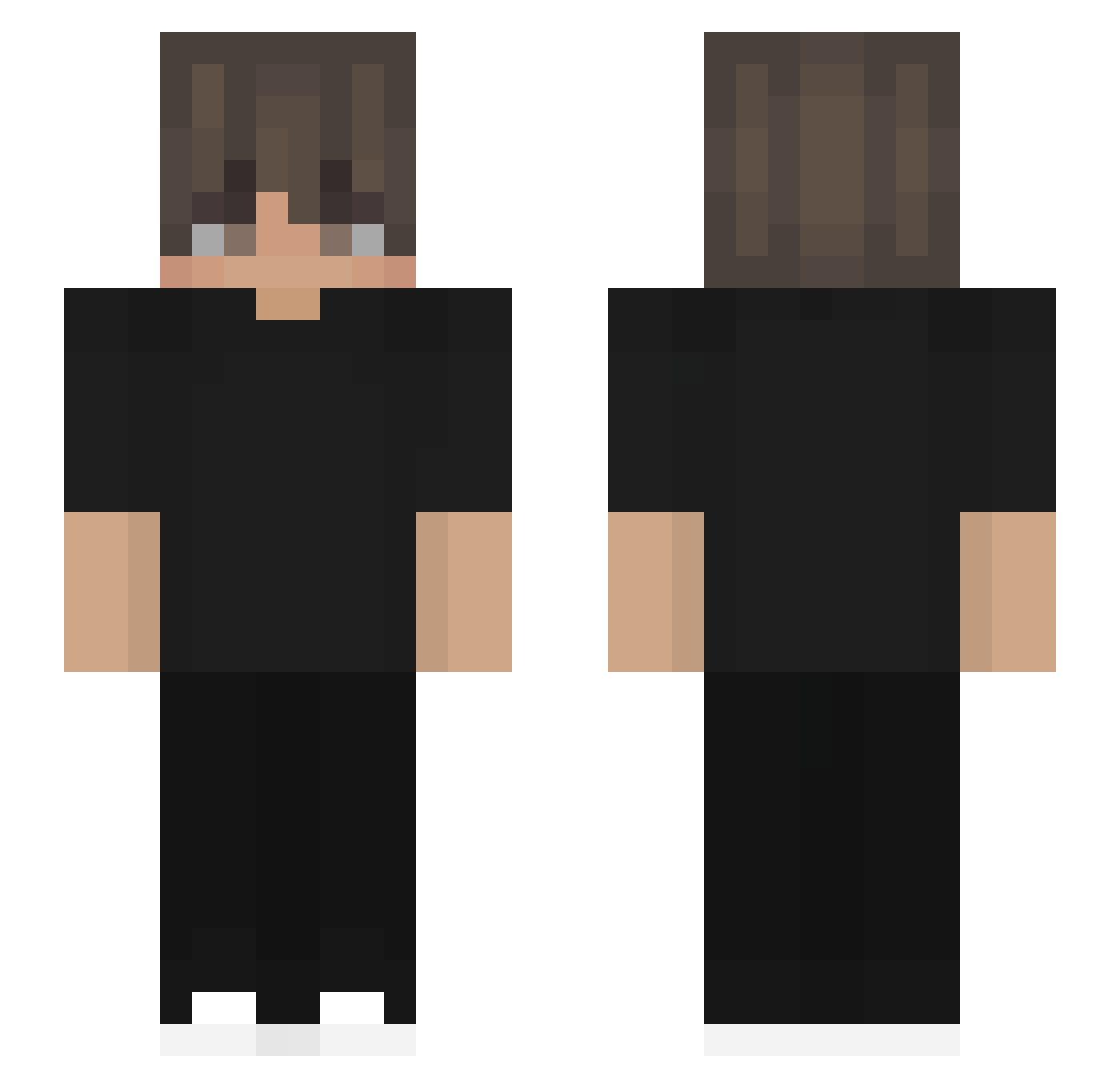
Current Minecraft skin of the player 25olixx_, loaded from the official Mojang API. Rotate the 3D model with your mouse or finger, then download the skin as a PNG file and use it in Minecraft: Bedrock Edition or Java Edition for free. When 25olixx_ changes their skin, this page updates automatically and the old skin stays in the history below.
Other players with this skin (532)
25olixx_ was the 401st player we have seen with this skin, first spotted on 12.10.2026. The same skin was seen on these players. Open a nickname to see their current skin and skin history.
 dreamoriginal mrshyguy568 ajiii16_ Normurodov JonasLTU1 red_camo HumanAutoclicker jaozinGameplay4 mystical0ne ZAREX6 TajemnyRuniczny ItsDestry yx_07UUb_06_25 EdActo X_Harbey_X _ElDeX_ Linouuu Zx_MiRaGeICE_ EnisUzun koikohaku swyfty02 Metka007 lkzzzzz sanmacuca ahmedhakeem 1Pauro1 KING_AK_ Tom_mas Astronau1 pasteldepollo Swiftynika Nicolas350 Siblax2 Exuue xingchen189 Kaaruun EE_B3ast _1sebo1_ Huglio suzmax leejio1210 RodrigoRocks CXL426 ZEEREEN yigtalp4 QERYY Graydon7771 Andrewsss_ clearsky520 Artemweq Pie3433 ashhh999 NoahL2012 Daniel_CB iBrennerr JoeyEuph BeRKiN25 SerpyV2 foxytailV3 EndlessVoid06
How to install the 25olixx_ skin
- Press the Download button above to save the skin as a PNG file.
- Minecraft: Bedrock Edition (PE): open the Dressing Room from the main menu (or tap your character → Edit Character), go to Classic Skins → Owned, press the + (new skin) button, choose the downloaded PNG and pick the Slim (Alex) model. Works on PC and mobile; consoles cannot import custom skins.
- Minecraft: Java Edition: open the Minecraft Launcher, go to the Skins tab, click New Skin, load the PNG, pick the Slim (Alex) model and press Save & Use. You can also upload it at minecraft.net → Profile → Change Skin.
The skin does not show up after import - what should I do?
Restart Minecraft and open the Dressing Room again - imported skins sometimes appear only after a restart. Also make sure you selected the imported skin and picked the Slim (Alex) model.
Which model should I choose, Classic or Slim?
This skin is designed for the Slim (Alex) model. If you pick the wrong model, the arms of the skin will look stretched or squeezed.
Is the skin of 25olixx_ free to download?
Yes. Press Download, save the PNG file and use it in Minecraft: Bedrock Edition or Java Edition - no payment or registration needed. The skin also works on multiplayer servers and Realms.
More skins
Looking for more? Go back to all Minecraft skins and check the top skins of the week, month and all time, or find any player's skin by nickname.