
25Christoffer - Minecraft Skins & Skin History
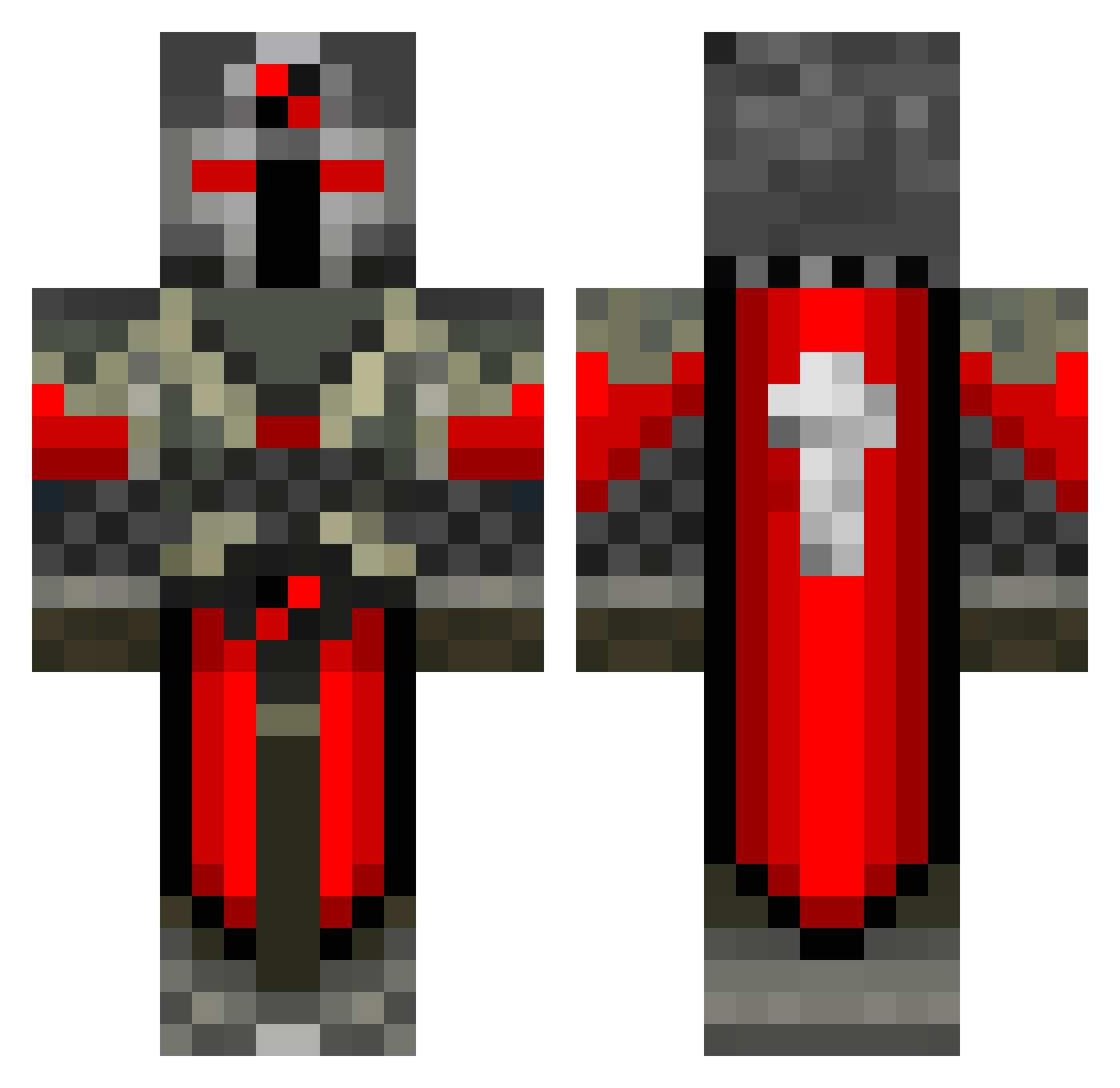
Current Minecraft skin of the player 25Christoffer, loaded from the official Mojang API. Rotate the 3D model with your mouse or finger, then download the skin as a PNG file and use it in Minecraft: Bedrock Edition or Java Edition for free. When 25Christoffer changes their skin, this page updates automatically and the old skin stays in the history below.
Other players with this skin (550)
25Christoffer was the 91st player we have seen with this skin, first spotted on 14.08.2026. The same skin was seen on these players. Open a nickname to see their current skin and skin history.
 KommissarieV DarkxBowen Dorian05 flarp13 ToffiTee S3d1k Attias1 flyingmonkey135 Music_Destroyer Timeline_40 beretsch Evil_Sarevok the_schou86 richard1008 Sfinx666 zerobrine145 Doomsater drakon10 TheBlack__Knight ManofSteele9750 Plainzanthius DangerZone_26 dasbat777 jrobb1999 fattyMcnasty Ragen_Hell ljpn joehay zombiejono Azryu Olieiss_ pnovotny ZipLoc21 ichunddu1503 jack_fagan DeStrucTOR_BeasT killer210991 Sfdude LoganTheKidQW EmpireSkiddy Shamata leviathan888 minitaf NordicMayhem TomBob321 elmr Hillbillly Scorpioncyp SuperCloutBas Superrex6 Tehajr blacknexus1122 tacoking37 locococo123 xRenato95 darknez14 tdm112299 jeekenberg tripConcept Coopsters
More Crusader Minecraft skins
How to install the 25Christoffer skin
- Press the Download button above to save the skin as a PNG file.
- Minecraft: Bedrock Edition (PE): open the Dressing Room from the main menu (or tap your character → Edit Character), go to Classic Skins → Owned, press the + (new skin) button, choose the downloaded PNG and pick the Classic (Steve) model. Works on PC and mobile; consoles cannot import custom skins.
- Minecraft: Java Edition: open the Minecraft Launcher, go to the Skins tab, click New Skin, load the PNG, pick the Classic (Steve) model and press Save & Use. You can also upload it at minecraft.net → Profile → Change Skin.
The skin does not show up after import - what should I do?
Restart Minecraft and open the Dressing Room again - imported skins sometimes appear only after a restart. Also make sure you selected the imported skin and picked the Classic (Steve) model.
Which model should I choose, Classic or Slim?
This skin is designed for the Classic (Steve) model. If you pick the wrong model, the arms of the skin will look stretched or squeezed.
Is the skin of 25Christoffer free to download?
Yes. Press Download, save the PNG file and use it in Minecraft: Bedrock Edition or Java Edition - no payment or registration needed. The skin also works on multiplayer servers and Realms.
More skins
Looking for more? Go back to all Minecraft skins and check the top skins of the week, month and all time, or find any player's skin by nickname.