
14Gabriel14 - Minecraft Skins & Skin History
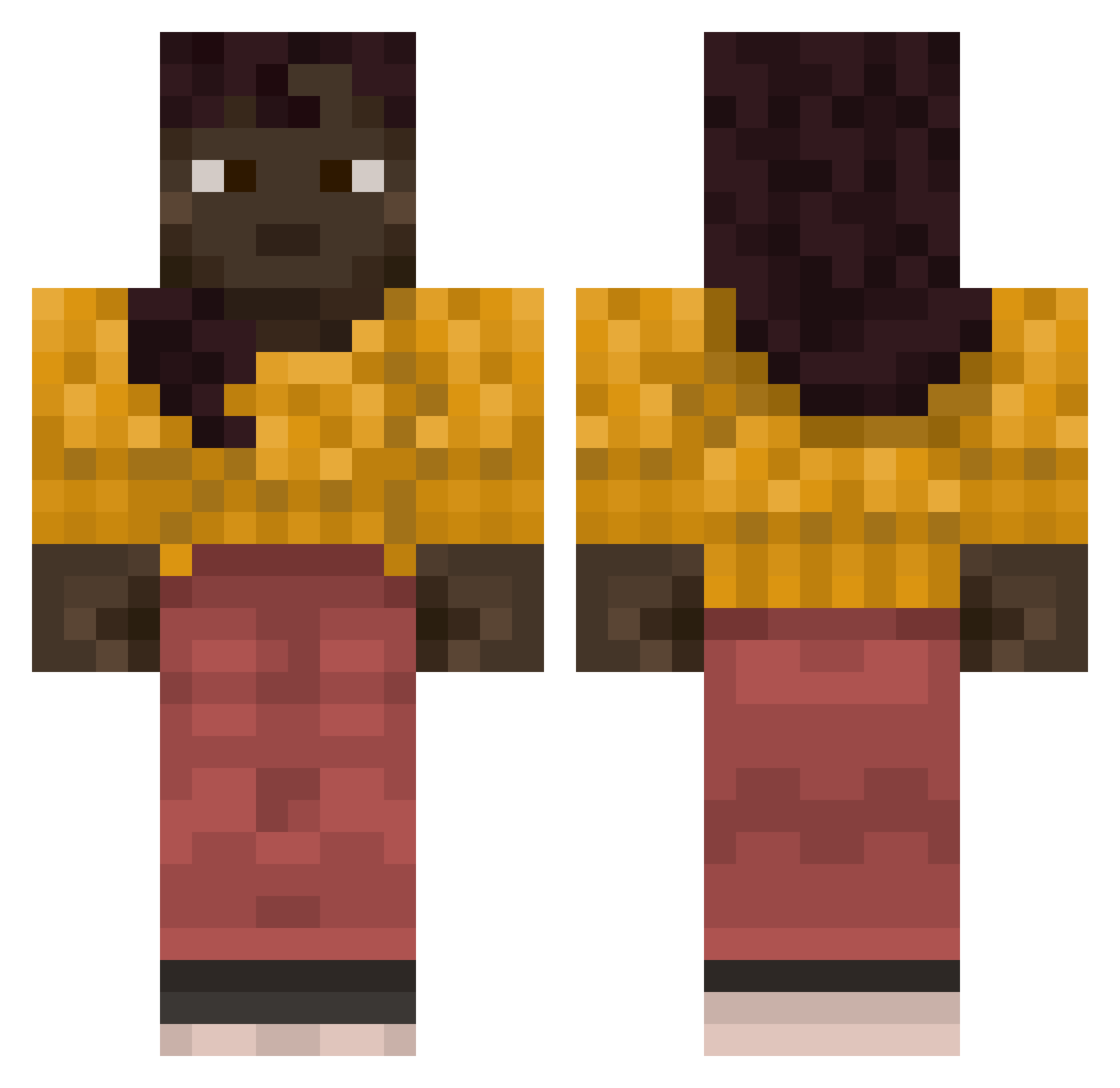
Current Minecraft skin of the player 14Gabriel14, loaded from the official Mojang API. Rotate the 3D model with your mouse or finger, then download the skin as a PNG file and use it in Minecraft: Bedrock Edition or Java Edition for free. When 14Gabriel14 changes their skin, this page updates automatically and the old skin stays in the history below.
Other players with this skin (837)
14Gabriel14 was the 516th player we have seen with this skin, first spotted on 01.10.2026. The same skin was seen on these players. Open a nickname to see their current skin and skin history.
 canthi Dismantler Umbrian Objection SHAD0WZz7 KimMeAe Pisteology Abzelaaa JuSSal Shakha IDominateTrolls ExerpasCS powcat Nastika Hastive bicicletas DownRange Algaroth door29 edvin8750 aguss_220 toyland Pilkins youaretk sauncier Agricultures sekretare444 kamilah winsomely Frequenting Bustle Hypermetrope Stillness Hippier ThisAccWasSt0len Symbolisation coney Didymium Rosieinskip Unsober Imploration Anthurium blasty Lucio09 zLxrp telefon555 Scaphoid buttery SrFada J1ndra14 Aleoff FRIZET gnarls hblundell jilipitater hanoi Sir_Yayham Oligopsony dona19 Kazerblazer
More Girl Minecraft skins
How to install the 14Gabriel14 skin
- Press the Download button above to save the skin as a PNG file.
- Minecraft: Bedrock Edition (PE): open the Dressing Room from the main menu (or tap your character → Edit Character), go to Classic Skins → Owned, press the + (new skin) button, choose the downloaded PNG and pick the Classic (Steve) model. Works on PC and mobile; consoles cannot import custom skins.
- Minecraft: Java Edition: open the Minecraft Launcher, go to the Skins tab, click New Skin, load the PNG, pick the Classic (Steve) model and press Save & Use. You can also upload it at minecraft.net → Profile → Change Skin.
The skin does not show up after import - what should I do?
Restart Minecraft and open the Dressing Room again - imported skins sometimes appear only after a restart. Also make sure you selected the imported skin and picked the Classic (Steve) model.
Which model should I choose, Classic or Slim?
This skin is designed for the Classic (Steve) model. If you pick the wrong model, the arms of the skin will look stretched or squeezed.
Is the skin of 14Gabriel14 free to download?
Yes. Press Download, save the PNG file and use it in Minecraft: Bedrock Edition or Java Edition - no payment or registration needed. The skin also works on multiplayer servers and Realms.
More skins
Looking for more? Go back to all Minecraft skins and check the top skins of the week, month and all time, or find any player's skin by nickname.