
104 - Minecraft Skins & Skin History
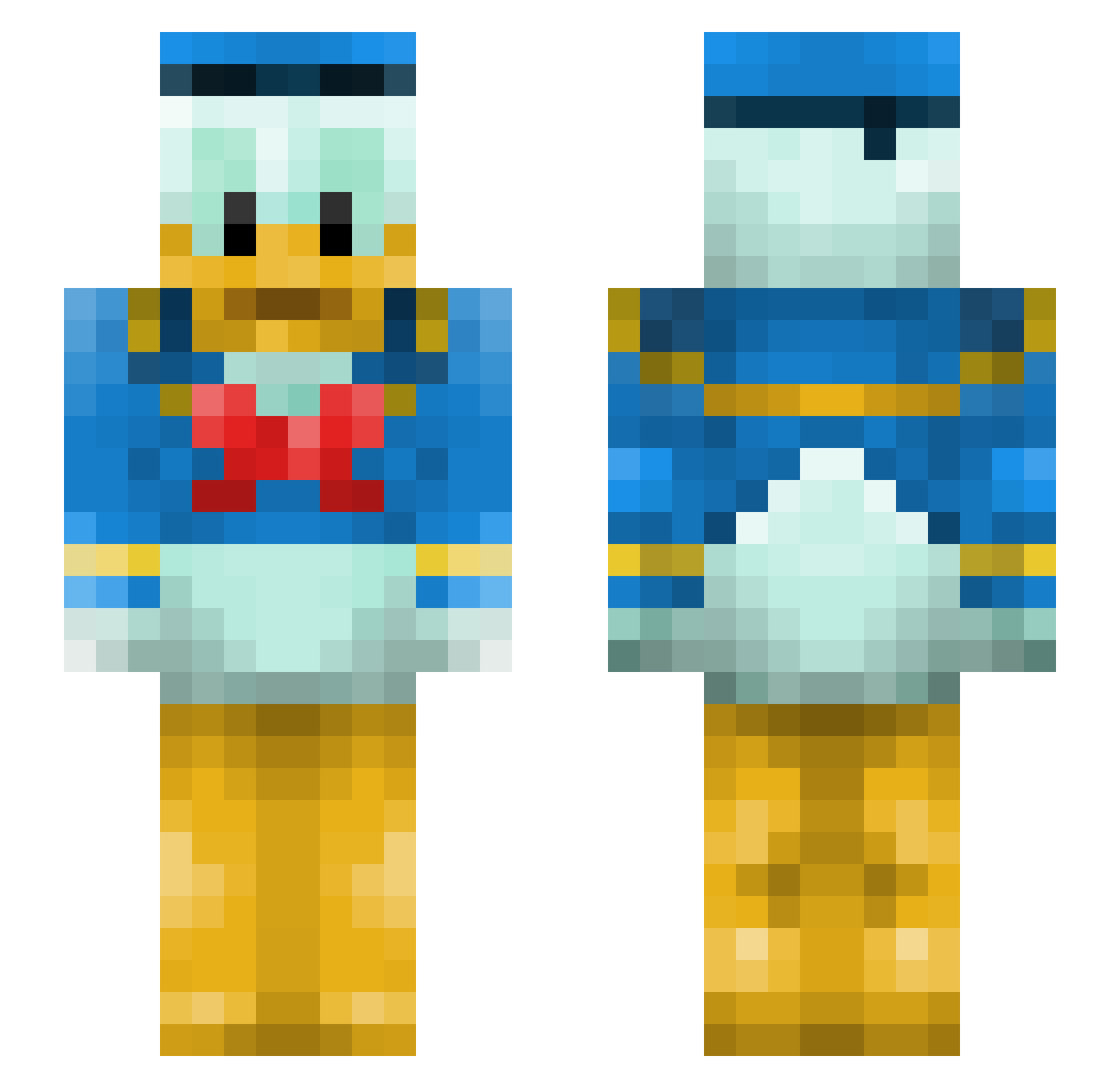
Current Minecraft skin of the player 104, loaded from the official Mojang API. Rotate the 3D model with your mouse or finger, then download the skin as a PNG file and use it in Minecraft: Bedrock Edition or Java Edition for free. When 104 changes their skin, this page updates automatically and the old skin stays in the history below.
Other players with this skin (144)
104 was the 34th player we have seen with this skin, first spotted on 12.08.2026. The same skin was seen on these players. Open a nickname to see their current skin and skin history.
 upset_turtle ponpondesu VideopolisYT21 mercy0317 CaptainCazeh fillespetz flaesker ihcchi Makoko805 e__a__t cheshirekitt maurovanas TetchyCupid2479 MrBigStick HowlLMA0 ImNiguel Rekoj509 soyelpeche2 GodWearsSupreme MomiZiQn dylpickle955 LEOZOKIN ObiTakToRobi Borf_Ramsay toku357 pucciolarco xXSlyWolvzXx chikolate raz721
 Jenzx Hizk1 Minecrafter12348 DuckyLikesMC Kyolicious Spyder41 LowLiveLegend machi0808 123aof Kolb1ten Koukicola 999luki PauseJack Artimortadela IsakeN Ahududuyum gami_0726 Mr_Cake2 Memel81 kaczy1337PL lq3e The_T_Bird WulloKarma Kronos_88 BappoLovesTaco woody1215 HanaFa Kingkyleyu Hekkiostin Vinci2008 tunakan1029
More Donald Duck Minecraft skins
How to install the 104 skin
- Press the Download button above to save the skin as a PNG file.
- Minecraft: Bedrock Edition (PE): open the Dressing Room from the main menu (or tap your character → Edit Character), go to Classic Skins → Owned, press the + (new skin) button, choose the downloaded PNG and pick the Slim (Alex) model. Works on PC and mobile; consoles cannot import custom skins.
- Minecraft: Java Edition: open the Minecraft Launcher, go to the Skins tab, click New Skin, load the PNG, pick the Slim (Alex) model and press Save & Use. You can also upload it at minecraft.net → Profile → Change Skin.
The skin does not show up after import - what should I do?
Restart Minecraft and open the Dressing Room again - imported skins sometimes appear only after a restart. Also make sure you selected the imported skin and picked the Slim (Alex) model.
Which model should I choose, Classic or Slim?
This skin is designed for the Slim (Alex) model. If you pick the wrong model, the arms of the skin will look stretched or squeezed.
Is the skin of 104 free to download?
Yes. Press Download, save the PNG file and use it in Minecraft: Bedrock Edition or Java Edition - no payment or registration needed. The skin also works on multiplayer servers and Realms.
More skins
Looking for more? Go back to all Minecraft skins and check the top skins of the week, month and all time, or find any player's skin by nickname.