
1010jg - Minecraft Skins & Skin History
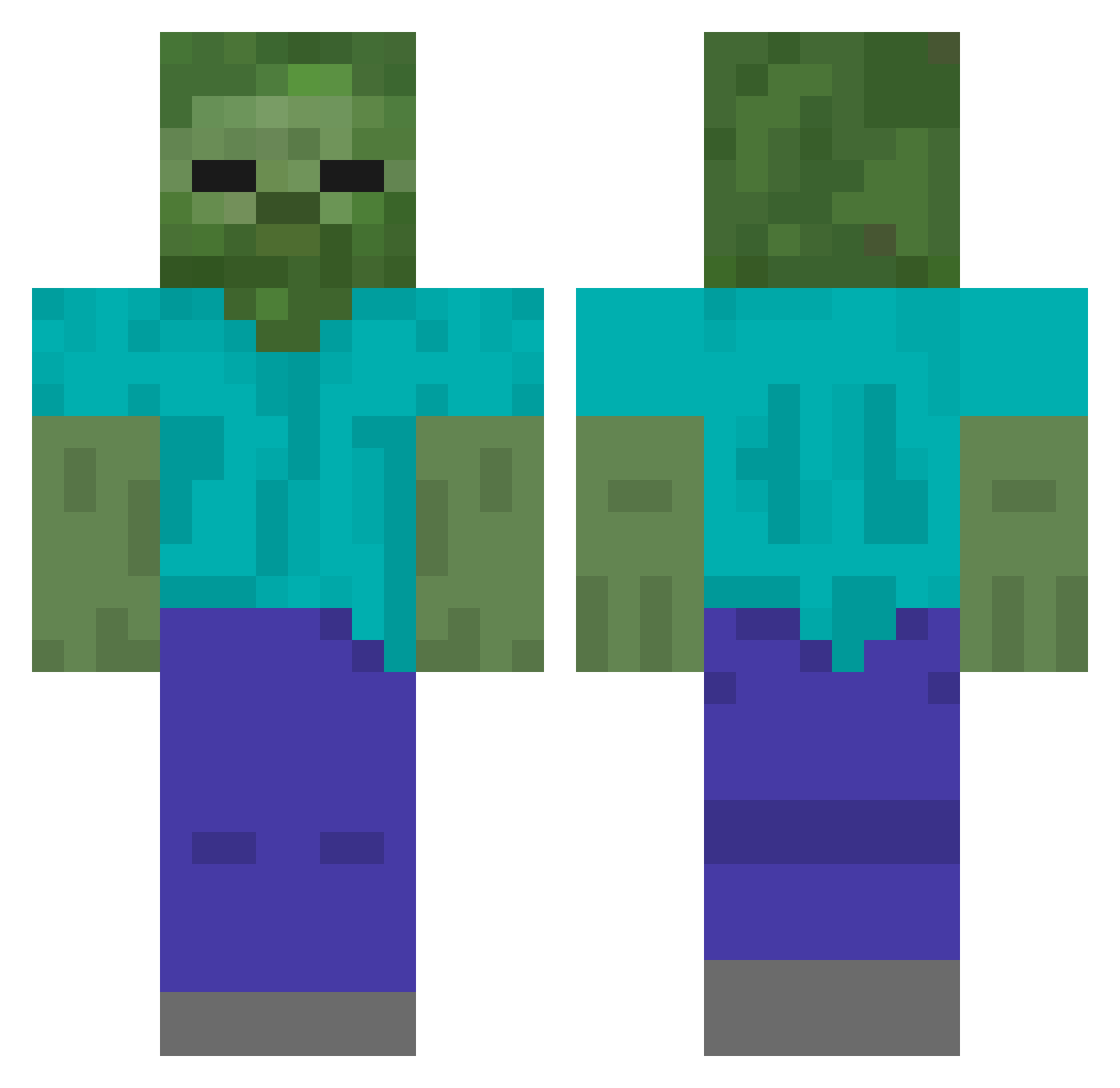
Current Minecraft skin of the player 1010jg, loaded from the official Mojang API. Rotate the 3D model with your mouse or finger, then download the skin as a PNG file and use it in Minecraft: Bedrock Edition or Java Edition for free. When 1010jg changes their skin, this page updates automatically and the old skin stays in the history below.
Other players with this skin (120)
1010jg was the 89th player we have seen with this skin, first spotted on 10.10.2026. The same skin was seen on these players. Open a nickname to see their current skin and skin history.
 ACEGimme Weeberto_ Barkai99 yunari1001na VashVenator cobiboy QiMC suseongs 4______4 AXEDUDA Mumalrengyee Miyo0806 kuyxxx lorderalh Laz_Sh4rk NewEpick Saroso SoapySuds7 Rubizoo BOBDODUK38 Lemo18 Mood01 Glitchy2451 enterusername xion99014 SabishiXd Gazinel_ GomEZFFF xDonFre 4602Gamer Pandaduck0916 s2_yxng JaeWonKim1 lie22e ZMNPT Od_rin Speredden AzraelZombie cyj3305 PIGAV Seepak Misunor FRUUDD khyhd BadWrists battle9890 gapida Jane1231 Merturix noah3374 awdkdg haruta0319 babo_boy Bendaaaaa zizonjihu AuraReached QuailMister GGBsg TONINHO2016 skwizzy0000
More Zombie Minecraft skins
How to install the 1010jg skin
- Press the Download button above to save the skin as a PNG file.
- Minecraft: Bedrock Edition (PE): open the Dressing Room from the main menu (or tap your character → Edit Character), go to Classic Skins → Owned, press the + (new skin) button, choose the downloaded PNG and pick the Classic (Steve) model. Works on PC and mobile; consoles cannot import custom skins.
- Minecraft: Java Edition: open the Minecraft Launcher, go to the Skins tab, click New Skin, load the PNG, pick the Classic (Steve) model and press Save & Use. You can also upload it at minecraft.net → Profile → Change Skin.
The skin does not show up after import - what should I do?
Restart Minecraft and open the Dressing Room again - imported skins sometimes appear only after a restart. Also make sure you selected the imported skin and picked the Classic (Steve) model.
Which model should I choose, Classic or Slim?
This skin is designed for the Classic (Steve) model. If you pick the wrong model, the arms of the skin will look stretched or squeezed.
Is the skin of 1010jg free to download?
Yes. Press Download, save the PNG file and use it in Minecraft: Bedrock Edition or Java Edition - no payment or registration needed. The skin also works on multiplayer servers and Realms.
More skins
Looking for more? Go back to all Minecraft skins and check the top skins of the week, month and all time, or find any player's skin by nickname.