
0OceanBlue0 - Minecraft Skins & Skin History
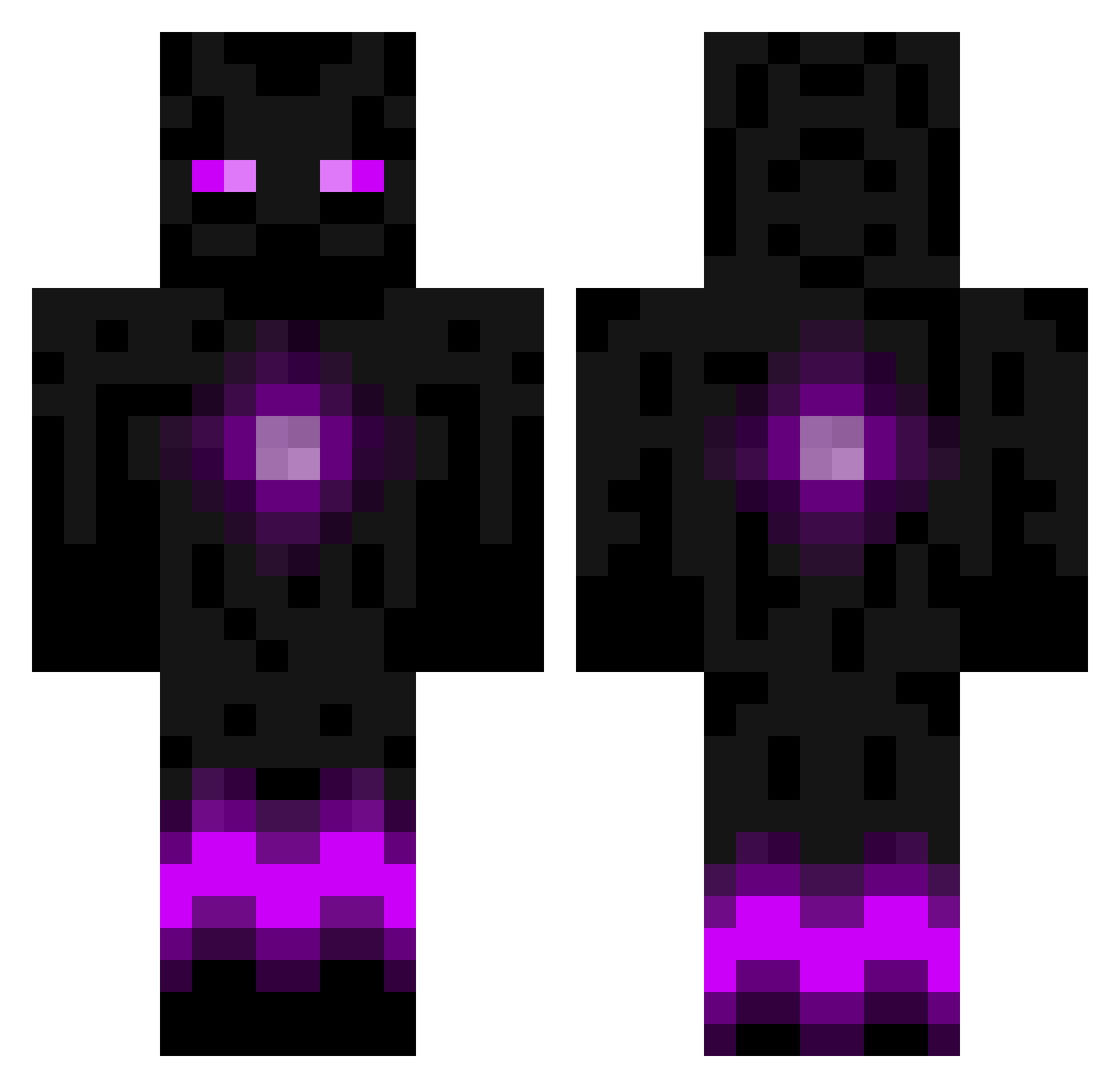
Current Minecraft skin of the player 0OceanBlue0, loaded from the official Mojang API. Rotate the 3D model with your mouse or finger, then download the skin as a PNG file and use it in Minecraft: Bedrock Edition or Java Edition for free. When 0OceanBlue0 changes their skin, this page updates automatically and the old skin stays in the history below.
Other players with this skin (786)
0OceanBlue0 was the 629th player we have seen with this skin, first spotted on 16.10.2026. The same skin was seen on these players. Open a nickname to see their current skin and skin history.
 lewlewlew1999 zombieslater1 HammerKing121 Eludane Diamond305 wazk7 thcbts Jannn61 wolfofnight123 enderguy46 Harvman2002 UsagiSnowdrop BlackShruikan drsandwitch archerypro2 Remuxes SaintBalmung benij8 Assassin_Leon Eldaniz jacobjoon1234 Keion07 bennysapp Owatt86 apatrickjones meddy66 bmxbodi CyberFrozen georgino99 OhYeahItsJimmy _ShadowHorizon Albino_Eyes Satsen willowwoods Shadowlightss ckrager4 sammy3345 Ebs098 bossyp dayan_f reggie3rd obags1136 dako1551 pbj624 Nicolaibirk minerdonnelly rowesrookies kexx2003 Anas090707 reagan81 Powernator TheMatrix1503 NuggetMaster1 R17gamer JMedley32 shadicxl00 MrEnderman55 Emeralddragon45 EpiCraft3r xBiiF
More Enderman Minecraft skins
How to install the 0OceanBlue0 skin
- Press the Download button above to save the skin as a PNG file.
- Minecraft: Bedrock Edition (PE): open the Dressing Room from the main menu (or tap your character → Edit Character), go to Classic Skins → Owned, press the + (new skin) button, choose the downloaded PNG and pick the Classic (Steve) model. Works on PC and mobile; consoles cannot import custom skins.
- Minecraft: Java Edition: open the Minecraft Launcher, go to the Skins tab, click New Skin, load the PNG, pick the Classic (Steve) model and press Save & Use. You can also upload it at minecraft.net → Profile → Change Skin.
The skin does not show up after import - what should I do?
Restart Minecraft and open the Dressing Room again - imported skins sometimes appear only after a restart. Also make sure you selected the imported skin and picked the Classic (Steve) model.
Which model should I choose, Classic or Slim?
This skin is designed for the Classic (Steve) model. If you pick the wrong model, the arms of the skin will look stretched or squeezed.
Is the skin of 0OceanBlue0 free to download?
Yes. Press Download, save the PNG file and use it in Minecraft: Bedrock Edition or Java Edition - no payment or registration needed. The skin also works on multiplayer servers and Realms.
More skins
Looking for more? Go back to all Minecraft skins and check the top skins of the week, month and all time, or find any player's skin by nickname.