
0101Yuke - Minecraft Skins & Skin History
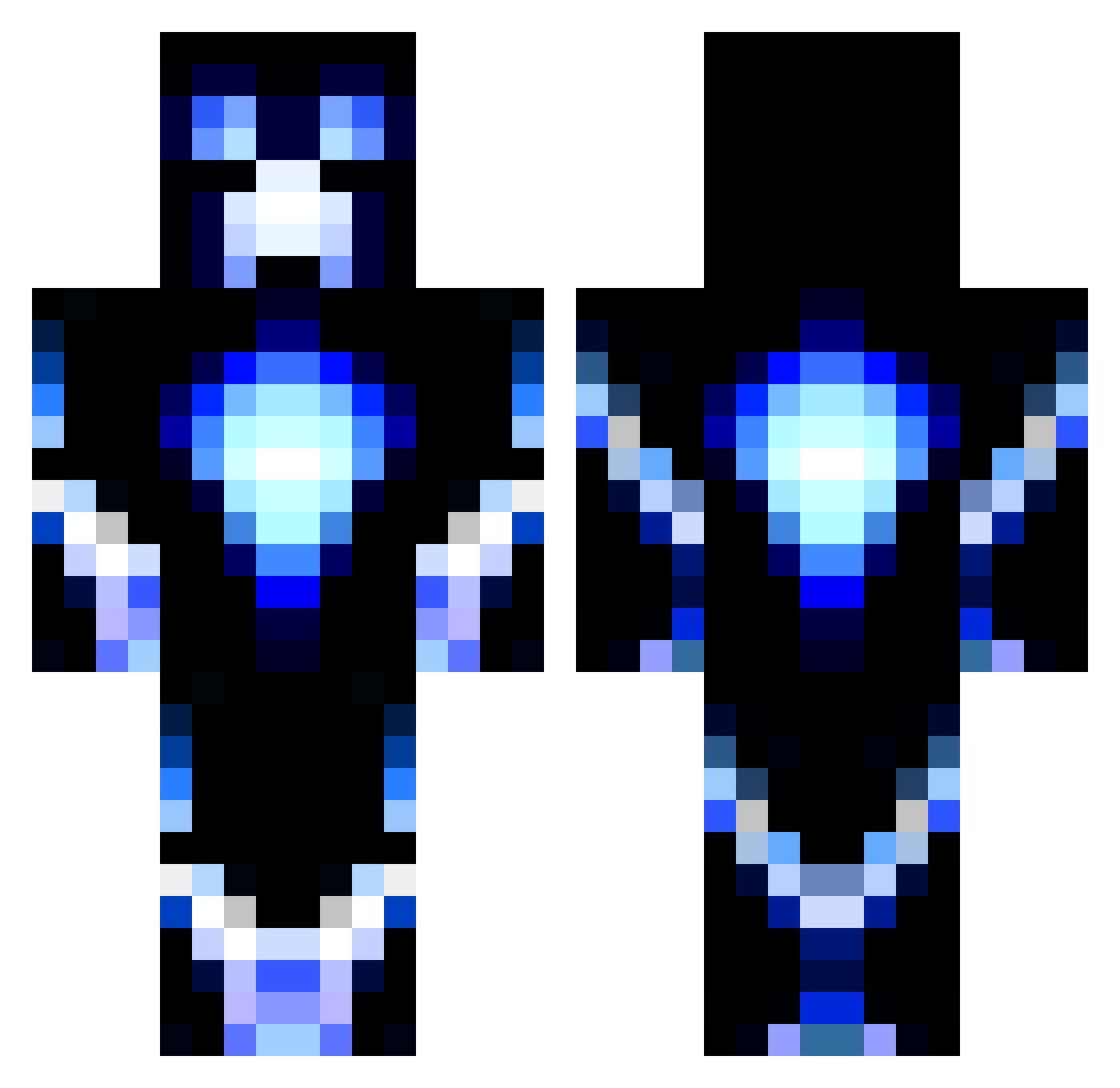
Current Minecraft skin of the player 0101Yuke, loaded from the official Mojang API. Rotate the 3D model with your mouse or finger, then download the skin as a PNG file and use it in Minecraft: Bedrock Edition or Java Edition for free. When 0101Yuke changes their skin, this page updates automatically and the old skin stays in the history below.
Other players with this skin (1452)
0101Yuke was the 1240th player we have seen with this skin, first spotted on 04.11.2026. The same skin was seen on these players. Open a nickname to see their current skin and skin history.
 Vorza2000 keatybee gDXRT KristianSki WAKINGxINSTINCT etgillett caegenc murat552000 seanyboss95 G0N3E thelioon julaff DaddyTsrh Awesome308 DeadlyRekt unknownptd Vinngix Awesomesauce918 mrsmileyturtle pumapuma12 BBall1800 efdf litjgut Beastzz_Mayhem Death_Destroyer9 Mariussheesh oMusik JusticeLeague1 DeusEx4Return The_Lorax413 wargodofearth ddog1213 DrakeRilo FedeYT DSTalex skullblade123 Demonic_Slayer_ Jacker2905 kochboy xZPigZx jackster2k12 MaxCrafter20 fuchsX darknightbeast buzz5231 donolo87 jtsmitty19 mantawarrior189 blobcube Malt2014 Sparrix EnErGyGrAzYbLaCk TacticalFedorine xeroxshot Mirroring thor11_ CJWilcox MasterUB flyzuk GamerHarry10
More Glowing Minecraft skins
How to install the 0101Yuke skin
- Press the Download button above to save the skin as a PNG file.
- Minecraft: Bedrock Edition (PE): open the Dressing Room from the main menu (or tap your character → Edit Character), go to Classic Skins → Owned, press the + (new skin) button, choose the downloaded PNG and pick the Classic (Steve) model. Works on PC and mobile; consoles cannot import custom skins.
- Minecraft: Java Edition: open the Minecraft Launcher, go to the Skins tab, click New Skin, load the PNG, pick the Classic (Steve) model and press Save & Use. You can also upload it at minecraft.net → Profile → Change Skin.
The skin does not show up after import - what should I do?
Restart Minecraft and open the Dressing Room again - imported skins sometimes appear only after a restart. Also make sure you selected the imported skin and picked the Classic (Steve) model.
Which model should I choose, Classic or Slim?
This skin is designed for the Classic (Steve) model. If you pick the wrong model, the arms of the skin will look stretched or squeezed.
Is the skin of 0101Yuke free to download?
Yes. Press Download, save the PNG file and use it in Minecraft: Bedrock Edition or Java Edition - no payment or registration needed. The skin also works on multiplayer servers and Realms.
More skins
Looking for more? Go back to all Minecraft skins and check the top skins of the week, month and all time, or find any player's skin by nickname.