
 RupertXD GamerJJ4 Acvzxoxo HeyJoshie S_sebas_ iRehzy IClapYou187 Zukozu_ Frost_Rex1 Linkan25 misha1234554321 NastyIg syna_ yourbad4life AA714 RadMario17 Krito0007 seba2021XD lzzzv bablo_bacha bartasxfd FlameForm Xc7_ wintersnut bobert557 Diegosk8 mounier28bro TheLexon MilkyBobas sKri__ Patatechnoblade NovaStar115 wiktor150115 FervzJ raveSUGWZhCm North0o_ LIO_gaming15 AayushSaysYT TheGamerKiller JaredLinE BKrebs_522916 Z3drix88 SydSuperstar wtfadrian ppaptawan Itzg1usee ToufTouf_113236 Schmorbiii Rawhes serio_07 Petafeu DOOTTR Walker1964 ACEBALLER ka1denboe frofy_ Xwiqtor _InfamousLife_ Jeanilo xAppLe_Mix
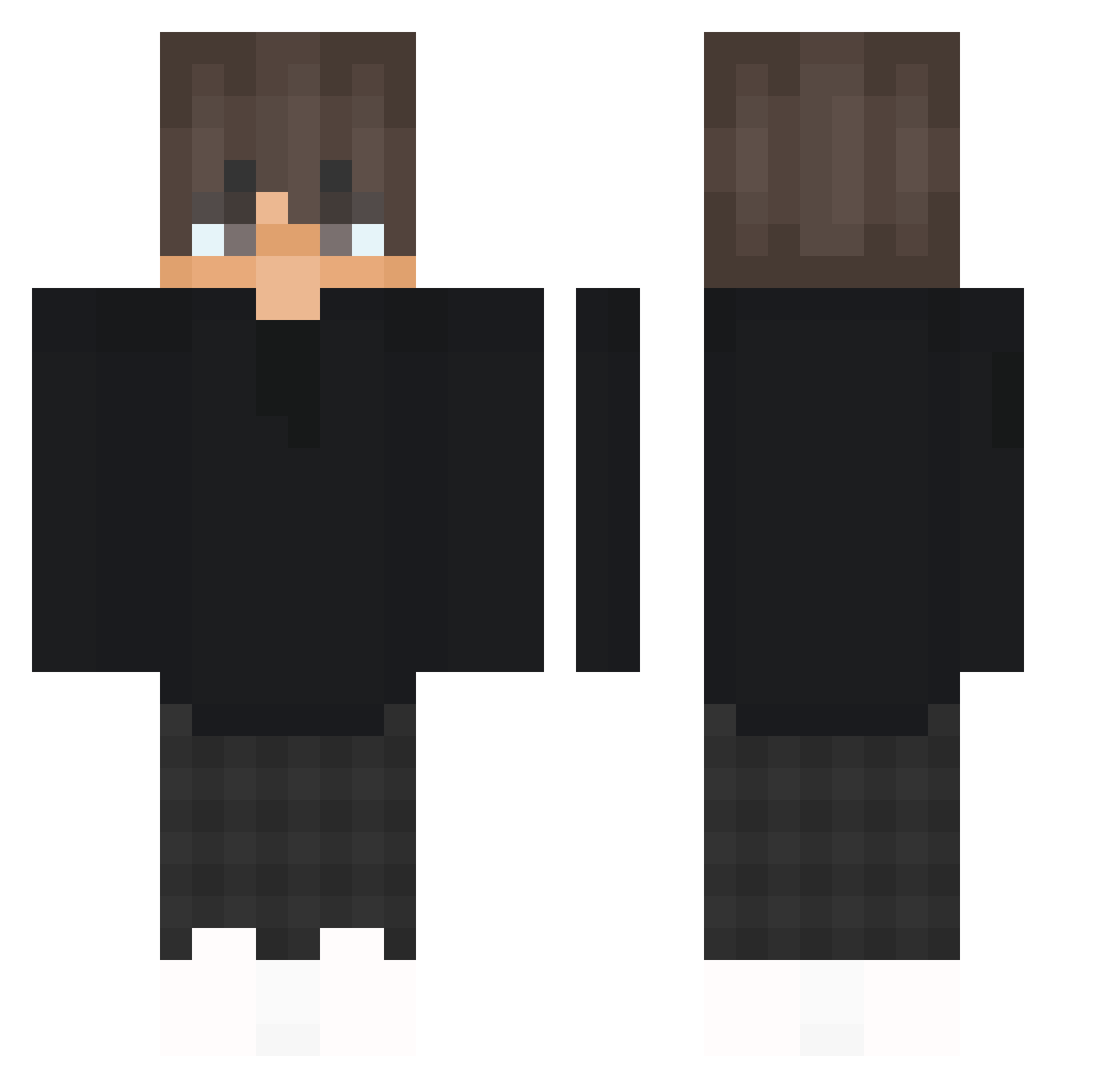
Minecraft skin of ItzMalon. Rotate the 3D model with your mouse or finger to view the skin from every angle, then download it as a PNG file and use it in Minecraft: Bedrock Edition or Java Edition for free. Rate the skin with stars to help other players find the best skins in our collection.
How to install the ItzMalon skin
- Press the Download button above to save the skin as a PNG file.
- Minecraft: Bedrock Edition (PE): open the Dressing Room from the main menu (or tap your character → Edit Character), go to Classic Skins → Owned, press the + (new skin) button, choose the downloaded PNG and pick the Classic (Steve) model. Works on PC and mobile; consoles cannot import custom skins.
- Minecraft: Java Edition: open the Minecraft Launcher, go to the Skins tab, click New Skin, load the PNG, pick the Classic (Steve) model and press Save & Use. You can also upload it at minecraft.net → Profile → Change Skin.
The skin does not show up after import - what should I do?
Restart Minecraft and open the Dressing Room again - imported skins sometimes appear only after a restart. Also make sure you selected the imported skin and picked the Classic (Steve) model.
Which model should I choose, Classic or Slim?
This skin is designed for the Classic (Steve) model. If you pick the wrong model, the arms of the skin will look stretched or squeezed.
Is this skin free to use?
Yes. Press Download, save the PNG file and use it in Minecraft: Bedrock Edition or Java Edition - no payment or registration needed. The skin also works on multiplayer servers and Realms.
More skins
Looking for more? Go back to all Minecraft skins and check the top skins of the week, month and all time, or find any player's skin by nickname.