
 YayC Geronemo Schatten_Wolf123 masterlilnut Zipo8600 raphsteige12 Fortress_Creator FlyMoney1174504 Piter2249 RedManBlox1234 AcePre BennTheHen GoldRyou Larry_Hotter Lukas_WP MadBunnyDK Manelgamer10_ Frostdog08 MagnusHJ511 Blockhippster Narcotiik01 UltraMonster Dexter515 Gell jazepins RainBowPoop08 raaadaa Zingoa Martoxd69 James2169 aluman1999 plagueguy2010 VRGENTIN JayStream92 iskito Deadbeat06 Medthi01 XDSyrox Violetta1902 Reevec_04 Dj_Janko poki0 Lemonfish07 CheckerSuitedMan RichardZ Sw1tzer _Duty_ Txrqexxx TheRealElias369 GamerGoose7 SKeRiko TETILLA1 BullseyeBobby TomMatla yOb1to TrustMeSheWas18 Zonogaming54 paupnation splitcobra NoctisSphere
Minecraft skin of destroyerkale124. Rotate the 3D model with your mouse or finger to view the skin from every angle, then download it as a PNG file and use it in Minecraft: Bedrock Edition or Java Edition for free. Rate the skin with stars to help other players find the best skins in our collection.
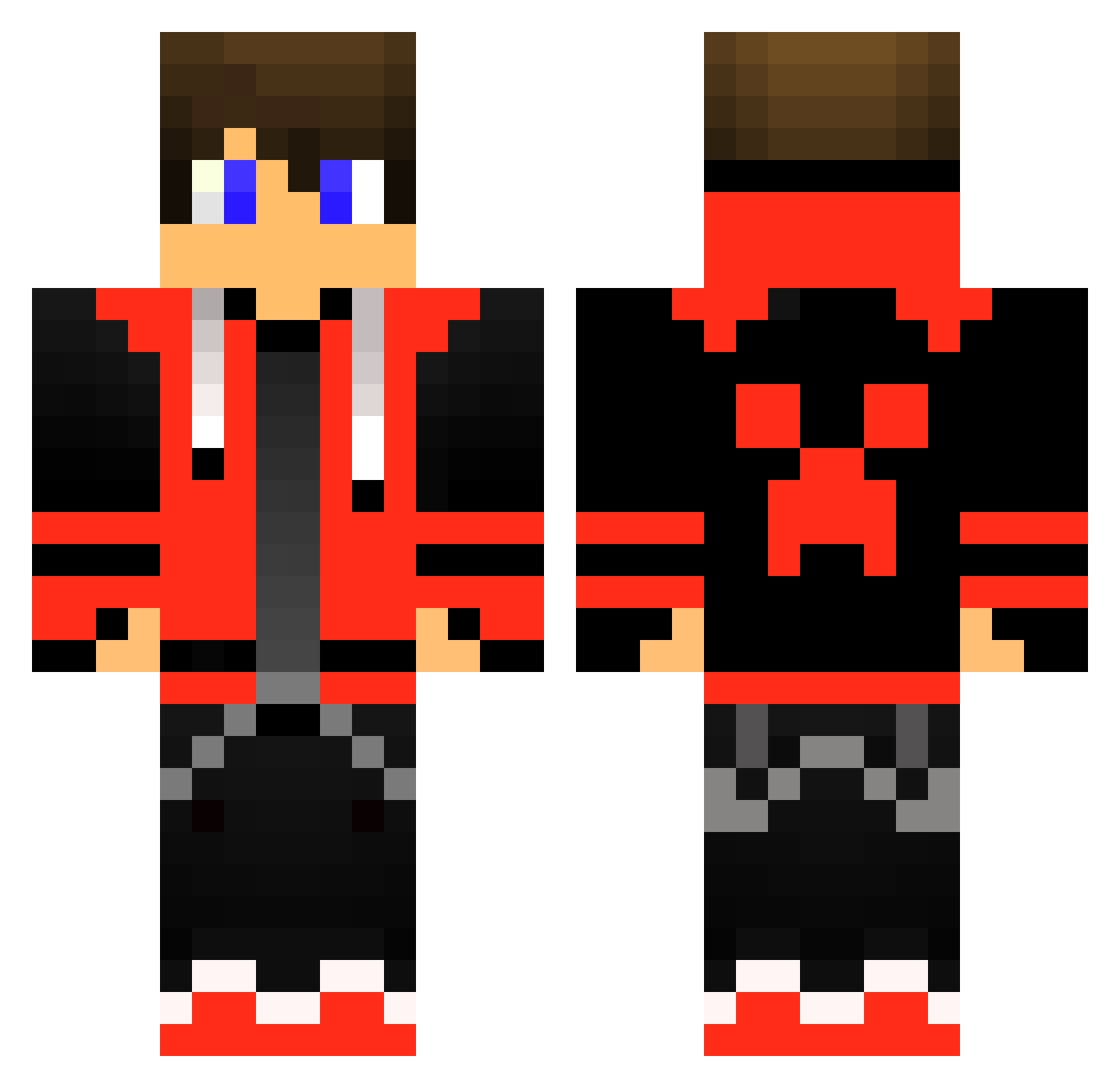
How to install the destroyerkale124 skin
- Press the Download button above to save the skin as a PNG file.
- Minecraft: Bedrock Edition (PE): open the Dressing Room from the main menu (or tap your character → Edit Character), go to Classic Skins → Owned, press the + (new skin) button, choose the downloaded PNG and pick the Classic (Steve) model. Works on PC and mobile; consoles cannot import custom skins.
- Minecraft: Java Edition: open the Minecraft Launcher, go to the Skins tab, click New Skin, load the PNG, pick the Classic (Steve) model and press Save & Use. You can also upload it at minecraft.net → Profile → Change Skin.
The skin does not show up after import - what should I do?
Restart Minecraft and open the Dressing Room again - imported skins sometimes appear only after a restart. Also make sure you selected the imported skin and picked the Classic (Steve) model.
Which model should I choose, Classic or Slim?
This skin is designed for the Classic (Steve) model. If you pick the wrong model, the arms of the skin will look stretched or squeezed.
Is this skin free to use?
Yes. Press Download, save the PNG file and use it in Minecraft: Bedrock Edition or Java Edition - no payment or registration needed. The skin also works on multiplayer servers and Realms.
More Gamer Minecraft skins
More skins
Looking for more? Go back to all Minecraft skins and check the top skins of the week, month and all time, or find any player's skin by nickname.