
Ammaritoz - Minecraft Skins & Skin History
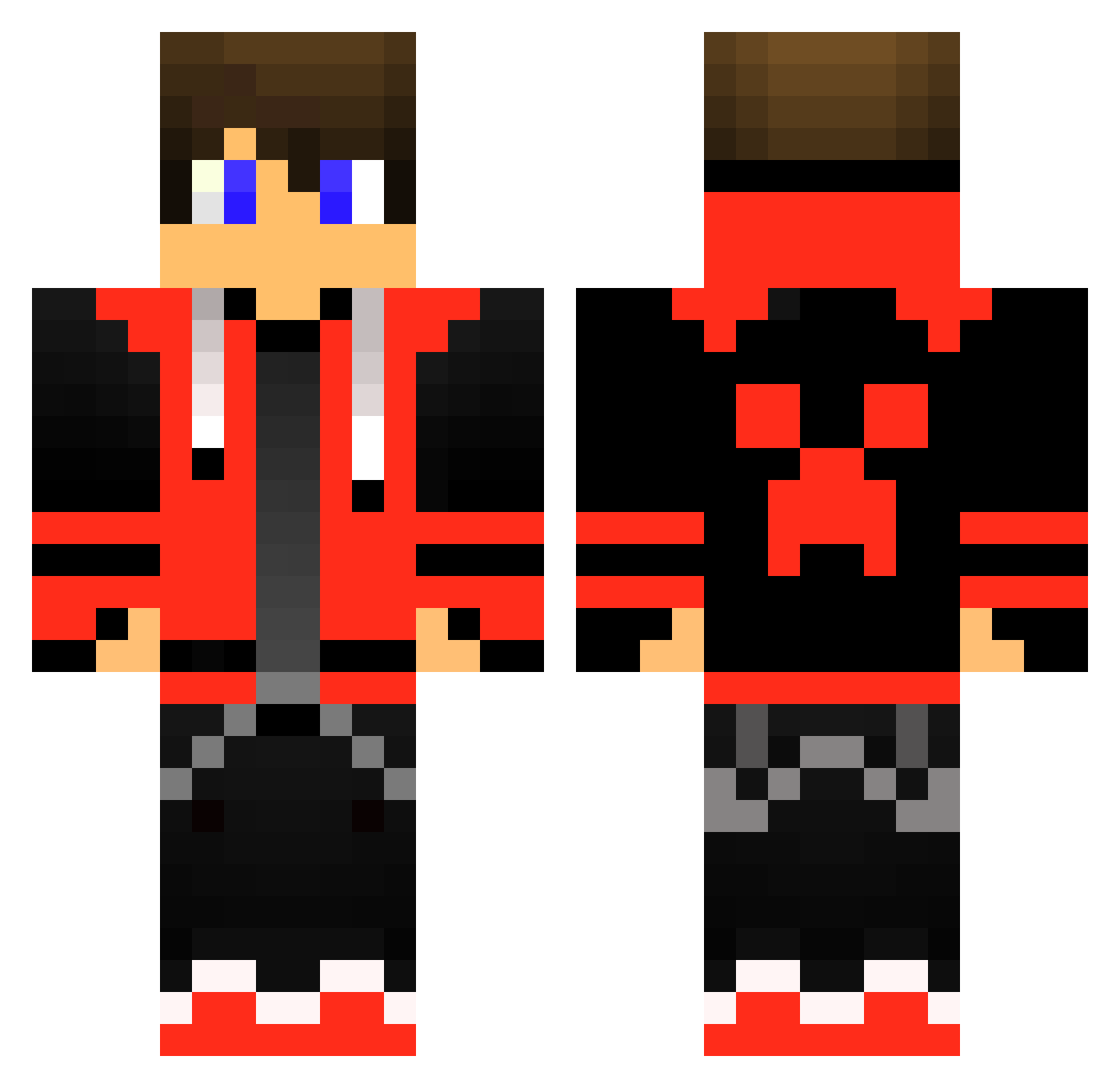
Current Minecraft skin of the player Ammaritoz, loaded from the official Mojang API. Rotate the 3D model with your mouse or finger, then download the skin as a PNG file and use it in Minecraft: Bedrock Edition or Java Edition for free. When Ammaritoz changes their skin, this page updates automatically and the old skin stays in the history below.
Other players with this skin (515)
Ammaritoz was the 478th player we have seen with this skin, first spotted on 03.11.2026. The same skin was seen on these players. Open a nickname to see their current skin and skin history.
 BimBim123 Bennydgoat DominikSlimshady Flash546 Lortiek Policecheb23 TViso BenjaminTPE Kenny777wolf fatcrafter1123 CreeperBlast1234 Live_Fiber177120 vict09 EmmelHD Kingdrivemex97 ZeBleuKaiser tizo2112 Leopold2212 WezzyEs MortisMortakos Dandore030 shreyu BiggNicc Mitl1399 NateTheGamer98 Slawuson NicoVongola Nanak_ LilShroomAlt givanominecraft1 Happydread GUBBENGUD lizer20 RiddCudi42 Hunterkai w11f_wo1f CSrains iroks7 Alkatras666 wackaras xiao_shan_zhu mr_batata2011 joeyjwz Christopher0510 ItzNasty11 Marmz2015 SkiTzy_Gamer jiipee599 bvurth3538 IBRAHIM12946 dumbydumbdumb FlorianAbr xX_TOOLBOX_Xx Renjestoo Magmik11 sdot501 Cnoska3200 xxxchase DazeyKawai Solaris47
More Gamer Minecraft skins
How to install the Ammaritoz skin
- Press the Download button above to save the skin as a PNG file.
- Minecraft: Bedrock Edition (PE): open the Dressing Room from the main menu (or tap your character → Edit Character), go to Classic Skins → Owned, press the + (new skin) button, choose the downloaded PNG and pick the Classic (Steve) model. Works on PC and mobile; consoles cannot import custom skins.
- Minecraft: Java Edition: open the Minecraft Launcher, go to the Skins tab, click New Skin, load the PNG, pick the Classic (Steve) model and press Save & Use. You can also upload it at minecraft.net → Profile → Change Skin.
The skin does not show up after import - what should I do?
Restart Minecraft and open the Dressing Room again - imported skins sometimes appear only after a restart. Also make sure you selected the imported skin and picked the Classic (Steve) model.
Which model should I choose, Classic or Slim?
This skin is designed for the Classic (Steve) model. If you pick the wrong model, the arms of the skin will look stretched or squeezed.
Is the skin of Ammaritoz free to download?
Yes. Press Download, save the PNG file and use it in Minecraft: Bedrock Edition or Java Edition - no payment or registration needed. The skin also works on multiplayer servers and Realms.
More skins
Looking for more? Go back to all Minecraft skins and check the top skins of the week, month and all time, or find any player's skin by nickname.