
zxuri11 - Minecraft Skins & Skin History
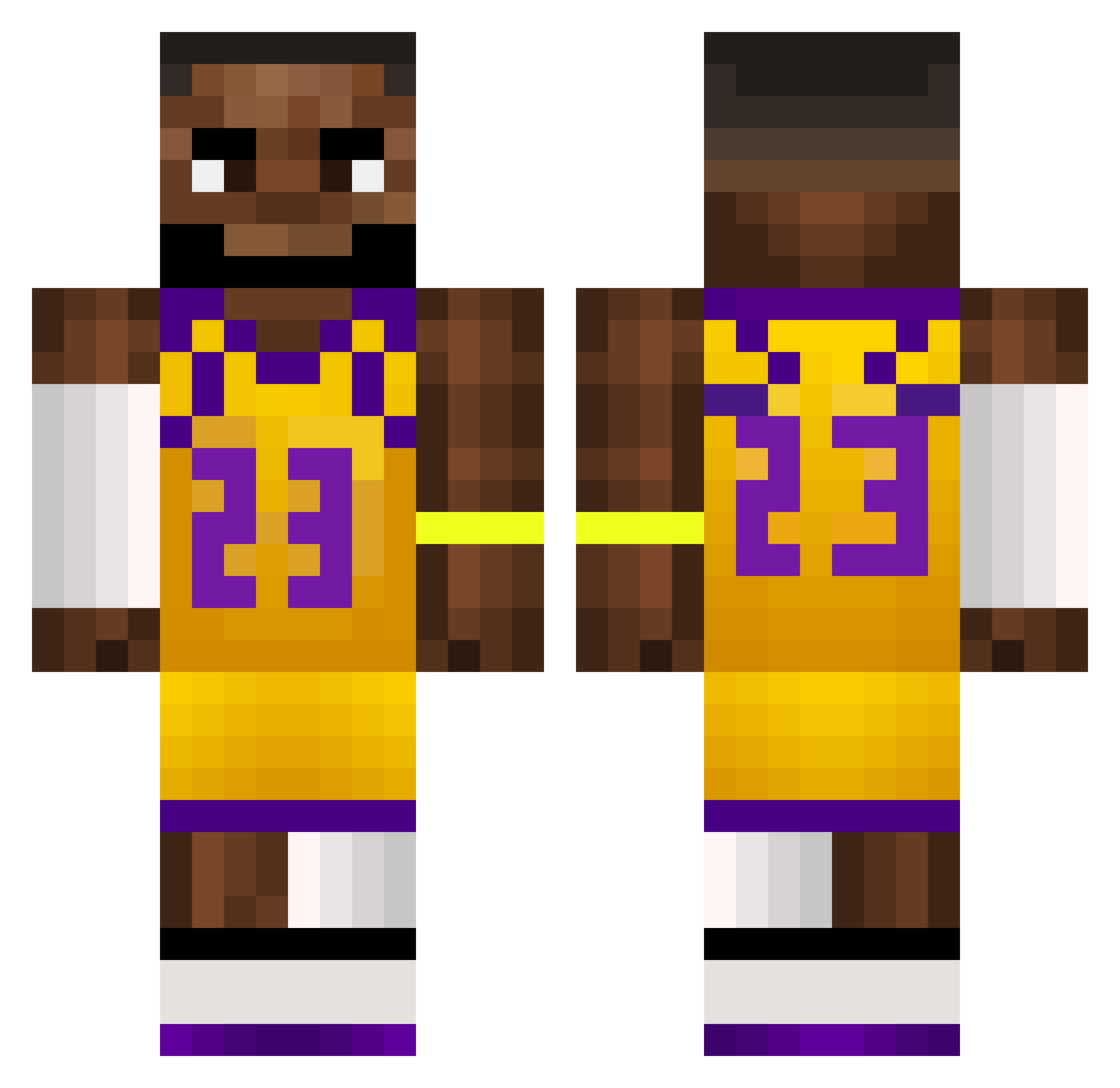
Current Minecraft skin of the player zxuri11, loaded from the official Mojang API. Rotate the 3D model with your mouse or finger, then download the skin as a PNG file and use it in Minecraft: Bedrock Edition or Java Edition for free. When zxuri11 changes their skin, this page updates automatically and the old skin stays in the history below.
Other players with this skin (552)
zxuri11 was the 395th player we have seen with this skin, first spotted on 04.10.2026. The same skin was seen on these players. Open a nickname to see their current skin and skin history.
 GoaT_RakiZ joshuAa12 Aviadlevi1 freediddy67 Young_Liieer Knopusz AjayKash dylanloveslebron szymekxy Hsanonai VanjaBenolin Shortfinger69 ORexMines tomto2008 toniobooty wydWhxte ExDeeee NYOSUII Boston1011 Saber6969 huris99 RimNutty Ryunosuke76 ripper_wp _Mustii ZzjbzZ Bobtschigerrillo TheJballz FenixZl smellytoelover stevoNG10 jannik_0108 Walterr_Black Legendery1234 C33ZY GuangdongRefugee Frutsi2 Plision0 ChoRRIllan Twiss5 Andr3456 bananaman658 QoxDenger vo1d_1 SeductiveBananut HBL2010 Sourlemonz291 LordGercy MChogriderMC Llandrindod oxtj chainico Charakterlos Ogzzgo rrr336 cyprian02 LeoCrumbie1 Guffemuffe8000 AngelinoDelamama Dominator1000
More Lakers Minecraft skins
How to install the zxuri11 skin
- Press the Download button above to save the skin as a PNG file.
- Minecraft: Bedrock Edition (PE): open the Dressing Room from the main menu (or tap your character → Edit Character), go to Classic Skins → Owned, press the + (new skin) button, choose the downloaded PNG and pick the Classic (Steve) model. Works on PC and mobile; consoles cannot import custom skins.
- Minecraft: Java Edition: open the Minecraft Launcher, go to the Skins tab, click New Skin, load the PNG, pick the Classic (Steve) model and press Save & Use. You can also upload it at minecraft.net → Profile → Change Skin.
The skin does not show up after import - what should I do?
Restart Minecraft and open the Dressing Room again - imported skins sometimes appear only after a restart. Also make sure you selected the imported skin and picked the Classic (Steve) model.
Which model should I choose, Classic or Slim?
This skin is designed for the Classic (Steve) model. If you pick the wrong model, the arms of the skin will look stretched or squeezed.
Is the skin of zxuri11 free to download?
Yes. Press Download, save the PNG file and use it in Minecraft: Bedrock Edition or Java Edition - no payment or registration needed. The skin also works on multiplayer servers and Realms.
More skins
Looking for more? Go back to all Minecraft skins and check the top skins of the week, month and all time, or find any player's skin by nickname.