
zZz_isaiah - Minecraft Skins & Skin History
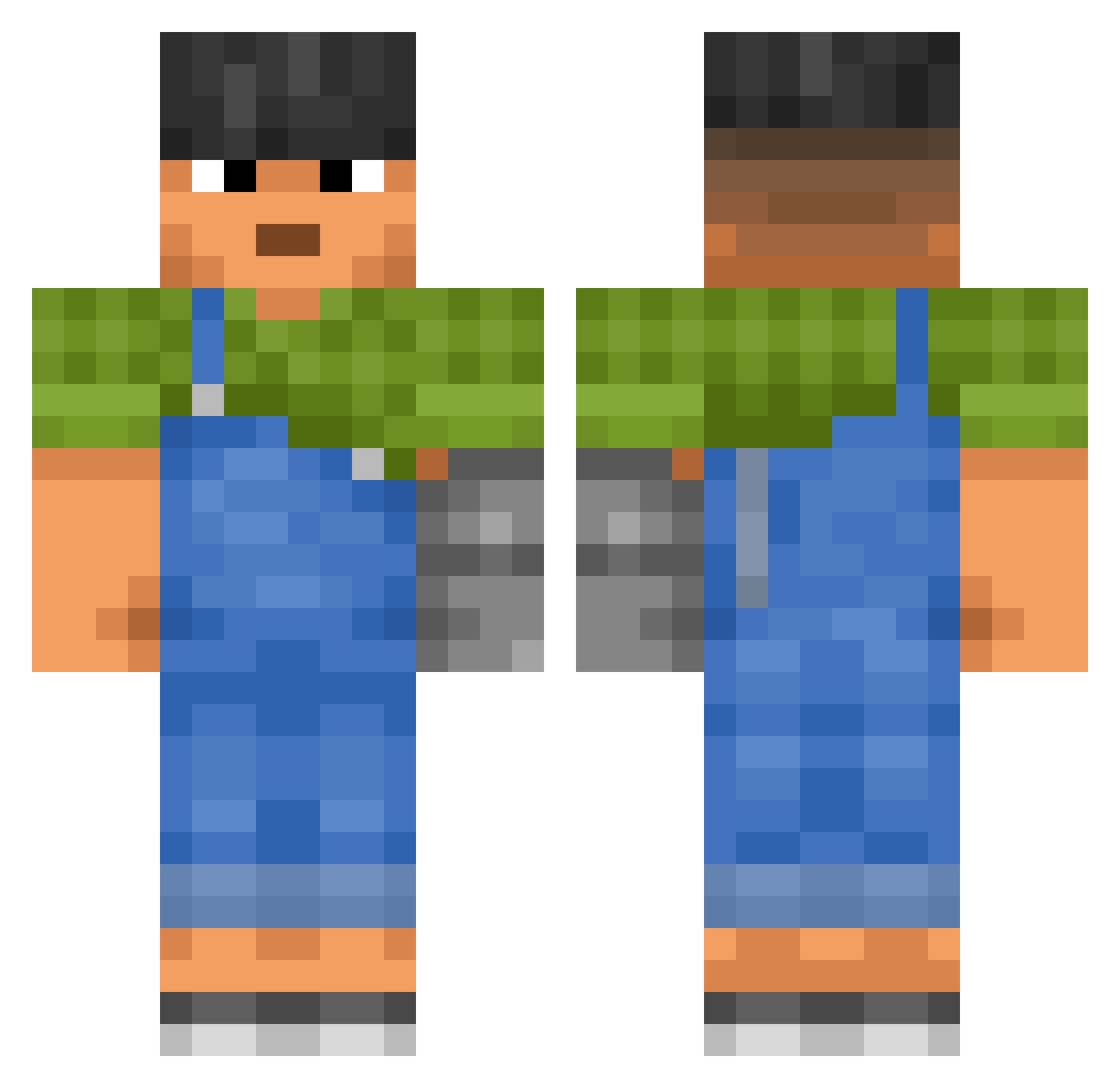
Current Minecraft skin of the player zZz_isaiah, loaded from the official Mojang API. Rotate the 3D model with your mouse or finger, then download the skin as a PNG file and use it in Minecraft: Bedrock Edition or Java Edition for free. When zZz_isaiah changes their skin, this page updates automatically and the old skin stays in the history below.
Other players with this skin (3441)
zZz_isaiah was the 3387th player we have seen with this skin, first spotted on 13.11.2026. The same skin was seen on these players. Open a nickname to see their current skin and skin history.
 Charmed_King Theocratical PoTu012 Xivaro JzuzV2000 roli1107 GrandFrame XTMUL Clarinet HanetSukki xhv4 punction abneeto Daklu2 ziztor3 _Dodo73_ yuvmmm Bowbah_Fett Mustaine1986 Axel73 Balintka1 ParsyLuvr Aaronnnnnnnn Fardolin KaratCake Clopooo Threats lookout5D 10wheel Mountaineerbiker TryVicente airmrh facette P3PIJN NikMaschdor Bantahunter daredeviltry sey billyroblox1287 NotGinz Subalternation Sooooooofa AbbySanGuard Lucas_1969 Sultanov kats Duzgo oobada Fruchtbar ThatIsChris Melkomhunter HiroStorm vodekqls Zukii hayabusaturbo seraphs Jules343 _x_Zeus_x_ Nandi Piohseken
More Prosthetic Arm Minecraft skins
See all 80 Prosthetic Arm skins
How to install the zZz_isaiah skin
- Press the Download button above to save the skin as a PNG file.
- Minecraft: Bedrock Edition (PE): open the Dressing Room from the main menu (or tap your character → Edit Character), go to Classic Skins → Owned, press the + (new skin) button, choose the downloaded PNG and pick the Classic (Steve) model. Works on PC and mobile; consoles cannot import custom skins.
- Minecraft: Java Edition: open the Minecraft Launcher, go to the Skins tab, click New Skin, load the PNG, pick the Classic (Steve) model and press Save & Use. You can also upload it at minecraft.net → Profile → Change Skin.
The skin does not show up after import - what should I do?
Restart Minecraft and open the Dressing Room again - imported skins sometimes appear only after a restart. Also make sure you selected the imported skin and picked the Classic (Steve) model.
Which model should I choose, Classic or Slim?
This skin is designed for the Classic (Steve) model. If you pick the wrong model, the arms of the skin will look stretched or squeezed.
Is the skin of zZz_isaiah free to download?
Yes. Press Download, save the PNG file and use it in Minecraft: Bedrock Edition or Java Edition - no payment or registration needed. The skin also works on multiplayer servers and Realms.
More skins
Looking for more? Go back to all Minecraft skins and check the top skins of the week, month and all time, or find any player's skin by nickname.