
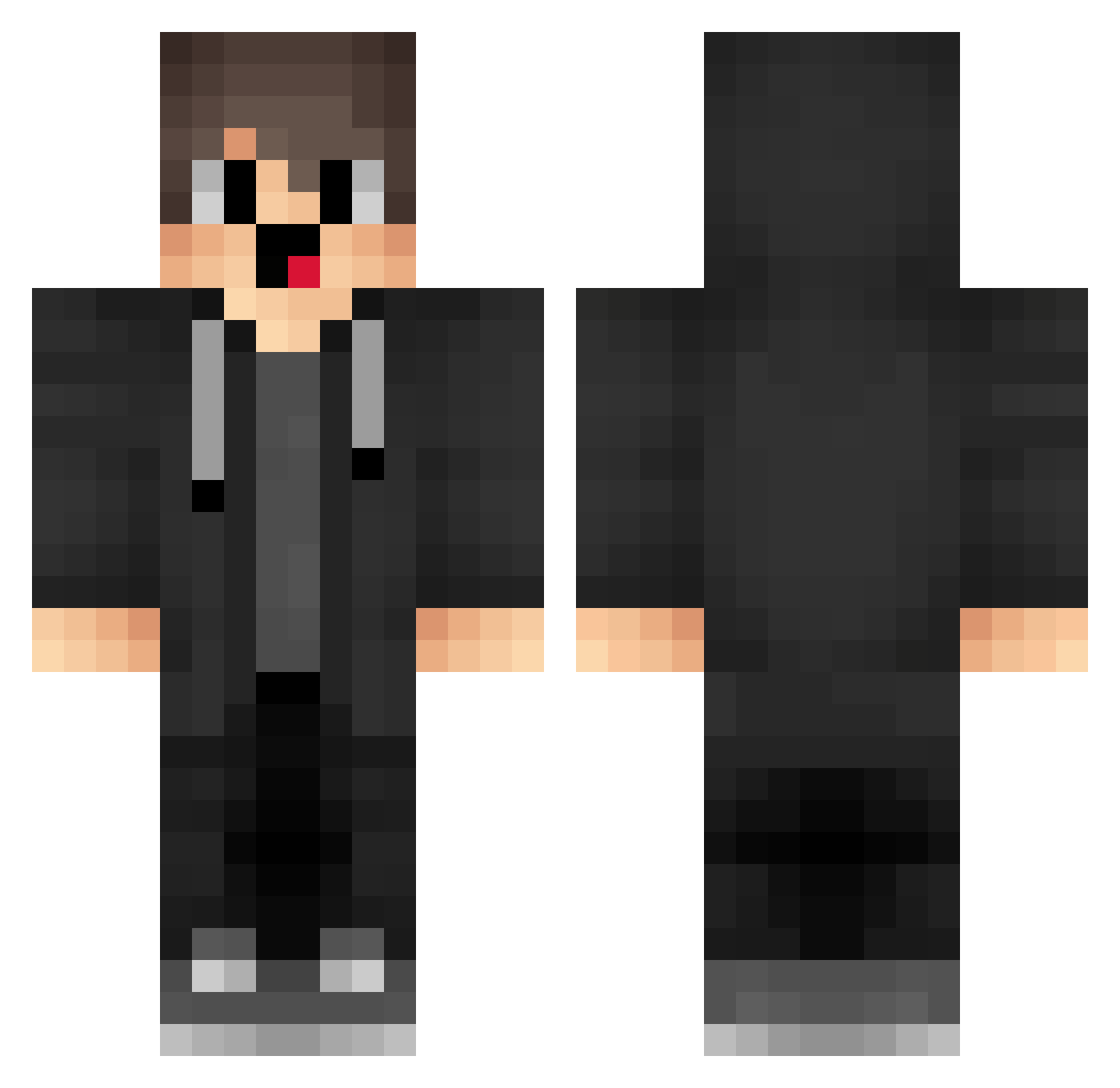
Current Minecraft skin of the player zPX431, loaded from the official Mojang API. Rotate the 3D model with your mouse or finger, then download the skin as a PNG file and use it in Minecraft: Bedrock Edition or Java Edition for free. When zPX431 changes their skin, this page updates automatically and the old skin stays in the history below.
Other players with this skin (1277)
zPX431 was the 137th player we have seen with this skin, first spotted on 02.08.2026. The same skin was seen on these players. Open a nickname to see their current skin and skin history.
 PBT117 Yea713 RyurulCarrot5023 teV890 XcS223 Oit387 tobias_kropf pvR708 Hbc321 Callie0705
 750u Abuspzz_3000 PEp201 nzu483 WKR453 box_DVXDpsqWI910 MRIOG wsb809 VP12USR FFf988 J1uxi_ merzibypasses VSB684
 IllicitSaturn72 YPm550 GOODLAKS SnU907 IAj131 gibsonexploiter Sa3ura_10 box_obkuqVdJH479 lufei_nrhj8_0106 avt389 box_GOmdNXDUU512 Adaxes box_smuCtWDRk256 cAO89 Pty568 zaV874 zP4INN sSp208 bLB316 vxg0 lPY377 Ruoper gVj348 EgJ613 AshStretchum saN731 uFm538 xiaowan_1152 Freckdaks Laowu2323 talselim zZa225 JOp544 Rvu276 Imagine_Skull MlP831 MERRYZZ1
How to install the zPX431 skin
- Press the Download button above to save the skin as a PNG file.
- Minecraft: Bedrock Edition (PE): open the Dressing Room from the main menu (or tap your character → Edit Character), go to Classic Skins → Owned, press the + (new skin) button, choose the downloaded PNG and pick the Classic (Steve) model. Works on PC and mobile; consoles cannot import custom skins.
- Minecraft: Java Edition: open the Minecraft Launcher, go to the Skins tab, click New Skin, load the PNG, pick the Classic (Steve) model and press Save & Use. You can also upload it at minecraft.net → Profile → Change Skin.
The skin does not show up after import - what should I do?
Restart Minecraft and open the Dressing Room again - imported skins sometimes appear only after a restart. Also make sure you selected the imported skin and picked the Classic (Steve) model.
Which model should I choose, Classic or Slim?
This skin is designed for the Classic (Steve) model. If you pick the wrong model, the arms of the skin will look stretched or squeezed.
Is the skin of zPX431 free to download?
Yes. Press Download, save the PNG file and use it in Minecraft: Bedrock Edition or Java Edition - no payment or registration needed. The skin also works on multiplayer servers and Realms.
More skins
Looking for more? Go back to all Minecraft skins and check the top skins of the week, month and all time, or find any player's skin by nickname.