
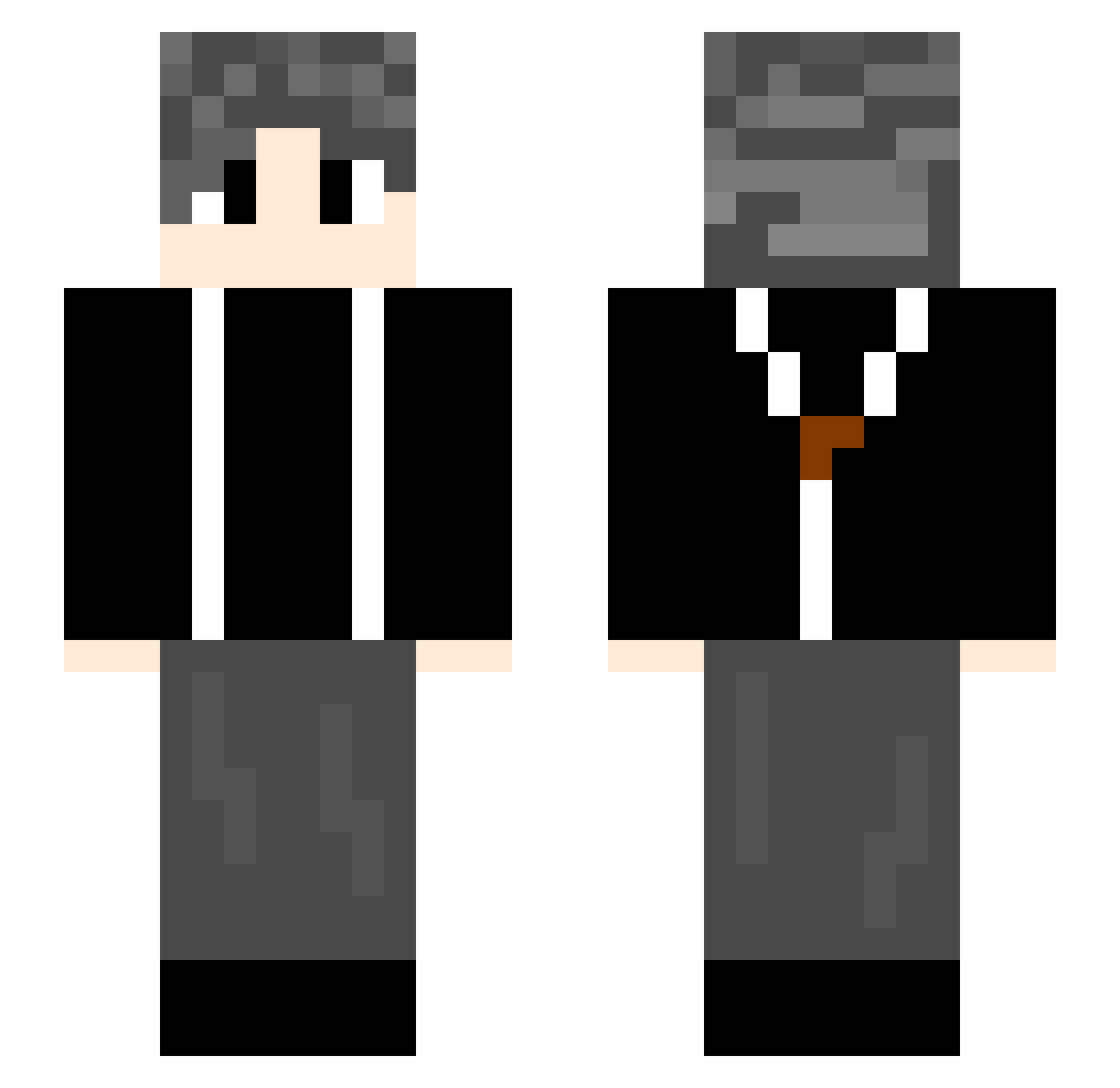
Current Minecraft skin of the player yy18777, loaded from the official Mojang API. Rotate the 3D model with your mouse or finger, then download the skin as a PNG file and use it in Minecraft: Bedrock Edition or Java Edition for free. When yy18777 changes their skin, this page updates automatically and the old skin stays in the history below.
Other players with this skin (581)
yy18777 was the 340th player we have seen with this skin, first spotted on 10.09.2026. The same skin was seen on these players. Open a nickname to see their current skin and skin history.
 JBYYBJ Lifeline100 TZ20041108 OLDFatHer55 x1103 hunshuimoyu16570 lllwd Jiyifanfanfanfan Soraihy x_x_pigg PengYu667 Nalane1 Liude_ovo DuanYi0721 hanhan_lili omgsssn qfyrt Wacetub yimeng199 Acceleratory AAO_G xx252002 Devilmanlei wocaonimenma5418 nnsdn azsx919 Catzw t3data kindliese attackStop wf2003 Litchi_22 jujuju1031 langou1 hibc qiyueqi77 binbinmeimu HSZZY Hamuleite xkrznb lxzyf wzq23344 shark250101 Bat2004 xboxyes ui91 agoin_z IKUNLOVE13145 edgSimon1 likunpeng freekingzero Pro638 NDGZB fusu214 cc696 JKMKAE super_idol666 LucasLeandro201 Starry7777 xushu0
How to install the yy18777 skin
- Press the Download button above to save the skin as a PNG file.
- Minecraft: Bedrock Edition (PE): open the Dressing Room from the main menu (or tap your character → Edit Character), go to Classic Skins → Owned, press the + (new skin) button, choose the downloaded PNG and pick the Slim (Alex) model. Works on PC and mobile; consoles cannot import custom skins.
- Minecraft: Java Edition: open the Minecraft Launcher, go to the Skins tab, click New Skin, load the PNG, pick the Slim (Alex) model and press Save & Use. You can also upload it at minecraft.net → Profile → Change Skin.
The skin does not show up after import - what should I do?
Restart Minecraft and open the Dressing Room again - imported skins sometimes appear only after a restart. Also make sure you selected the imported skin and picked the Slim (Alex) model.
Which model should I choose, Classic or Slim?
This skin is designed for the Slim (Alex) model. If you pick the wrong model, the arms of the skin will look stretched or squeezed.
Is the skin of yy18777 free to download?
Yes. Press Download, save the PNG file and use it in Minecraft: Bedrock Edition or Java Edition - no payment or registration needed. The skin also works on multiplayer servers and Realms.
More skins
Looking for more? Go back to all Minecraft skins and check the top skins of the week, month and all time, or find any player's skin by nickname.