
yxnpl - Minecraft Skins & Skin History
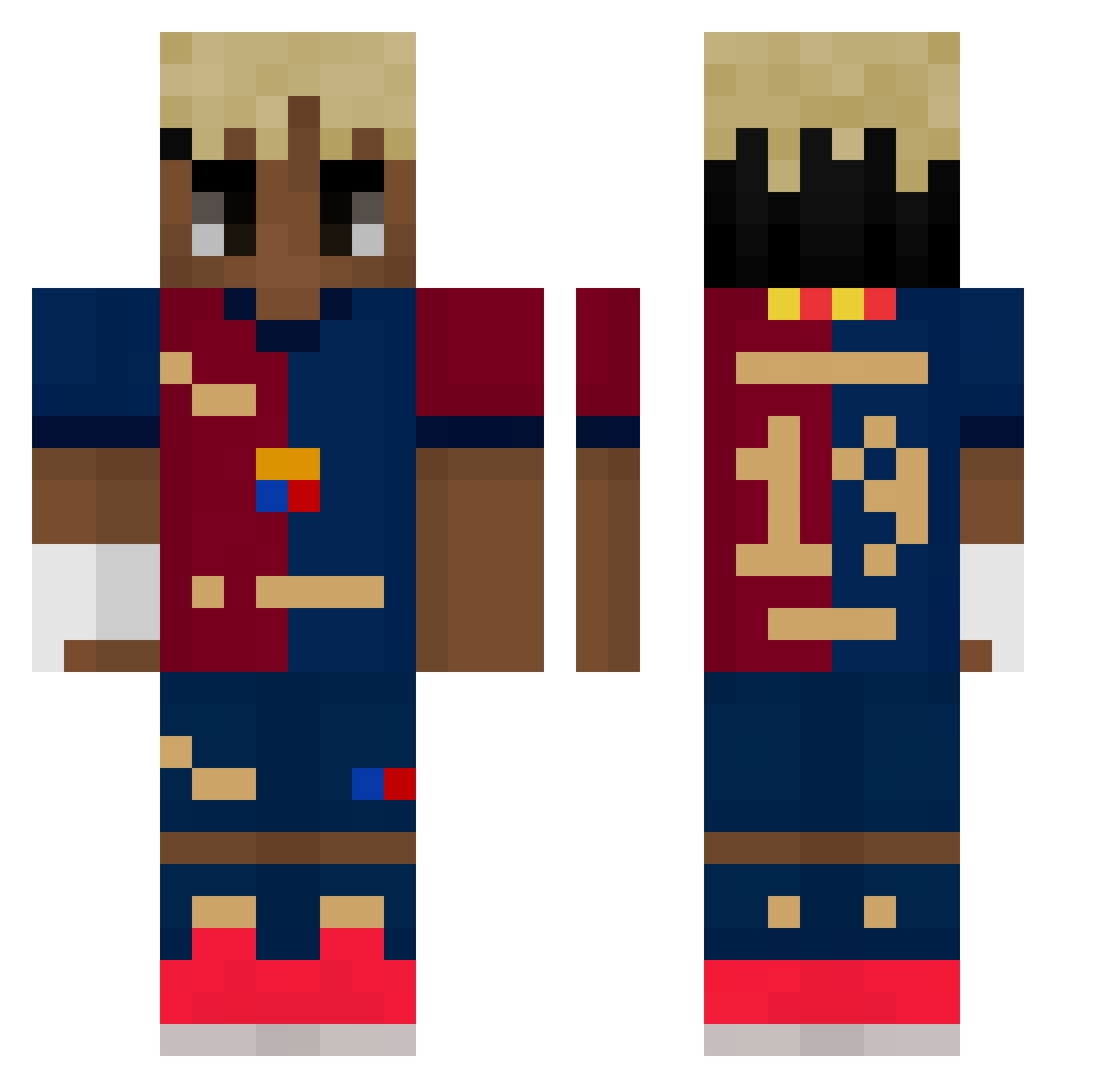
Current Minecraft skin of the player yxnpl, loaded from the official Mojang API. Rotate the 3D model with your mouse or finger, then download the skin as a PNG file and use it in Minecraft: Bedrock Edition or Java Edition for free. When yxnpl changes their skin, this page updates automatically and the old skin stays in the history below.
Other players with this skin (428)
yxnpl was the 223rd player we have seen with this skin, first spotted on 07.09.2026. The same skin was seen on these players. Open a nickname to see their current skin and skin history.
 Nanelito
 Nisotzky samur4imine Erk53z lvado Darkzy07 pavlichu
 jm_delax YamalNguyen10 mrtz_shwn27 Dyegoti bairen666 ChicoElite Yifk4 elvilla_n0 gabriel124401 kermit_20 Skailainn Varel0901 EAGLE_CARRION Bartuzza Kofvic LeSerrurier KUBA68 DERBOSEWICHT Polwe10 lamaooo MAXIMILIEN27120 Agente_Milkar NemZzMC Mitaka705 BeardedTurt Melonero777 xXxNotBrooxXx nadyt alanosorioo naxin777 Jokeasy11210 KaptanD Troller848 T_ina Ncaho Machurka06 hadesks aitana_ot2017 Sigma_Dylan Hristian2008 AyzeBH SunNizz__ suzuya_prime vulgo2t_ Arowake crayman06 AbdelBrito nikheur2mer welsy4 Reachys kvczyn kyoukou iTz_DomiiZ
Previous skins of yxnpl
Skins that yxnpl wore before, newest first. Click a skin to open its page and download it.
More Soccer Kit Minecraft skins
How to install the yxnpl skin
- Press the Download button above to save the skin as a PNG file.
- Minecraft: Bedrock Edition (PE): open the Dressing Room from the main menu (or tap your character → Edit Character), go to Classic Skins → Owned, press the + (new skin) button, choose the downloaded PNG and pick the Classic (Steve) model. Works on PC and mobile; consoles cannot import custom skins.
- Minecraft: Java Edition: open the Minecraft Launcher, go to the Skins tab, click New Skin, load the PNG, pick the Classic (Steve) model and press Save & Use. You can also upload it at minecraft.net → Profile → Change Skin.
The skin does not show up after import - what should I do?
Restart Minecraft and open the Dressing Room again - imported skins sometimes appear only after a restart. Also make sure you selected the imported skin and picked the Classic (Steve) model.
Which model should I choose, Classic or Slim?
This skin is designed for the Classic (Steve) model. If you pick the wrong model, the arms of the skin will look stretched or squeezed.
Is the skin of yxnpl free to download?
Yes. Press Download, save the PNG file and use it in Minecraft: Bedrock Edition or Java Edition - no payment or registration needed. The skin also works on multiplayer servers and Realms.
More skins
Looking for more? Go back to all Minecraft skins and check the top skins of the week, month and all time, or find any player's skin by nickname.