
yuuu_com - Minecraft Skins & Skin History
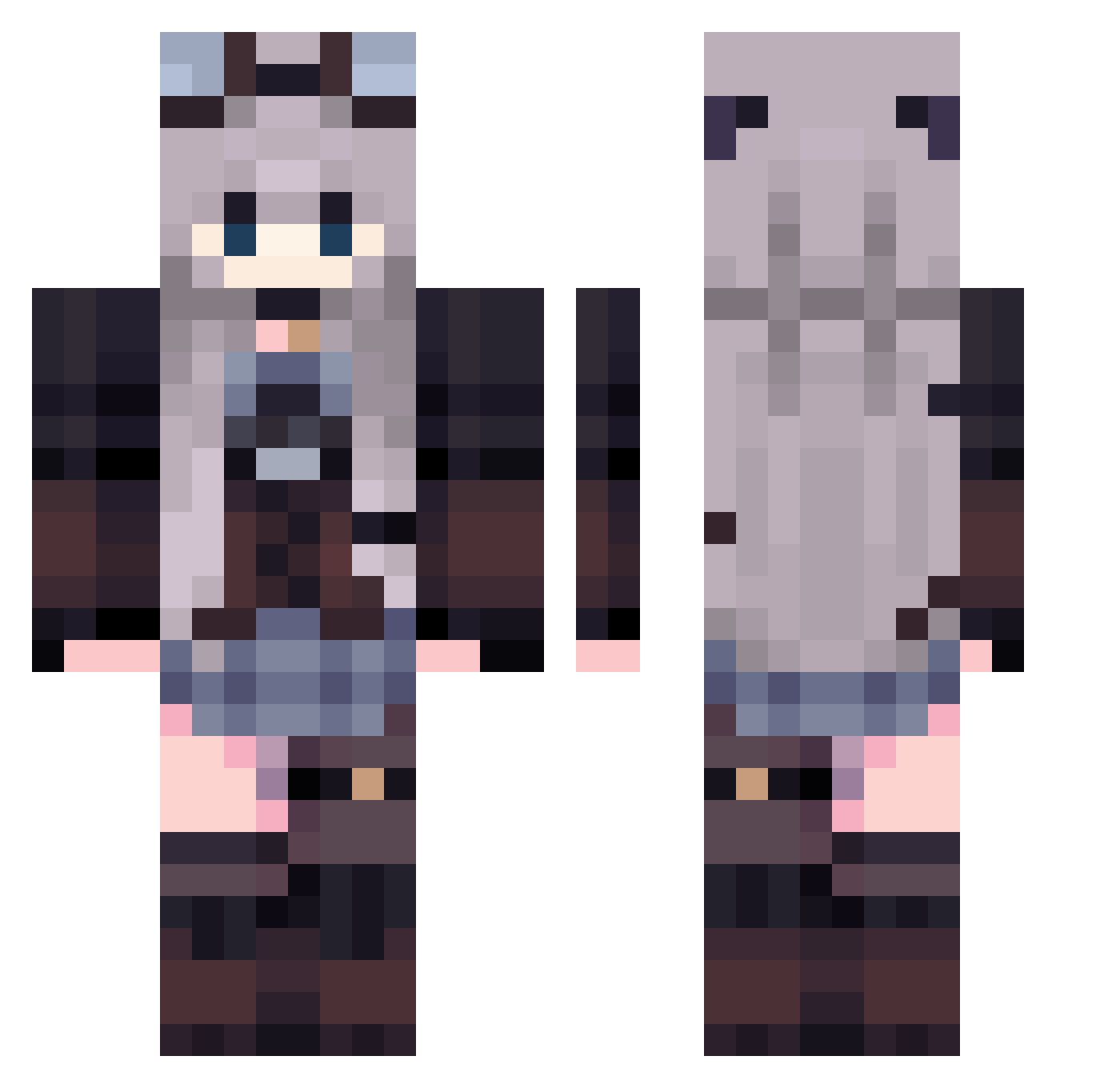
Current Minecraft skin of the player yuuu_com, loaded from the official Mojang API. Rotate the 3D model with your mouse or finger, then download the skin as a PNG file and use it in Minecraft: Bedrock Edition or Java Edition for free. When yuuu_com changes their skin, this page updates automatically and the old skin stays in the history below.
Other players with this skin (436)
yuuu_com was the 424th player we have seen with this skin, first spotted on 03.11.2026. The same skin was seen on these players. Open a nickname to see their current skin and skin history.
 Nuo_wawa Megumiaslaug gob_lin SU30MKII Lucy_Dew NiikaBun LLENNKim jaomint26 Marghe10 Stressed_Deviant ChoiSemi0 NeSha_ NubesitaNaranja Melinka867 amame83 Mirr_a kimflower_ aruii_ AbbeyJones LanaVolkov MAL_puFUNN _Izumi001 Hararara6 L3S4M LosserX NEXUS_H_615 elazchx LZDYG Akiichu Ruuye SnowTiger07 Aspersers Guru0312 Shizuchi KiyomiTvT Zorazet OuO_Lairy b0eiiury TheArchitect83 Lyune_96 Lobo_The_Wolf oyrsiy snow_berry0 mamamiel Tired_Soulxo _Collei Hibriss123 Puffy_Bee liqianqu _N40 Demezel Miillu p3nci1 ZCY121 Blackberry_841 skyfly6666 SINORIMI Nyxi_oliv Crxe M4nd4rinka
More Steampunk Minecraft skins
How to install the yuuu_com skin
- Press the Download button above to save the skin as a PNG file.
- Minecraft: Bedrock Edition (PE): open the Dressing Room from the main menu (or tap your character → Edit Character), go to Classic Skins → Owned, press the + (new skin) button, choose the downloaded PNG and pick the Classic (Steve) model. Works on PC and mobile; consoles cannot import custom skins.
- Minecraft: Java Edition: open the Minecraft Launcher, go to the Skins tab, click New Skin, load the PNG, pick the Classic (Steve) model and press Save & Use. You can also upload it at minecraft.net → Profile → Change Skin.
The skin does not show up after import - what should I do?
Restart Minecraft and open the Dressing Room again - imported skins sometimes appear only after a restart. Also make sure you selected the imported skin and picked the Classic (Steve) model.
Which model should I choose, Classic or Slim?
This skin is designed for the Classic (Steve) model. If you pick the wrong model, the arms of the skin will look stretched or squeezed.
Is the skin of yuuu_com free to download?
Yes. Press Download, save the PNG file and use it in Minecraft: Bedrock Edition or Java Edition - no payment or registration needed. The skin also works on multiplayer servers and Realms.
More skins
Looking for more? Go back to all Minecraft skins and check the top skins of the week, month and all time, or find any player's skin by nickname.