
yuured - Minecraft Skins & Skin History
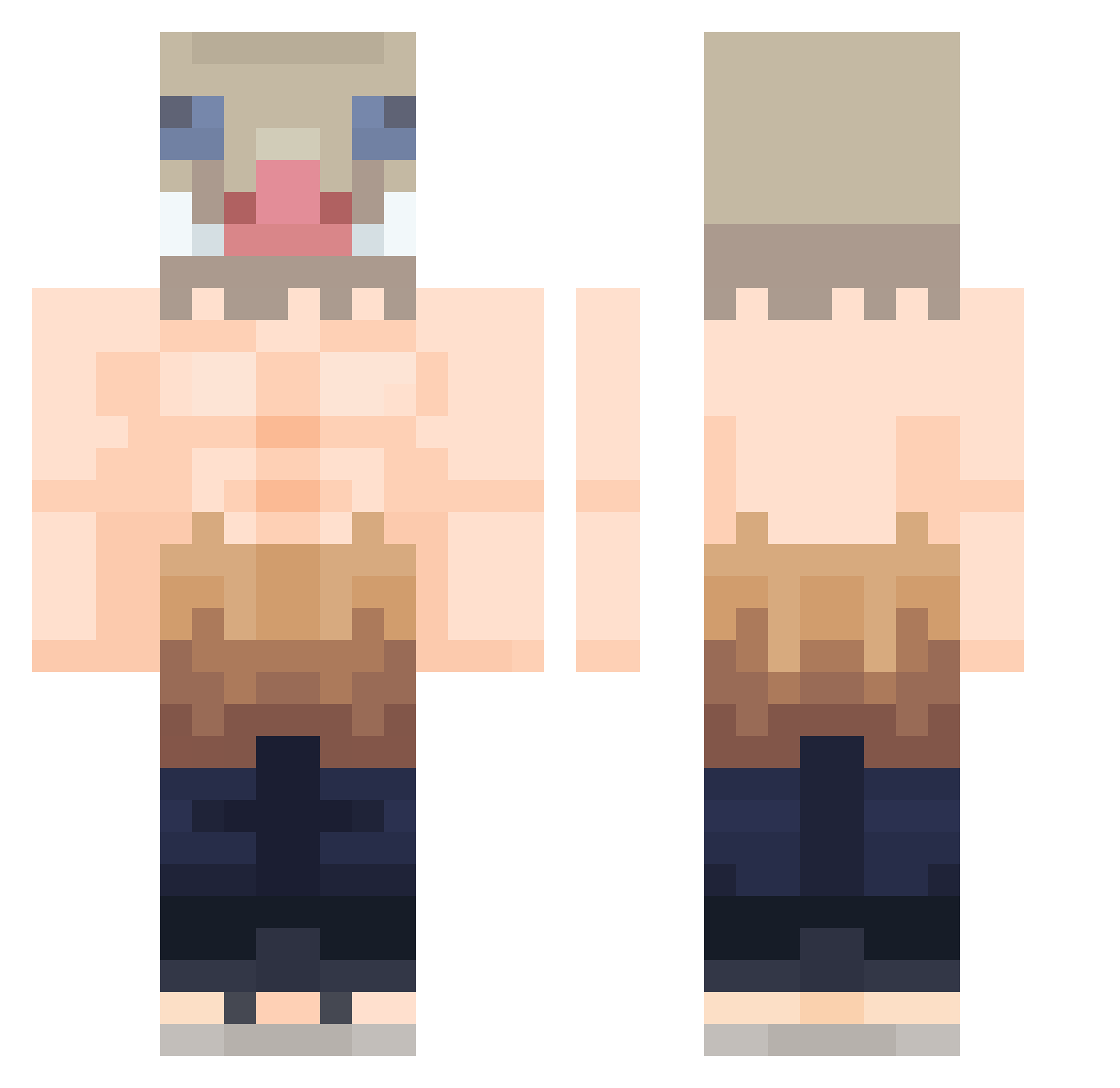
Current Minecraft skin of the player yuured, loaded from the official Mojang API. Rotate the 3D model with your mouse or finger, then download the skin as a PNG file and use it in Minecraft: Bedrock Edition or Java Edition for free. When yuured changes their skin, this page updates automatically and the old skin stays in the history below.
Other players with this skin (423)
yuured was the 274th player we have seen with this skin, first spotted on 02.10.2026. The same skin was seen on these players. Open a nickname to see their current skin and skin history.
 MissaMissa Xxeria15 GAMA_29 myt342 MiniHaniaxd cwispyJJ William_Peak kinkada Skelutin13 SolicitedCoyote ElShanito Ragnaxios dan12459 lacgo_ Kanontsm PenioOTW AsianGuyTommy GunterLz ItsJulianFox tuurius KutsalKisi BaltazarBlake98 Wachh Villayne realgood0604 Checo797 vicodu574 Lambordenny chomapa Spawnkiller54 zStable misuki974 atmosl Shadowsukee Juanfyah cyandrake26 infamousderpy EmirNah LaloxX1703 InfernalTstr Kihyun_Kim ColNat27 KeensacJr7 Nymesio Rockneo6913 shinighemi RIZZOX22 Baldomeroo_ Armin235 SydRael Umaiiiiii Keke92700 nicolai121 CP7N lnosukke spinl0w Melodeas883 Jumivix TioBenson ynbafukuina
More Boar Mask Minecraft skins
How to install the yuured skin
- Press the Download button above to save the skin as a PNG file.
- Minecraft: Bedrock Edition (PE): open the Dressing Room from the main menu (or tap your character → Edit Character), go to Classic Skins → Owned, press the + (new skin) button, choose the downloaded PNG and pick the Classic (Steve) model. Works on PC and mobile; consoles cannot import custom skins.
- Minecraft: Java Edition: open the Minecraft Launcher, go to the Skins tab, click New Skin, load the PNG, pick the Classic (Steve) model and press Save & Use. You can also upload it at minecraft.net → Profile → Change Skin.
The skin does not show up after import - what should I do?
Restart Minecraft and open the Dressing Room again - imported skins sometimes appear only after a restart. Also make sure you selected the imported skin and picked the Classic (Steve) model.
Which model should I choose, Classic or Slim?
This skin is designed for the Classic (Steve) model. If you pick the wrong model, the arms of the skin will look stretched or squeezed.
Is the skin of yuured free to download?
Yes. Press Download, save the PNG file and use it in Minecraft: Bedrock Edition or Java Edition - no payment or registration needed. The skin also works on multiplayer servers and Realms.
More skins
Looking for more? Go back to all Minecraft skins and check the top skins of the week, month and all time, or find any player's skin by nickname.