
yuqingLiu - Minecraft Skins & Skin History
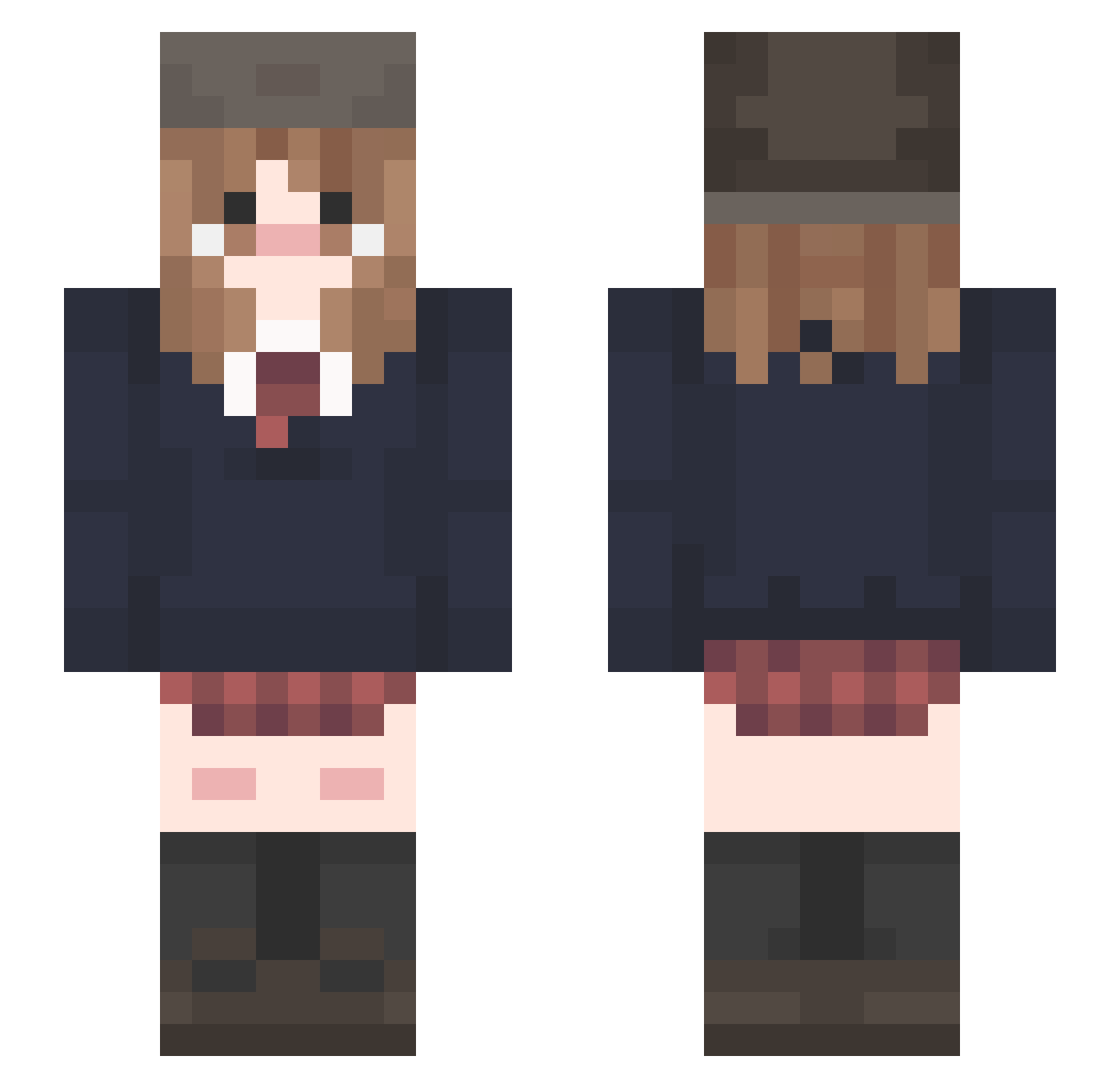
Current Minecraft skin of the player yuqingLiu, loaded from the official Mojang API. Rotate the 3D model with your mouse or finger, then download the skin as a PNG file and use it in Minecraft: Bedrock Edition or Java Edition for free. When yuqingLiu changes their skin, this page updates automatically and the old skin stays in the history below.
Other players with this skin (242)
yuqingLiu was the 222nd player we have seen with this skin, first spotted on 08.11.2026. The same skin was seen on these players. Open a nickname to see their current skin and skin history.
 izanho basuritaaa amokxxx Hamiryukai Anosk2a suyvi Lirinnnn iskami8 kellanwe Annielol24 _agent_crafter_ krzys989072 marsshu paradise51 Evatrc30 organgoblin notpmee seiru0 thepixies _Mailu_ Luni22 StanWhite Kazik_k ravork EvilMonk_ sweet7u7 yearm creper_2005 nataliejinju placePD willowtweee vimz_ TrainingARCALITE luvknows LillyTheDog cactusswordhero Neige20 starrxpie LolpopINW FREdDY1007 Kellyx3e bonductor Sanctus_Ryo desuuyo zuzxss KIMMYEONGJE sayumi_S2 masterz9 soufellas slpybug fiflakowy sericite necosiki evaxann Barf1992 SushiPossum yune22 liyu030305 joseph2fast sherlocked1
More School Uniform Minecraft skins
See all 7628 School Uniform skins
How to install the yuqingLiu skin
- Press the Download button above to save the skin as a PNG file.
- Minecraft: Bedrock Edition (PE): open the Dressing Room from the main menu (or tap your character → Edit Character), go to Classic Skins → Owned, press the + (new skin) button, choose the downloaded PNG and pick the Slim (Alex) model. Works on PC and mobile; consoles cannot import custom skins.
- Minecraft: Java Edition: open the Minecraft Launcher, go to the Skins tab, click New Skin, load the PNG, pick the Slim (Alex) model and press Save & Use. You can also upload it at minecraft.net → Profile → Change Skin.
The skin does not show up after import - what should I do?
Restart Minecraft and open the Dressing Room again - imported skins sometimes appear only after a restart. Also make sure you selected the imported skin and picked the Slim (Alex) model.
Which model should I choose, Classic or Slim?
This skin is designed for the Slim (Alex) model. If you pick the wrong model, the arms of the skin will look stretched or squeezed.
Is the skin of yuqingLiu free to download?
Yes. Press Download, save the PNG file and use it in Minecraft: Bedrock Edition or Java Edition - no payment or registration needed. The skin also works on multiplayer servers and Realms.
More skins
Looking for more? Go back to all Minecraft skins and check the top skins of the week, month and all time, or find any player's skin by nickname.